20
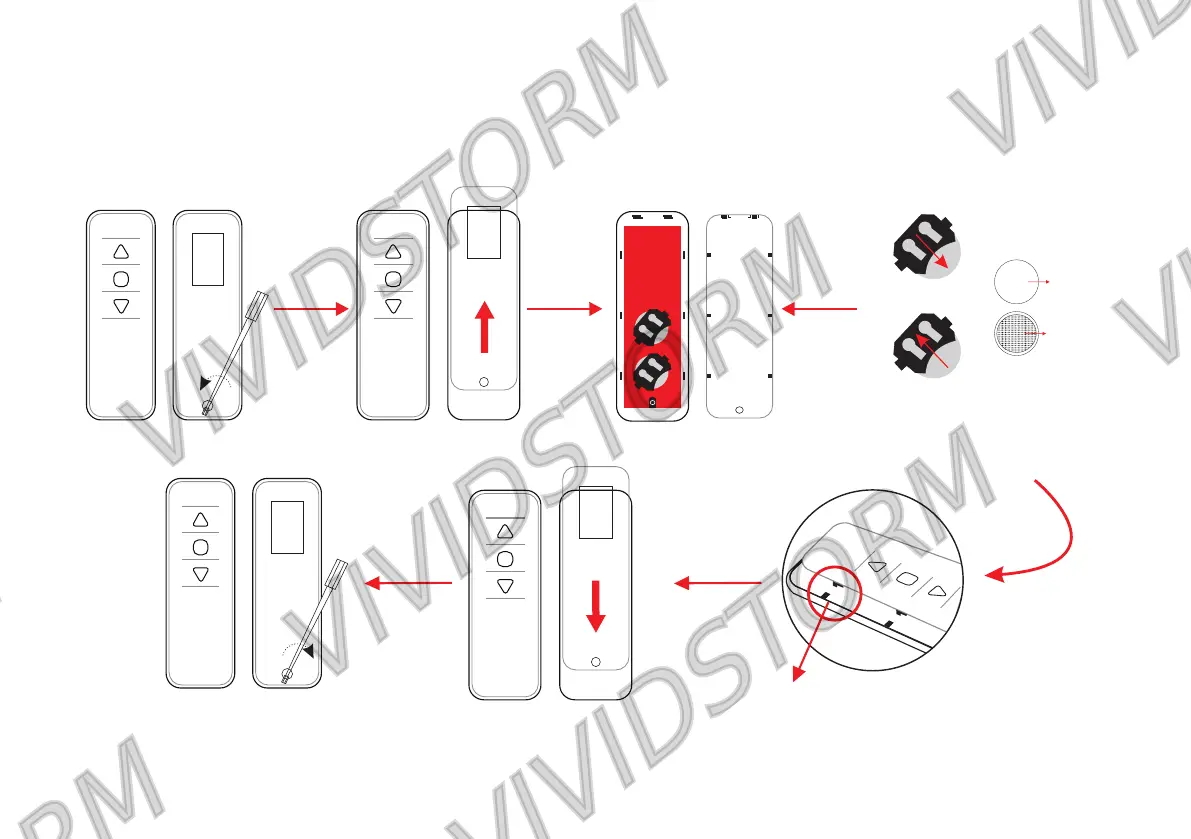
When the battery of the remote control needs to be replaced, as shown in the figure below, unscrew the cover
of the remote control with a small screw, then replace the new button battery, close the cover of the remote
control, and tighten the screw to prevent the loose battery from falling off;
Push up
Take out the battery
load the battery
+
3V
CR2032
front up side
bottom
Please place the battery face up and
push it in completely.
Push down
When the back cover is closed, please
jam the slot and push it down.



 To Next Page