25
Screenmaintenance
Cleaning requirements:
Warning!
-Avoid sharp objects directly contacting the screen surface, so as to avoid puncturing or scratching the screen surface.
-This product is not waterproof, only suitable for indoor use, not recommended for outdoor use.
5. The backside surface of the curtain can be wiped with cloth, but it should be ensured that the screen is dry before closing the screen,
because the surface of the curtain is not waterproof.
-Do not use acetone, benzene, alcohol and other organic solvents to clean the screen, which will cause permanent damage to the screen.
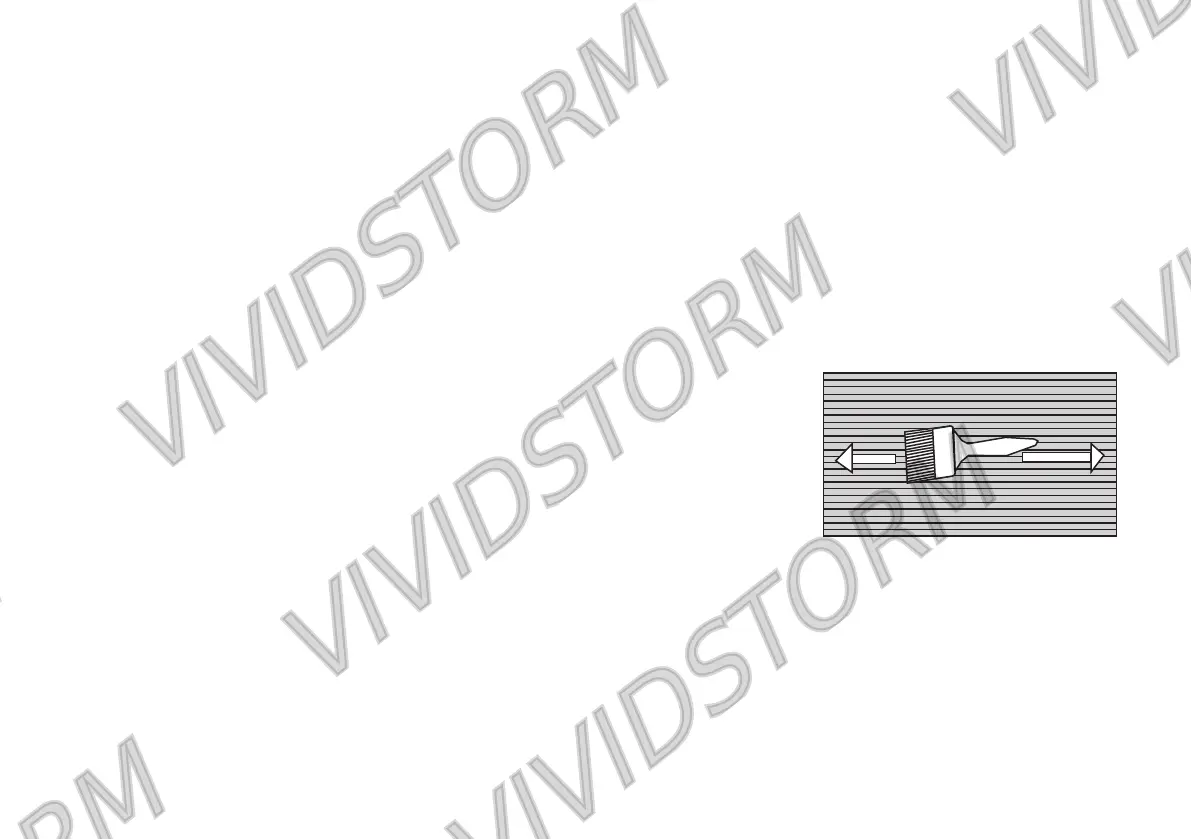
4. There is a horizontal structure on the screen surface, so please brush away the impurities along the left and right direction of the grain
when cleaning the screen; do not wipe it up and down or round the screen.
1. In general, please use a soft brush to clean the screen surface. Remember to use a special soft brush and gently brush away the impurities
along the screen grain direction.
2. Do not use any cloth (coarse cloth, soft cloth, gauze, wet cloth) to wipe the screen surface.
-Do not run the screen up and down for more than 3 minutes, otherwise the screen will stop running. This is the phenomenon of motor
overheating protection shutdown. Please wait 20-30 minutes for the motor to cool down before continuing operation.
-Do not touch the screen directly by hand.
-To avoid possible injury, do not attempt to remove the screen. If there are obvious damaged parts, please contact your authorized dealer.
-Do not clean the screen persistently or vigorously, so as to avoid screen scratch.
3. Rough towel or cloth may damage the screen surface and affect the viewing effect.
-Do not scribble on the screen.
-Do not touch the screen with hard or sharp objects.
-Be sure to turn off the screen when you are not using the product.


 To Next Page