22
1 2
3
4
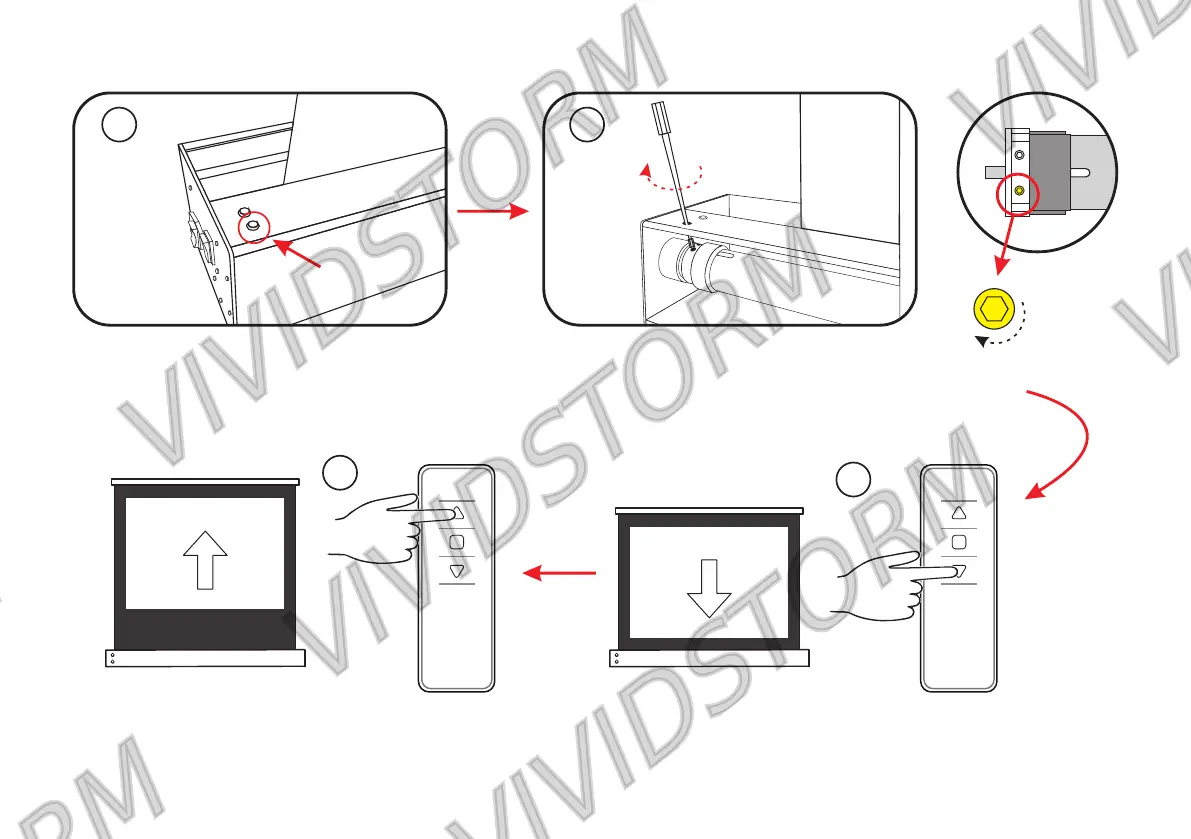
Yellow hole position
Open the rubber plug under
the left side of the cover
(rotate one circle and adjust the screen height
about 2cm)
Insert the adjusting rod into the Yellow hole in
the housing and rotate clockwise
Then press the "up" switch to raise the screen to the
appropriate position, Finally, the screen stops a little lower
than the factory setting
First press the "down" key to lower the screen



 To Next Page