17
6.Software Modes
• Board CCD – Printed material with registration marks
• Roll CCD – Printed rolls of material with registration marks
• Direct Cut – Material without registration marks.
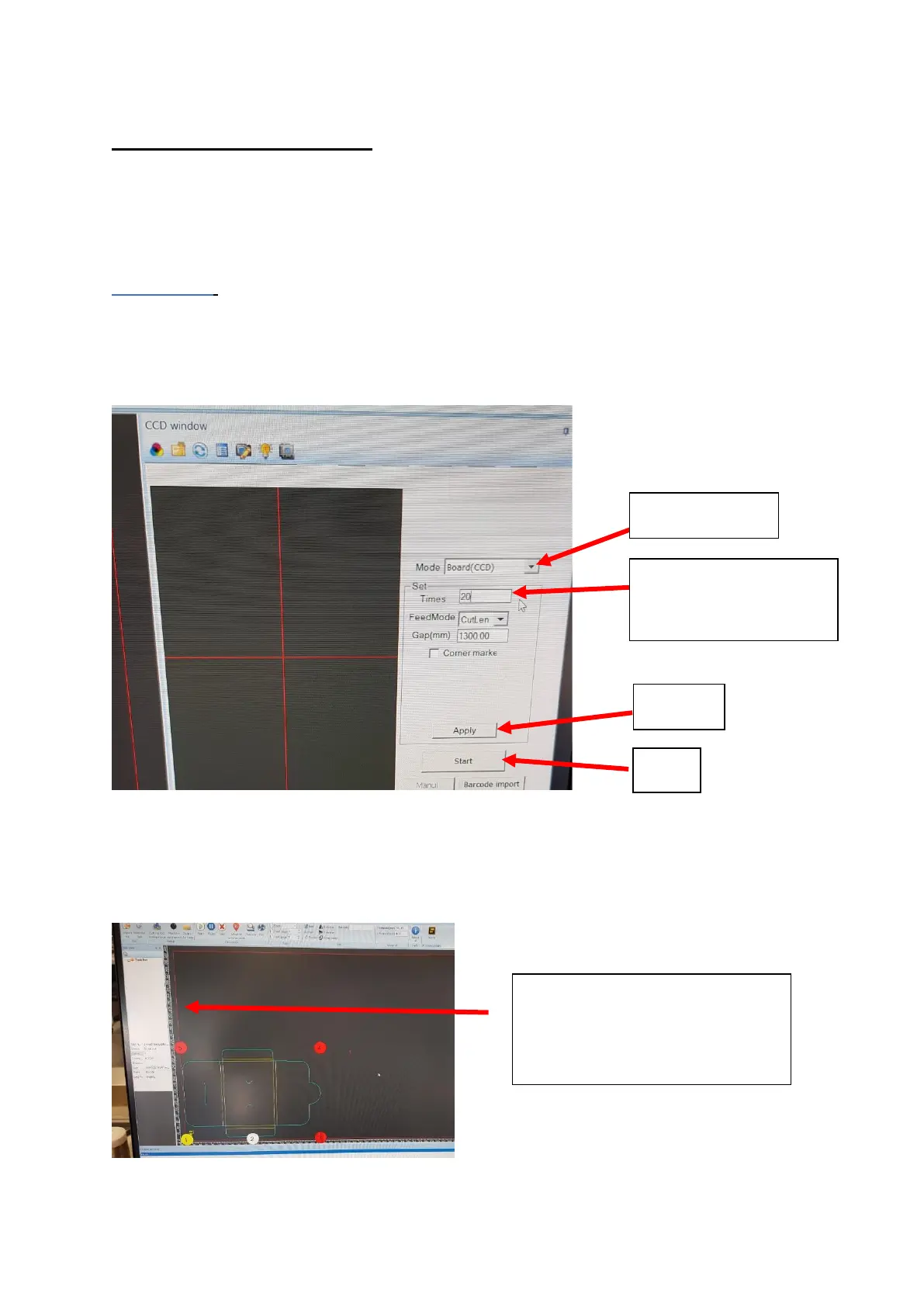
Board CCD: Switch the Window to CCD Window and select Board CDD from the
drop down mode. Select how many sheets you require cutting and press apply
[Figure 6.1].
Switch the window into Debug view and press feed [Figure 6.2]
Import the artwork for cutting.
Ensure the artwork is matches the direction on the screen [Figure 6.2] .Rotate
the artwork if needed [Figure 6.3].


 To Next Page