6
3. Tool settings & Test depth
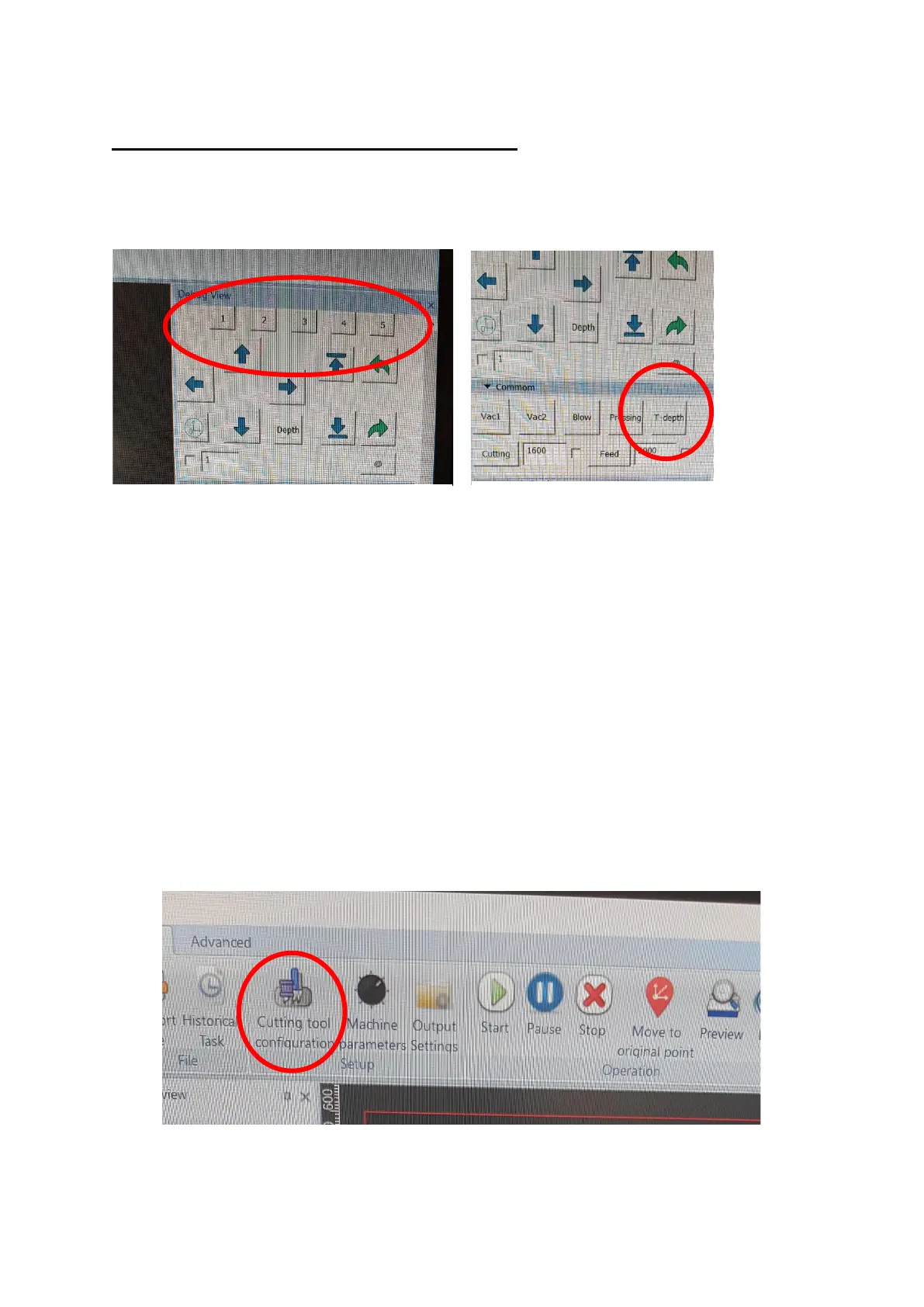
Switch the window to Debug View and select the tool position you want to set
[Figure 3.1].
Move the head [using the arrow keys on the keyboard] over your test material
ensuring the tool you are setting is located above the material and press T-
depth [Figure 3.2].
Turn off the Vacuum [Vac1] and move the head out of way using the arrows on
the keyboard. Inspect the test cut, Ensure it is a clean cut all the way through
the media. Too much blade will leave a rough cut and raised edges and not
enough will not cut all the way through the media.
For other [i.e. speed] adjustments click on Cutting tool configuration near the
top of the screen [Figure3.3].


 To Next Page