19
Thread the printed media onto the belt under the idle bar, ensure the media is
straight to the edge of the belt and turn on the Vacuum [Vac1].
Import the cut file required, ensure the artwork matches the direction on the
screen.
Using the arrow keys on the keyboard move the camera over the first
registration mark numbered 1 on the screen.
Once in position, press start in the CCD window.
Direct Cut: Select Direct Cut from the drop down mode in CCD Window and
switch the window.
Load the media into the feeder, press the red button to raise the feed table
and press feed in the Debug View [if using heavy large material manually place
onto the belt].
Import the cut file required, ensure the artwork matches the direction on the
screen. If the artwork doesn’t match and you cant turn the media around on
the belt you will need to go into Edit and rotate the cut file.
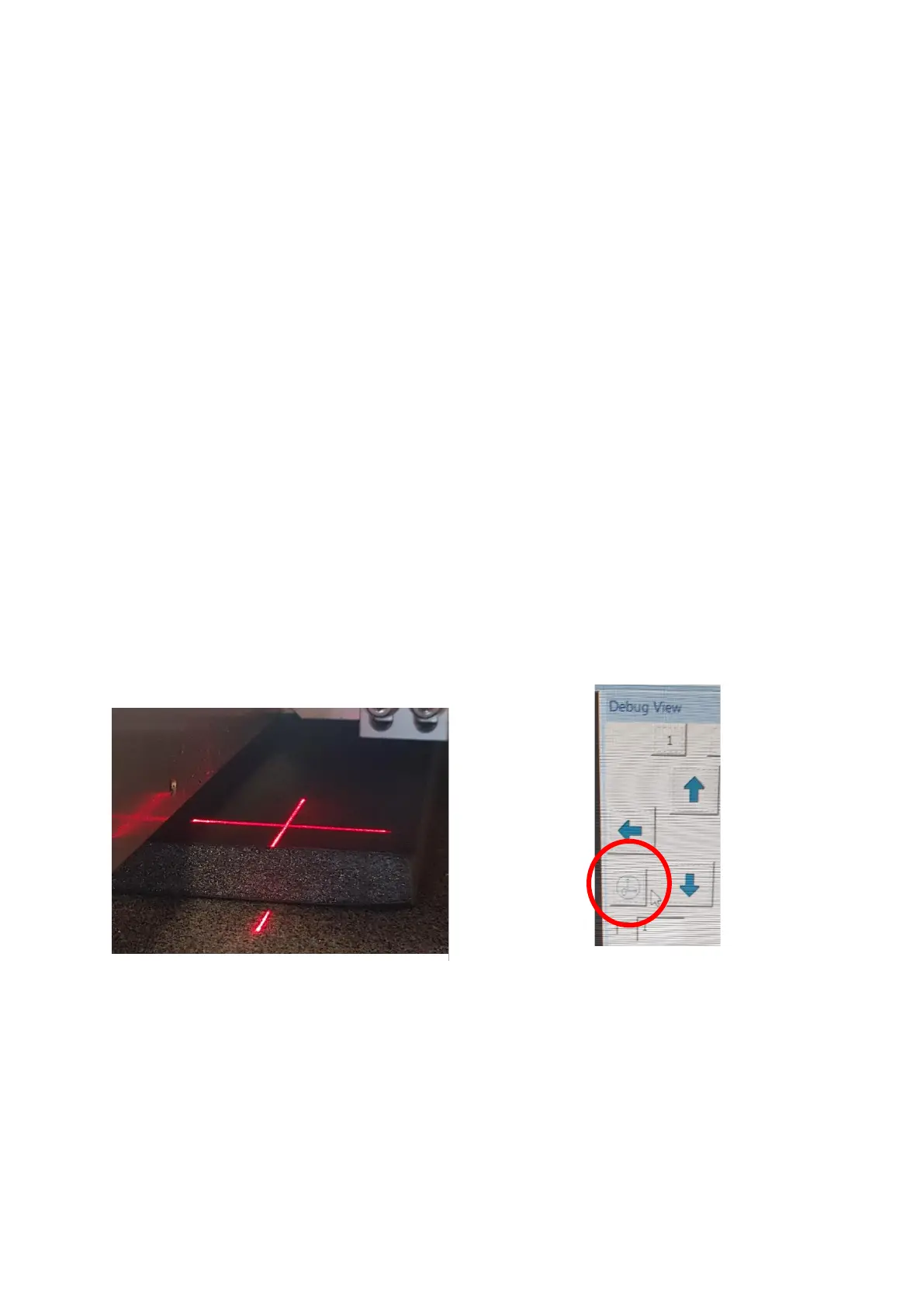
Using the arrow keys on the keyboard move the laser to just inside corner of
the media as shown in figure 6.6.
In Debug window click on temporary origin [Figure 6.7], a window will open
asking ‘Whether to set origin’, click yes.


 To Next Page