Vivint — User Guide
- 26 -
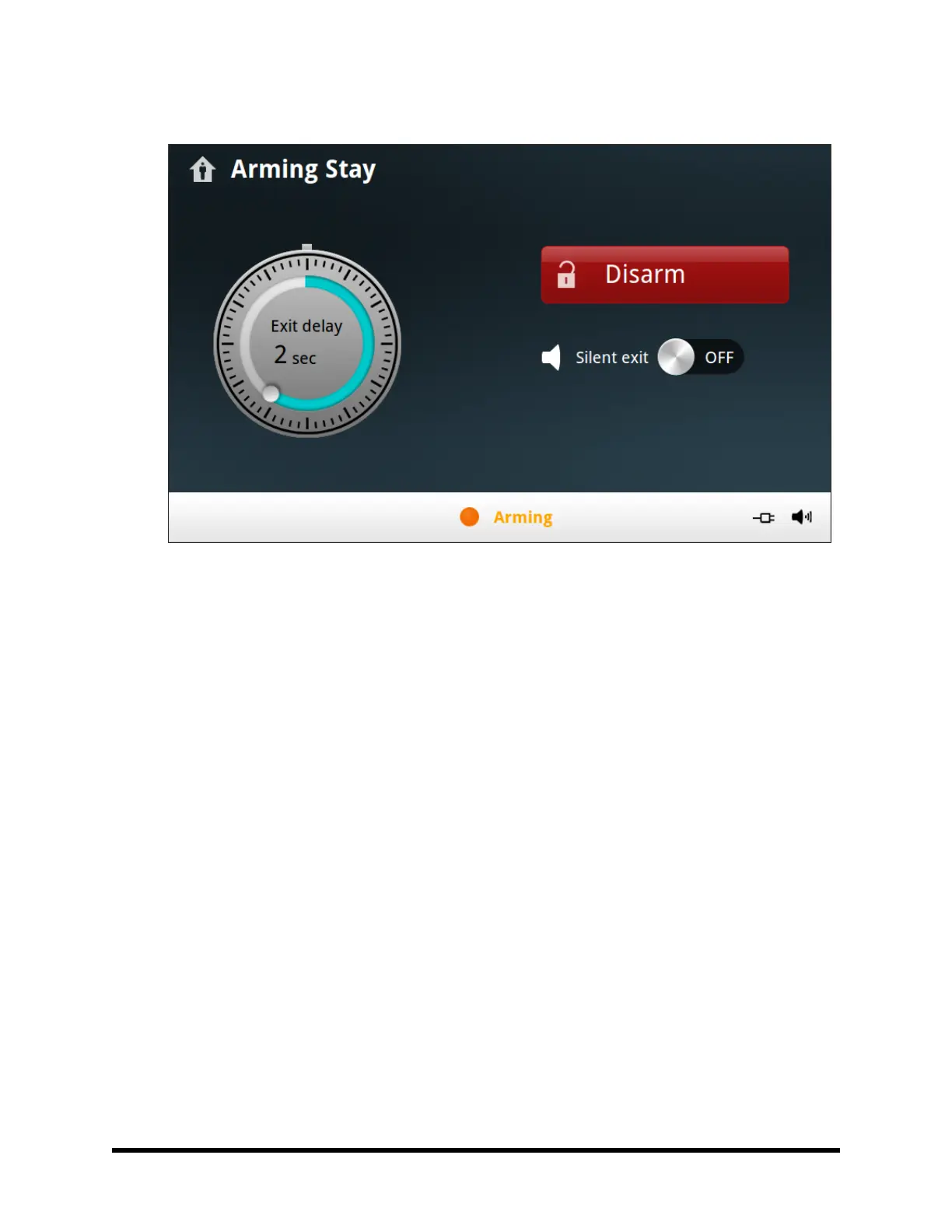
6. The system will arm and shows the Exit Delay counting down.
7. When the Exit Delay expires, the system is fully armed in Stay Mode.
Entry Delay in Stay Mode
Certain sensors, such as a door, can be configured by your Technician to have a delay before triggering an
alarm. This provides a way for an authorized person returning to enter using a predetermined door and disarm
the system before an alarm is triggered. When arming the system in Stay Mode, an Entry Delay option is shown
on the Control Panel’s Arming Screen.
Normally this option is enabled, so the programmed delay doors allow time for disarming the system after the
door is opened. Disabling this option removes the delayed alarm trigger from all sensor‐protected doors pro-
grammed for delay, causing those entrances to instantly trigger the alarm if they are opened in Stay Mode.
Quick Exit in Stay Mode
A system setting called Quick Exit may be displayed on the Security Screen while the system is armed in the
Stay Mode.
Pressing the Quick Exit button starts a timer to allow someone to exit or enter through a sensor‐protected door
programmed for delay without having to disarm the entire system. When the delay timer runs out, the system
returns to the normal Stay Mode.
The Quick Exit option can be turned on or off by your Vivint Technician.



 To Next Page