17
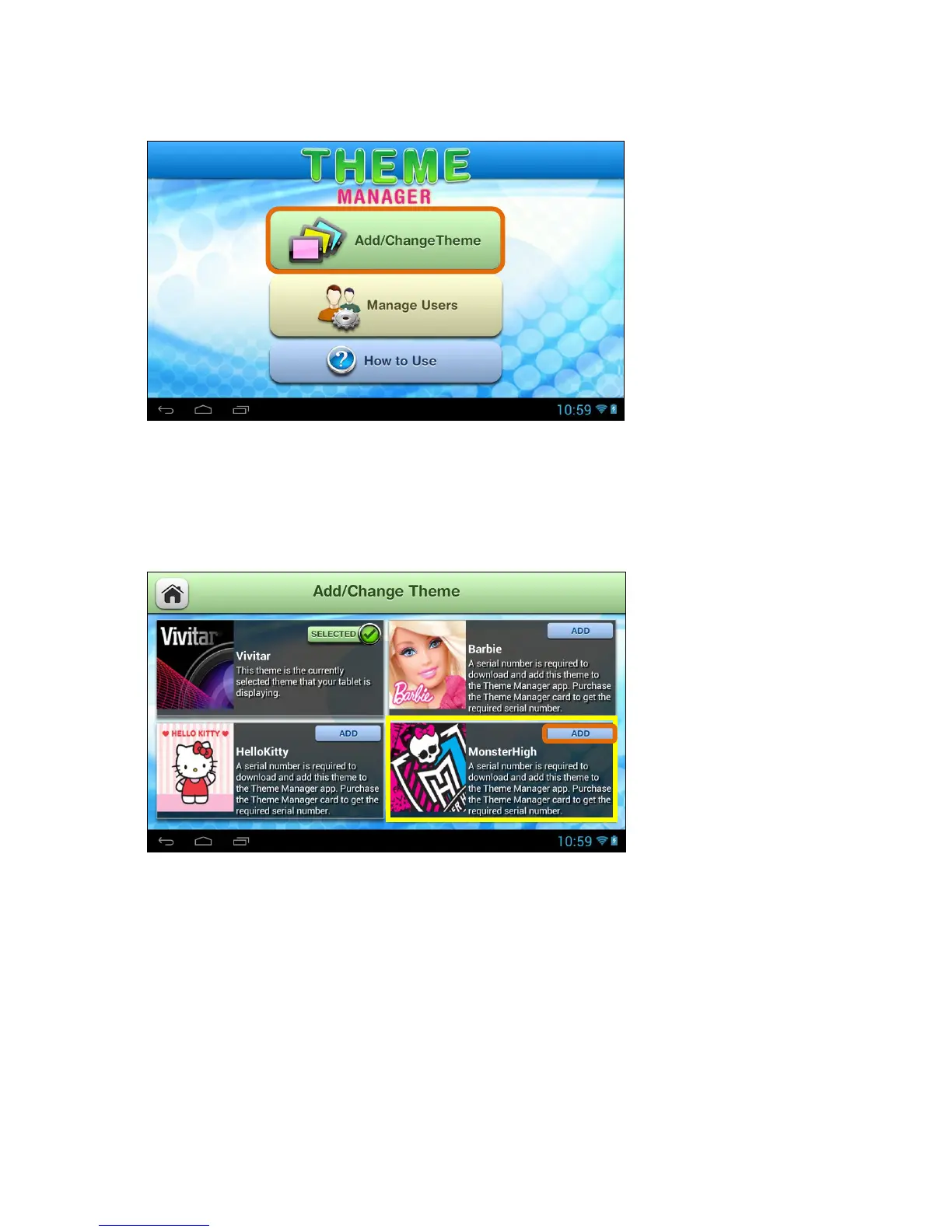
2. Add/Change Theme – Access the Online Catalog:
Touch the Add/Change Theme button to open the online catalog of Themes.
From this online list, you can choose to add and download new Themes. You
can also select a purchased Theme and switch your tablet to that Theme.
3. Add/Change Theme – Add a New Theme:
To activate a new Theme, touch the ADD button by the selected Theme.



 To Next Page