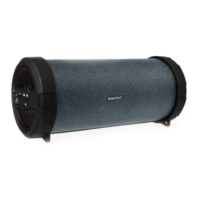
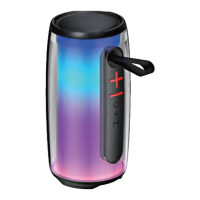
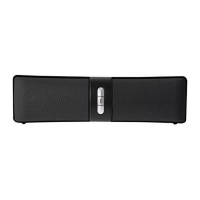
This document describes the Vivitar MO51-RS-TA Wireless Speaker, a portable and waterproof Bluetooth-compatible speaker designed for streaming music from smartphones and other Bluetooth devices.
Function Description
The Vivitar Wireless Speaker allows users to stream music wirelessly from Bluetooth-enabled devices. It features simple controls for power, volume adjustment, track navigation, and play/pause functionality. The speaker is designed for ease of use and portability, making it suitable for various environments, including those where it might be exposed to water splashes due to its IPX4 waterproof rating.
Important Technical Specifications
- Model: MO51-RS-TA
- Bluetooth Range: Up to 10 meters (approximately 33 feet)
- Battery Type: Integrated Lithium Ion Battery (non-replaceable)
- Input Voltage: DC 5V
- Waterproof Rating: IPX4 (provides protection against low-pressure water streams from any angle; not submersible)
Usage Features
Power On/Off:
To power on the speaker, slide the ON/OFF Switch to the ON position. To power off, slide the ON/OFF Switch to the OFF position.
Charging:
- Connect the Micro USB plug of the provided USB charging cable into the charging port on the speaker.
- Connect the standard USB plug of the charging cable into a computer's USB port or a suitable USB charging adapter.
- The LED Indicator Light will turn red while the speaker is charging.
- The LED Indicator Light will turn off once charging is complete.
- Note: Remove the charging cable once charging is complete. Overcharging can reduce battery life. A charged battery will lose capacity if not used regularly. To prevent complete discharge, charge the speaker at least once every six months.
Bluetooth Pairing:
- Slide the ON/OFF Switch to the ON position to power on the speaker.
- The LED indicator light will turn blue and flash, indicating that the speaker is in pairing mode.
- On your phone, go to the Bluetooth settings menu and ensure Bluetooth is turned on.
- Connect to the device listed as "vivitar wireless speaker."
- Once paired, the LED indicator light will remain steadily blue. It may blink slowly when music is playing.
- Note: If the speaker has been previously paired with your Bluetooth device, it will automatically re-pair each time it's powered on.
Controlling Music Playback:
- Decrease Volume: Press and hold the "Last Track/Volume Down" button.
- Return to Last Track: Press the "Last Track/Volume Down" button.
- Increase Volume: Press and hold the "Next Track/Volume Up" button.
- Proceed to Next Track: Press the "Next Track/Volume Up" button.
- Play/Pause: Double-tap either the "Last Track/Volume Down" or "Next Track/Volume Up" button.
Maintenance Features
- Cleaning: Use a soft cloth or paper towel to clean the speaker. Avoid using harsh chemicals or detergents. Ensure the speaker is dry before charging.
- Storage: When not in use, store the speaker in a cool, dry place.
- Cable Handling: Connect and disconnect USB cables carefully. Do not tug or yank on the USB cable.
- Temperature Exposure: Do not expose the speaker to high temperatures or extreme cold.
- Battery Disposal: The device contains an integrated lithium-ion battery that cannot be replaced. Do not dispose of the battery in fire, expose it to excessive heat, crush, puncture, incinerate, or short-circuit external contacts. Please recycle or dispose of the battery properly according to local regulations. Contact local recycling facilities or the manufacturer for more information.
- Water Protection: Ensure the charging port cover is securely closed before exposing the speaker to water to maintain its IPX4 waterproof rating.
- Repair: Do not attempt to repair the product yourself. Contact a qualified service center if the speaker requires service.
- Trauma: Do not drop, puncture, or expose the speaker to excessive trauma.
- Magnetic Fields: Do not place the speaker near objects that generate strong magnetic fields.
- Commercial Use: The speaker is not intended for commercial use.

 Need help?

 To Next Page
 General