EasyManua.ls Logo

Vivitar VBPARTY - User Manual

Vivitar VBPARTY
2 pages
Print Icon
To Next Page IconTo Next Page
Loading...
intended for use in Austria, Belgium, Denmark, Finland, France, Germany, Greece, Ireland,
Italy, Luxembourg, the Netherlands, Portugal, Spain, Sweden, and United Kingdom and within
EFTA in Iceland, Norway and Switzerland.
Locaon of Controls
Charging Port
Indicator LED
Power / Play / Pause
Disco light on/off
First Time Use
Charging the Baery
The VBPARTY Speaker has a built-in, rechargeable lithium-polymer baery. To avoid damage, do not
aempt to remove the baery. The full
performance of the baery is achieved aer
two or three charging-discharging cycles.
Charge the baery fully before first use.
1. Connect the USB cable to the speaker.
2. Connect to the correct outlet (wall,
computer, car charger).
3. When the charger is connected to the
speaker, the red indicator light will turn on.
Note: Charging the baery fully may take up
to 2 hours.
4. When the baery is fully charged, the red indicator light will turn off. Disconnect the charger from
the speaker and the outlet. The speaker is ready for use.
Note: Overcharging could reduce the life of the baery. A charged baery will lose its capacity if it is
not used on a regular basis.
Important!
Ensure that the baery is fully charged if the speaker is not used for a long period of me. To avoid a
complete discharge of the baery, charge the speaker at least every six(6) months.
• Use only supplied and manufacturer-approved chargers and unplug this device when not in use for
long periods of me or during lightning storms.
FCC Statement
This device complies with the part 15 of the FCC rules. Operaon is subject to the following two
condions: (1) this device may not cause harmful interference, and (2) this device must accept any
interference received, including interference that may cause undesired operaon.
Cauon: Changes or modificaons not expressly approved by the party responsible for compliance
could void the user's authority to operate the equipment.
Note: This equipment has been tested and found to comply with the limits for a Class B digital device,
pursuant to part 15 of the FCC Rules. These limits are designed to provide reasonable protecon
against harmful interference in a residenal installaon. This equipment generates, uses and can
radiate radio frequency energy and, if not installed and used in accordance with the instrucons,
may cause harmful interference to radio communicaons. However, there is no guarantee that
interference will not occur in a parcular installaon. If this equipment does cause harmful
interference to radio or television recepon, which can be determined by turning the equipment
off and on, the user is encouraged to try to correct the interference by one or more of the
following measures:
-
Reorient or relocate the receiving antenna.
-
Increase the separaon between the equipment and receiver.
-
Connect the equipment into an outlet on a circuit different from that to which the receiver is
connected.
-
Consult the dealer or an experienced radio/TV technician for help.
EC Declaraon of Conformity
Operaon is subject to the following two condions:
1. This device may not cause harmful interference.
2. This device must accept any interference received, including interference that may cause undesired
operaon.
Note: The manufacturer is not responsible for ANY interference, for example RADIO or TV interference,
caused by unauthorized modificaons to this equipment. Such modificaons could void the
user's authority to operate the equipment. This product is CE cerfied according to the provision
of the R&TTE Direcve (99/5/EC). This declares that this product is in compliance with the
essenal requirements and other relevant provisions of Direcve 1999/5/EC. Please note that
this product uses radio frequency bands not harmonized within EU. Within the EU this product is
Thank you for purchasing the Vivitar® VBPARTY Bluetooth® Speaker.
Introducon
With this speaker, you will enjoy listening to high quality music wirelessly using Bluetooth®
technology. It also pairs with other Bluetooth-enabled devices (Bluetooth V4.2+EDR specificaon and
A2DP and AVRCP profiles).
Specificaons
• Bluetooth Specificaon: V3.0+EDR
• Operaon Frequency: 2.402-2.48GHz
• Supported Profile: A2DP, AVRCP
• Operaon Range: Up to 33 feet(10 meters)
• Play Time: About 2 hours
• Standby Time: About 20 hours
• Baery Type: 400mAh, 3.7V, Polymer Lithium Ion Baery
• Charge Time: About 2 Hours
In the Box
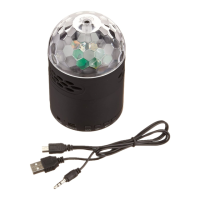
• VBPARTY Bluetooth® Speaker
• USB Charging Cable
• User Manual
Safety Precauons
• Please read this User Manual carefully and follow all instrucons.
• To avoid damage or malfuncon of the speaker do not drop it from high locaons and/or on to
hard surfaces, do not place heavy objects on it.
• Keep speaker away from humidity, water and other liquids. If it does get wet, do not operate as this
may cause an electrical shock, explosion and damage to the device or to the user.
• Do not place or keep this product near heat sources, such as direct sunlight, radiators, stoves or
any other apparatus that produces heat. This may cause an explosion, degrade the performance
and/or reduce baery life.
• Do not modify, repair or disassemble device (especially the baery). Doing so will void the
warranty. The baery in this device may present a risk of fire or chemical burns if misused or
tampered with.
Vivitar® VBPARTY
Bluetooth® Speaker User Manual

Question and Answer IconNeed help?

Do you have a question about the Vivitar VBPARTY and is the answer not in the manual?

Summary

Specifications

In the Box

Location of Controls

First Time Use

Charging the Battery

Instructions for charging the built-in rechargeable lithium-polymer battery before first use.

Battery Notes

Pairing with your Phone

General Operation

Turning ON;OFF

Procedure for powering the speaker on and off using the power button.

Music Playback

Instructions for playing and pausing music playback using the play/pause button.

Disco light on;off

How to turn the disco light feature on or off with a short press.

Vivitar One Year Warranty

What Is Not Covered by Warranty

Details limitations and exclusions for the product's one-year warranty coverage.

Important Safety Instructions

Summary

Specifications

In the Box

Location of Controls

First Time Use

Charging the Battery

Instructions for charging the built-in rechargeable lithium-polymer battery before first use.

Battery Notes

Pairing with your Phone

General Operation

Turning ON;OFF

Procedure for powering the speaker on and off using the power button.

Music Playback

Instructions for playing and pausing music playback using the play/pause button.

Disco light on;off

How to turn the disco light feature on or off with a short press.

Vivitar One Year Warranty

What Is Not Covered by Warranty

Details limitations and exclusions for the product's one-year warranty coverage.

Important Safety Instructions

Overview

The Vivitar® VBPARTY Bluetooth® Speaker is a portable audio device designed for wireless music playback and disco lighting effects. It connects to other Bluetooth-enabled devices, such as mobile phones, to stream audio wirelessly.

Function Description

The primary function of the VBPARTY speaker is to play high-quality music wirelessly via Bluetooth® technology. It supports Bluetooth V4.2+EDR specification and A2DP and AVRCP profiles, allowing for seamless audio streaming from compatible devices. In addition to audio playback, the speaker features an integrated disco light, which can be toggled on or off to enhance the listening experience with visual effects.

Usage Features

Powering On/Off: To turn the speaker ON, press and hold the POWER button for three seconds. The speaker will automatically connect to a previously paired mobile device if successful. To turn the speaker OFF, press and hold the POWER button for three seconds again. The speaker will automatically turn off after approximately ten minutes if it is not connected to a mobile device.

Bluetooth Pairing:

  1. Place the speaker near a Bluetooth-enabled mobile phone.
  2. Press and hold the POWER button for three seconds until the indicator lights flash blue and red, indicating pairing mode.
  3. On your mobile phone, enable Bluetooth and search for available devices.
  4. Select "Disco Ball" from the list of devices.
  5. If prompted, enter the PIN code "0000" and confirm. Once pairing is successful, the speaker will automatically connect to your phone and enter standby mode, with the indicator light blinking blue. If pairing is not completed within ten minutes, the speaker will turn off, and the pairing process will need to be repeated.

Music Playback Control: The speaker features a multi-function button for music control. A short press of the POWER / Play / Pause button will play or pause music playback.

Disco Light Control: The disco light can be toggled on or off by a short press of the dedicated Disco light on/off button.

Battery Status Indicators: The speaker provides a low battery warning by beeping every 30 seconds when the power is low. For iPhone users, an additional battery meter feature will display the remaining battery life directly on the phone's touch screen.

Charging the Battery: The VBPARTY speaker has a built-in, rechargeable lithium-polymer battery.

  1. Connect the supplied USB cable to the speaker's charging port.
  2. Connect the other end of the USB cable to a suitable power source, such as a wall adapter, computer, or car charger.
  3. A red indicator light will turn on while the battery is charging.
  4. The red indicator light will turn off once the battery is fully charged, which typically takes up to two hours. It is recommended to charge the battery fully before first use, and the full performance of the battery is achieved after two or three charging-discharging cycles.

Maintenance Features

General Care:

  • Always read and follow the user manual and all instructions carefully.
  • Avoid dropping the speaker from high locations or onto hard surfaces, and do not place heavy objects on it, as this can cause damage or malfunction.
  • Keep the speaker away from humidity, water, and other liquids. If it gets wet, do not operate it, as this may lead to electrical shock, explosion, or damage to the device or user.
  • Do not place or keep the product near heat sources such as direct sunlight, radiators, stoves, or any other heat-producing apparatus, as this can cause an explosion, degrade performance, or reduce battery life.
  • Clean the device only with a dry cloth.

Battery Maintenance:

  • To avoid overcharging, which can reduce battery life, disconnect the charger once the battery is fully charged.
  • A charged battery will lose its capacity if not used regularly.
  • If the speaker is not used for a long period, ensure the battery is fully charged to prevent complete discharge. Charge the speaker at least every six months to maintain battery health.
  • Do not attempt to modify, repair, or disassemble the device, especially the battery, as this will void the warranty and may present a risk of fire or chemical burns if misused or tampered with.
  • Use only supplied and manufacturer-approved chargers. Unplug the device when not in use for long periods or during lightning storms.

Safety Guidelines:

  • Heed all warnings and follow all instructions provided in the manual.
  • Do not block any ventilation openings; install and use the device according to the manufacturer's instructions.
  • Protect the power cord from being walked on or pinched, especially at plugs, convenience receptacles, and where it exits the apparatus.
  • Use only attachments and accessories specified by the manufacturer.
  • When using the device with a cart, stand, tripod, bracket, or table, use caution to avoid injury from tip-over.
  • Unplug the apparatus during lightning storms or when unused for extended periods.
  • Refer all servicing to qualified service personnel if the apparatus has been damaged in any way (e.g., damaged power cord or plug, spilled liquid, fallen objects, exposure to rain or moisture, abnormal operation, or dropping).

Vivitar VBPARTY Specifications

General IconGeneral
BrandVivitar
ModelVBPARTY
TypePortable Bluetooth Speaker
ConnectivityBluetooth
Output Power5W
Frequency Response18 kHz

Related product manuals