D
D
D
L
L
L
P
P
P
P
P
P
r
r
r
o
o
o
j
j
j
e
e
e
c
c
c
t
t
t
o
o
o
r
r
r
–
–
–
U
U
U
s
s
s
e
e
e
r
r
r
’
’
’
s
s
s
M
M
M
a
a
a
n
n
n
u
u
u
a
a
a
l
l
l
– 3 –
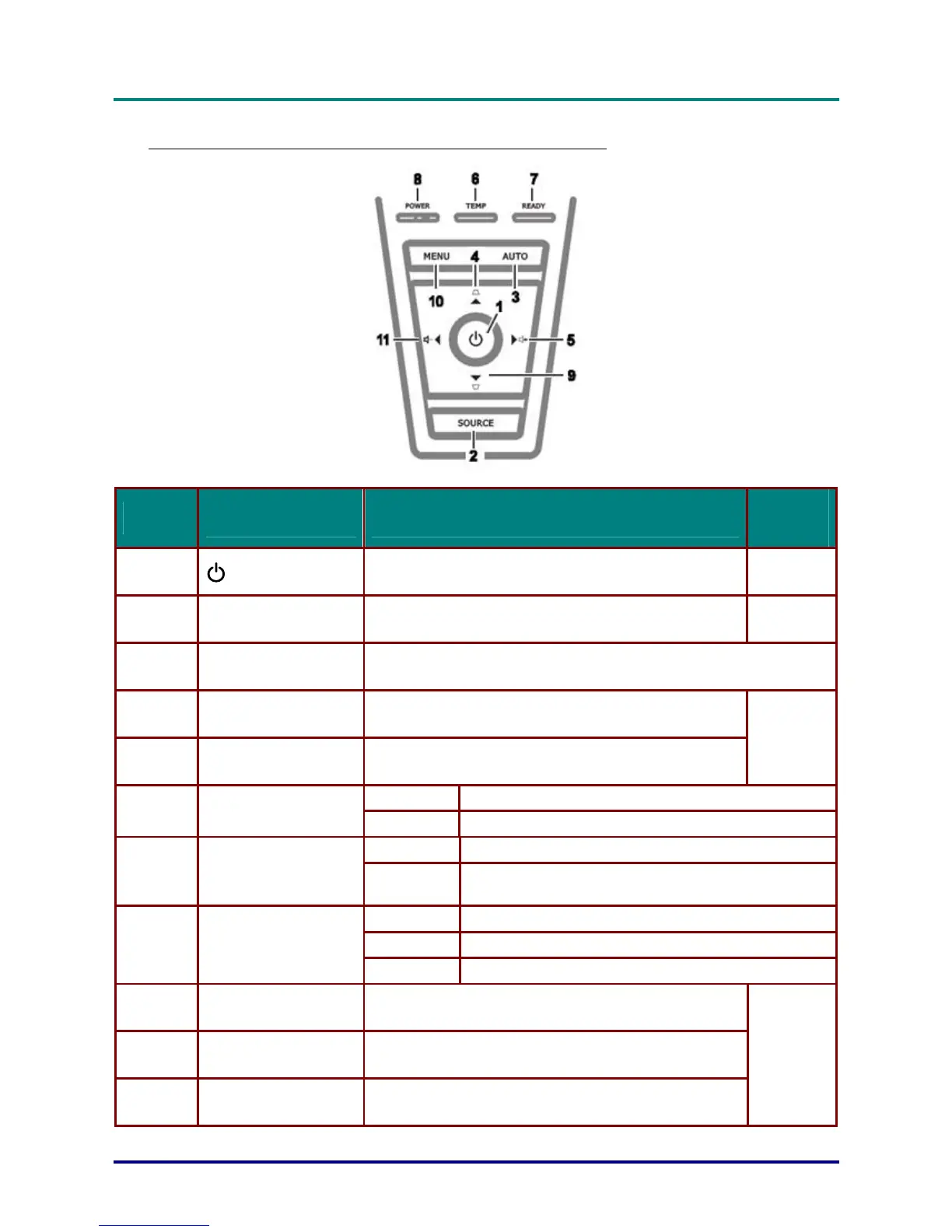
Top view—On-screen Display (OSD) buttons and LEDs
ITEM LABEL DESCRIPTION
SEE
PAGE:
1.
(POWER)
Turns the projector On or Off
11
2.
SOURCE Detects the input device
10
3.
AUTO Optimizes image size, position, and resolution
4.
▲ (Up cursor) /
KEYSTONE
Navigates and changes settings in the OSD
Quick Menu – For Keystone
5.
► (Right cursor) / VOL.
Navigates and changes settings in the OSD
Quick Menu – For Volume
18
On System over temperature
6.
OVER TEMP LED
Off Normal State
Orange Lamp is ready to be powered-on.
7.
READY LED
Flashing
Lamp not ready (Warm-up/shutting down/cooling)
(see LED Error Messages on page 40)
Green Power On
Off Power Off (AC Off) 8.
POWER LED
Flashing Error code
9.
▼ (Down cursor) /
KEYSTONE
Navigates and changes settings in the OSD
Quick Menu – For Keystone
10.
MENU Open and exits the OSD buttons
11.
◄ (Left cursor) / VOL
Navigates and changes settings in the OSD
Quick Menu – For Volume
18



 To Next Page