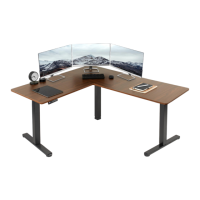
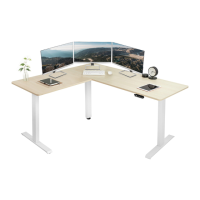
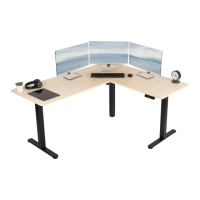
This manual describes the assembly and use of a 63" x 55" Corner Electric Desk, designed to provide an ergonomic and adjustable workspace. The desk is powered by electricity, allowing for easy height adjustments to suit various user preferences and working styles. It can be configured with either a left or right side extension, offering flexibility to adapt to different office layouts and user needs.
Function Description
The primary function of this electric desk is to provide a height-adjustable work surface. This adjustability allows users to switch between sitting and standing positions throughout the day, promoting better posture, reducing sedentary behavior, and potentially improving overall well-being and productivity. The desk's corner design maximizes workspace efficiency, fitting neatly into room corners and providing ample surface area for multiple monitors, peripherals, and documents.
The electric motor system facilitates smooth and quiet height transitions. Users can raise or lower the desk with the press of a button on the control panel. The desk is equipped with a control panel that features memory presets, allowing users to save up to four preferred height settings. This feature enables quick and convenient transitions to pre-programmed heights, eliminating the need for manual adjustments each time.
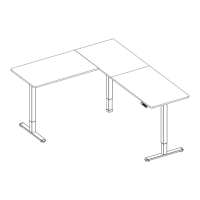
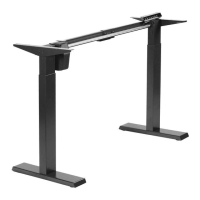
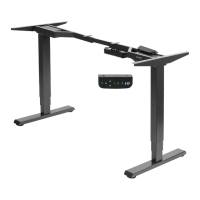
The desk frame is robust, designed to support a significant weight capacity, ensuring stability even when loaded with multiple items. The inclusion of anti-vibration pads further enhances stability and reduces noise during operation. The assembly process involves connecting various frame components, including left, right, and motorized legs, crossbars, and connector brackets, to form a sturdy base for the desktop. The desktop itself is composed of three pieces—left, middle, and right—which are securely joined using desktop connectors and screws.
Power management is an integral part of the desk's functionality. It includes an AC adapter, extension cables, and cable clips to ensure that power cords and other cables are neatly organized and secured, preventing clutter and potential hazards. The sync rod mechanism ensures that all legs move in unison, maintaining a level desktop during height adjustments.
Usage Features
The corner electric desk offers several features designed to enhance user experience and convenience:
- Height Adjustability: The core feature is its electric height adjustment, allowing users to effortlessly switch between sitting and standing positions. This promotes dynamic working habits and can alleviate discomfort associated with prolonged sitting.
- Memory Presets: The control panel includes four memory preset buttons (1, 2, 3, 4). Users can program and save their desired sitting and standing heights. To save a height, the user presses and holds a numerical button for 5 seconds until "H1" (or H2, H3, H4) appears. Once saved, a single press of the corresponding button will move the desk to that exact height.
- Arrow Keys for Manual Adjustment: In addition to presets, the control panel features UP and DOWN arrow keys for manual height adjustments. Users can press and hold the UP arrow to raise the desk or the DOWN arrow to lower it, releasing the button when the desired height is reached.
- Reset Mode: If the desk's height calibration becomes inaccurate, a reset function is available. To perform a reset, the user presses the DOWN arrow until the desk reaches its fully lowered position. Then, pressing and holding the DOWN arrow again will display "RES," and the leg will lower further before rebounding upwards. Releasing the button completes the reset, recalibrating the frame.
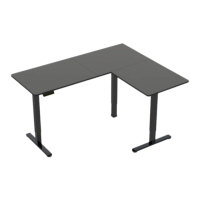
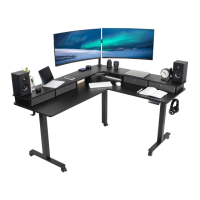
- Corner Configuration: The 63" x 55" corner design is ideal for maximizing workspace in smaller offices or for users who require extensive surface area. It provides a large L-shaped work surface, perfect for multi-monitor setups, large projects, or collaborative work.
- Cable Management: The desk includes cable clips to help organize and secure power cords and other cables, reducing clutter and creating a cleaner, safer workspace. This is particularly useful for electric desks with multiple electronic devices.
- Modular Assembly Options: The desk offers two assembly options: a left side extension or a right side extension. This modularity allows users to choose the configuration that best suits their room layout and ergonomic preferences.
- Anti-Vibration Pads: The inclusion of anti-vibration pads on the desk frame and connector brackets helps to minimize vibrations and noise during operation, contributing to a more stable and quiet work environment.
- Easy-to-Understand Instructions: The manual provides clear, step-by-step instructions with detailed diagrams for assembly, making the setup process manageable for users. An assembly video is also available via QR code or product link for visual guidance.
Maintenance Features
Proper maintenance ensures the longevity and safe operation of the electric desk. The manual outlines several important guidelines:
- Electrical Safety: Users are warned against cleaning the product while power is connected, disassembling or replacing components while power is connected, and operating the system with a damaged cord or plug. In case of a damaged cord or plug, users are advised to contact the seller for replacement parts.
- Environmental Precautions: The desk should not be operated in damp environments or if any electrical components have come into contact with liquids. Outdoor use is strictly prohibited.
- No Unauthorized Alterations: Alterations to the given power unit are not allowed, as this could compromise safety and functionality.
- Weight Capacity Adherence: Users must not exceed the specified weight capacity of 176 lbs (80 kg). Overloading the desk can lead to serious injury or damage to the product.
- Troubleshooting Guide: The control panel includes a troubleshooting guide for common error codes:
- E10 (Sensorless Alarm): Indicates a sensor detection issue. Users should power off the desk, check the connection between the motor and control panel, and then re-power.
- E20 (Overload Alarm): Signifies that the desk is overloaded. Users should remove items from the desk and try again.
- E02 (Rebound Protection): Triggered by desk vibration, obstacles, or incline. Users should check for these issues and, if none are found, complete the reset process.
- E32 (Overvoltage Alarm): Indicates voltage higher than allowed. Users should power off the desk, check the connection between the power and control panel, and then power on again.
- E31 (Undervoltage Alarm): Indicates voltage lower than required. Users should power off the desk, check the connection between the power and control panel, and then power on again.
- HOT (Overheated Alarm): Indicates the motor is overheated. Users should power off the desk and wait 18 minutes before using it again.
- Regular Checks: Although not explicitly detailed as a maintenance feature, the emphasis on checking for missing or defective parts during pre-assembly implies the importance of periodic inspection to ensure all components are in good working order.
- Customer Support: The manual strongly encourages users to contact customer support for any issues, including missing or defective parts, or if they do not understand the assembly directions. This ensures professional assistance and proper resolution of problems. The support team is available Monday-Friday, 7 AM - 7 PM CST, via phone, chat, or email.
- Warranty Information: Users are directed to the product's listing on the website or customer support for the most up-to-date warranty details, providing a clear path for addressing potential product defects or malfunctions within the warranty period.
- Return Policy: A hassle-free 30-day return policy is offered for all products. However, for items ordered in error or no longer needed, return shipping charges are at the buyer's expense, which is an important consideration for users.
Overall, the 63" x 55" Corner Electric Desk is designed for ergonomic flexibility and user convenience, with clear instructions and support mechanisms to ensure a smooth assembly and long-term, safe operation.

 Need help?
 General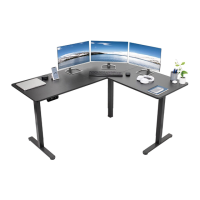



 To Next Page