EasyManua.ls Logo

Vivo DESK-E3CTB-75 Series - User Manual

Vivo DESK-E3CTB-75 Series
24 pages
Print Icon
To Next Page IconTo Next Page
Loading...
Follow along step-by-step with our video walk through by scanning
the QR code with your mobile device or by following the product
link: vivo-us.com/products/desk-e3ctb
ASSEMBLY VIDEO AVAILABLE:
help@vivo-us.com
www.vivo-us.com
309-278-5303
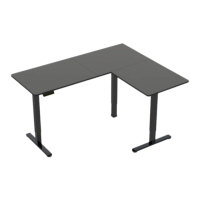
63” x 75” Corner Electric Desk
Instruction Manual
SKU: DESK-E3CTB-75 SERIES
Frame:
DESK-E375B
DESK-E375W
Table Top:
DESK-E3CTB-75-A
DESK-E3CTN-75-A
DESK-E3CTW-75-A
Question and Answer IconNeed help?

Do you have a question about the Vivo DESK-E3CTB-75 Series and is the answer not in the manual?

Summary

Pre-Assembly & Safety Guidelines

General Safety Precautions

Advises on proper installation and usage to prevent injury.

Electrical & Weight Safety

Lists precautions for electrical safety and maximum load.

Package Contents and Tools

Assembly Option A: Left Side Extension

Step 1: Assemble Left Leg

Attaches crossbar and side bracket to the left leg.

Step 2: Assemble Right Leg

Attaches crossbar and side bracket to the right leg.

Step 3: Install Feet & Connect Motorized Leg

Attaches feet to legs and connects crossbars to the motorized leg.

Assembly Option B: Right Side Extension

Controller User Manual

Troubleshooting Error Codes

Lists error codes and their corresponding resolutions.

Overview

This document is an instruction manual for the VIVO 63" x 75" Corner Electric Desk. It provides detailed assembly steps, technical specifications, and user instructions for the control panel.

Function Description:

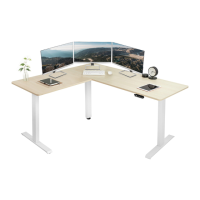
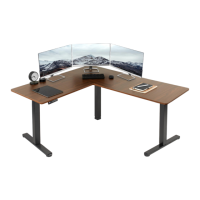
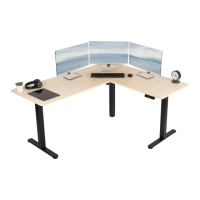
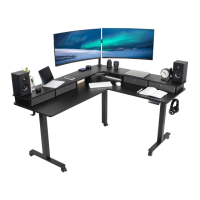
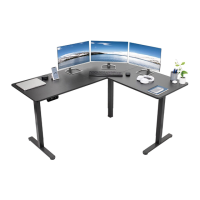
The VIVO 63" x 75" Corner Electric Desk is a height-adjustable corner desk designed for ergonomic use in home and office environments. It features an electric motor for smooth height adjustments, allowing users to switch between sitting and standing positions. The desk can be assembled with either a left-side or right-side extension to accommodate different workspace layouts. The control panel includes memory presets for storing preferred heights and arrow keys for manual adjustment.

Important Technical Specifications:

  • Desk Dimensions: 63" x 75" (Corner configuration)
  • Weight Capacity: 176 lbs (80 kg)
  • Frame SKUs: DESK-E375B (Black), DESK-E375W (White)
  • Table Top SKUs: DESK-E3CTB-75-A (Black), DESK-E3CTW-75-A (White), DESK-E3CTN-75-A (Natural)
  • Power: Electric (requires connection to an AC adapter)
  • Control Panel: Features numerical memory presets (1-4) and up/down arrow keys.
  • Sync Rods: Long and Short Sync Rods (I, H) connect the legs to the motorized leg (K) for synchronized movement.
  • Hardware: Includes various screws (M6x8mm, M6x35mm, ST5x16mm, M6x11mm) and Allen wrenches (5mm, 2mm).
  • Anti-Vibration Pads: Included to reduce vibration and provide stability.
  • Cable Management: Cable clips (W) are provided to secure power cables to the desktop.

Usage Features:

  • Height Adjustment: The desk's height can be adjusted using the up/down arrow keys on the control panel. Press and hold the UP arrow to raise the desk and the DOWN arrow to lower it. Release the button when the desired height is reached.
  • Memory Presets: The control panel allows users to save up to four preferred height settings. To save a height, adjust the desk to the desired position, then press and hold one of the numerical buttons (1-4) for 5 seconds until "H1" (or H2, H3, H4) appears on the display. To recall a saved height, simply press the corresponding numerical button.
  • Reset Mode: If the desk's height display is incorrect or if the desk is not moving properly, a reset can be performed. Press the down arrow until the desk reaches its fully lowered position. Continue to press and hold the down arrow; "RES" will be displayed, and the leg will lower and then rebound upwards. Release the down arrow once the reset is complete.
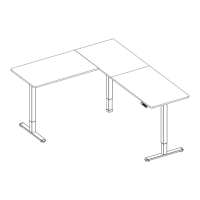
  • Assembly Options: The desk offers two main assembly options:
    • Option A (Left Side Extension): The desk frame extends to the left side, with a shorter right side. (Assembly steps detailed on Pg 7-10)
    • Option B (Right Side Extension): The desk frame extends to the right side, with a shorter left side. (Assembly steps detailed on Pg 15-20)
  • Cable Management: Cable clips (W) are provided to help organize and secure power cables, contributing to a tidy workspace.
  • Anti-Vibration: Anti-vibration pads (V) are affixed to the desk frame and connector brackets to enhance stability and reduce noise during operation.

Maintenance Features:

  • Troubleshooting Guide: The manual includes a troubleshooting section for common error codes and issues:
    • E10 (Sensorless Alarm): Indicates a sensor detection issue. Solution: Power off, check connections between motor and control panel, then re-power.
    • E20 (Overload Alarm): Indicates the desk's weight capacity has been exceeded. Solution: Remove items from the desk and try again.
    • E02 (Rebound Protection): Triggered by vibration, obstacles, or desk incline. Solution: Check for issues, then perform a reset.
    • E32 (Overvoltage Alarm): Indicates voltage is too high. Solution: Power off, check connections between power and control panel, then power on.
    • E31 (Undervoltage Alarm): Indicates voltage is too low. Solution: Power off, check connections between power and control panel, then power on.
    • HOT (Overheated Alarm): Indicates the motor is overheated. Solution: Power off and wait 18 minutes before using again.
  • Product Warranty: Information regarding the product's warranty can be found on the VIVO website or by contacting customer support.
  • Returns Policy: VIVO offers a hassle-free 30-day return policy for all products. If parts are damaged, defective, or missing upon delivery, replacements will be provided at no cost within 30 days. For items ordered in error or no longer needed, return shipping charges are at the buyer's expense.
  • Safety Warnings:
    • Choking Hazard: Contains small parts, not suitable for children under 3 years. Adult supervision is required.
    • Electrical Warning: Product is electrically powered. Do not clean while connected to power, do not disassemble or replace components while connected to power, do not operate with a damaged cord or plug, avoid damp environments or contact with liquids, and do not alter the power unit. Outdoor use is prohibited.
    • Weight Capacity: Do not exceed the specified weight capacity (176 lbs / 80 kg) to prevent serious injury or damage.
  • Customer Support: VIVO provides personable customer support Monday-Friday, 7 AM - 7 PM CST, via phone (309-278-5303), chat (www.vivo-us.com), and email (help@vivo-us.com). They aim for quick resolution times.

Vivo DESK-E3CTB-75 Series Specifications

General IconGeneral
BrandVivo
ModelDESK-E3CTB-75 Series
CategoryIndoor Furnishing
LanguageEnglish

Related product manuals