EasyManua.ls Logo

Vivo DESK-E3CTD - User Manual

Vivo DESK-E3CTD
24 pages
Print Icon
To Next Page IconTo Next Page
Loading...
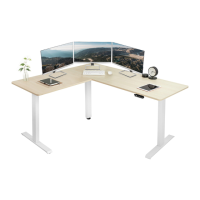
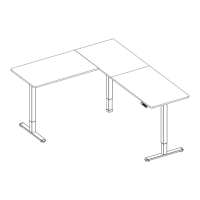
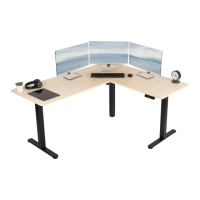
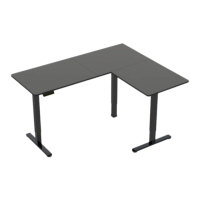
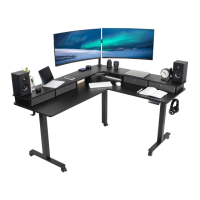
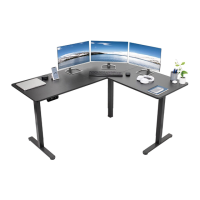
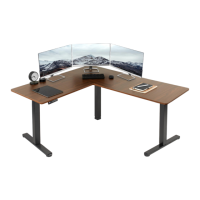
63” x 55” Corner Electric Desk
Follow along step-by-step with our video walk through by scanning
the QR code with your mobile device or by following the product
link: vivo-us.com/products/desk-e3ctb
Instruction Manual
SKUS: DESK-E3CTB/BC/BW, DESK-E3CTC/D/N,
DESK-E3CTW/WB/WD/WN
ASSEMBLY VIDEO AVAILABLE:
help@vivo-us.com
www.vivo-us.com
309-278-5303
Question and Answer IconNeed help?

Do you have a question about the Vivo DESK-E3CTD and is the answer not in the manual?

Overview

This document is an instruction manual for a 63" x 55" Corner Electric Desk, identified by SKUs such as DESK-E3CTB/BC/BW, DESK-E3CTC/D/N, and DESK-E3CTW/WB/WD/WN. The manual provides detailed assembly steps, a list of package contents, and a user guide for the desk's controller.

Function Description:

The VIVO Corner Electric Desk is a height-adjustable standing desk designed for ergonomic use in home or office environments. It features an electric motor that allows users to easily adjust the desk's height to their preferred standing or sitting positions. The desk is available in two assembly options: a left-side extension or a right-side extension, offering flexibility to fit various room layouts and user preferences. The desk's controller includes memory presets for quick height adjustments and arrow keys for fine-tuning the height. It also incorporates safety features such as rebound protection and various alarm codes to indicate operational issues.

Important Technical Specifications:

  • Dimensions: 63" x 55" (Corner configuration)
  • Weight Capacity: 176 lbs (80 kg)
  • Power Source: Electricity
  • Control Panel: Features numerical memory presets (1-4) and up/down arrow keys.
  • Sync Rods: Used to synchronize the movement of the desk legs, ensuring all three legs are at the same height.
  • Screws: M6x8mm (S-A), M6x35mm (S-B), M5x16mm (S-C)
  • Wrenches: 5mm Allen Wrench (T-A), 2mm Allen Wrench (T-B)
  • Assembly Options: Left Side Extension (Option A) or Right Side Extension (Option B).

Usage Features:

  • Height Adjustment: The desk's height can be adjusted using the up and down arrow keys on the control panel. Users press and hold the UP arrow to raise the desk and the DOWN arrow to lower it, releasing the button when the desired height is reached.
  • Memory Presets: The control panel allows users to save up to four preferred height settings. To save a height, the user presses and holds a numerical button (1-4) for 5 seconds until "H1" (or H2, H3, H4) appears, indicating the height is stored. Pressing a saved numerical button will automatically adjust the desk to that programmed height.
  • Reset Mode: If the desk's height is incorrect, the user can reset it. This involves pressing the down arrow until the desk reaches its fully lowered position, then pressing and holding the down arrow again. "RES" will be displayed, and the leg will lower and rebound upwards, resetting the frame.
  • Rebound Protection: The desk is equipped with rebound protection, which is triggered if it encounters an obstacle or experiences vibration or incline. In such cases, the desk may stop movement, and an E02 error code might be displayed. Users are advised to check for obstacles and, if none are found, perform a reset.
  • Cable Management: The manual suggests using Cable Clips (U) to secure power cables to the desktop, helping to maintain a tidy workspace.

Maintenance Features:

  • Troubleshooting: The manual includes a troubleshooting section with error codes and their resolutions:
    • E10 (Sensorless Alarm): Indicates the sensor cannot be detected. Solution: Power off the desk, check the connection between the motor and control panel, then re-power.
    • E20 (Overload Alarm): Indicates the desk's weight capacity has been exceeded. Solution: Remove items from the desk and try again.
    • E02 (Rebound Protection): Triggered by vibration, obstacles, or incline. Solution: Check for issues and perform a reset if necessary.
    • E32 (Overvoltage Alarm): Indicates voltage is too high. Solution: Power off the desk, check the connection between power and control panel, then power on.
    • E31 (Undervoltage Alarm): Indicates voltage is too low. Solution: Power off the desk, check the connection between power and control panel, then power on.
    • HOT (Overheated Alarm): Indicates the motor is overheated. Solution: Power off the desk and wait 18 seconds before using it again.
  • Cleaning: The manual explicitly states: "DO NOT CLEAN PRODUCT WHILE POWER IS CONNECTED."
  • Component Replacement: Users are advised not to disassemble or replace components while power is connected. If the system has a damaged cord or plug, users should contact the seller for replacement parts.
  • Environmental Considerations: The desk should not be operated in damp environments or if electrical components have come into contact with liquids. Outdoor use is prohibited.
  • Warranty and Returns: VIVO offers a hassle-free 30-day return policy for all products. For damaged, defective, or missing parts, users should contact customer support within 30 days of product delivery for a free replacement. For items ordered in error or no longer needed, return shipping charges are at the buyer's expense. Product warranty details are available on the VIVO website or through customer support.

Vivo DESK-E3CTD Specifications

General IconGeneral
BrandVivo
ModelDESK-E3CTD
CategoryIndoor Furnishing
LanguageEnglish

Related product manuals