21
CONTROLLER - USER MANUAL
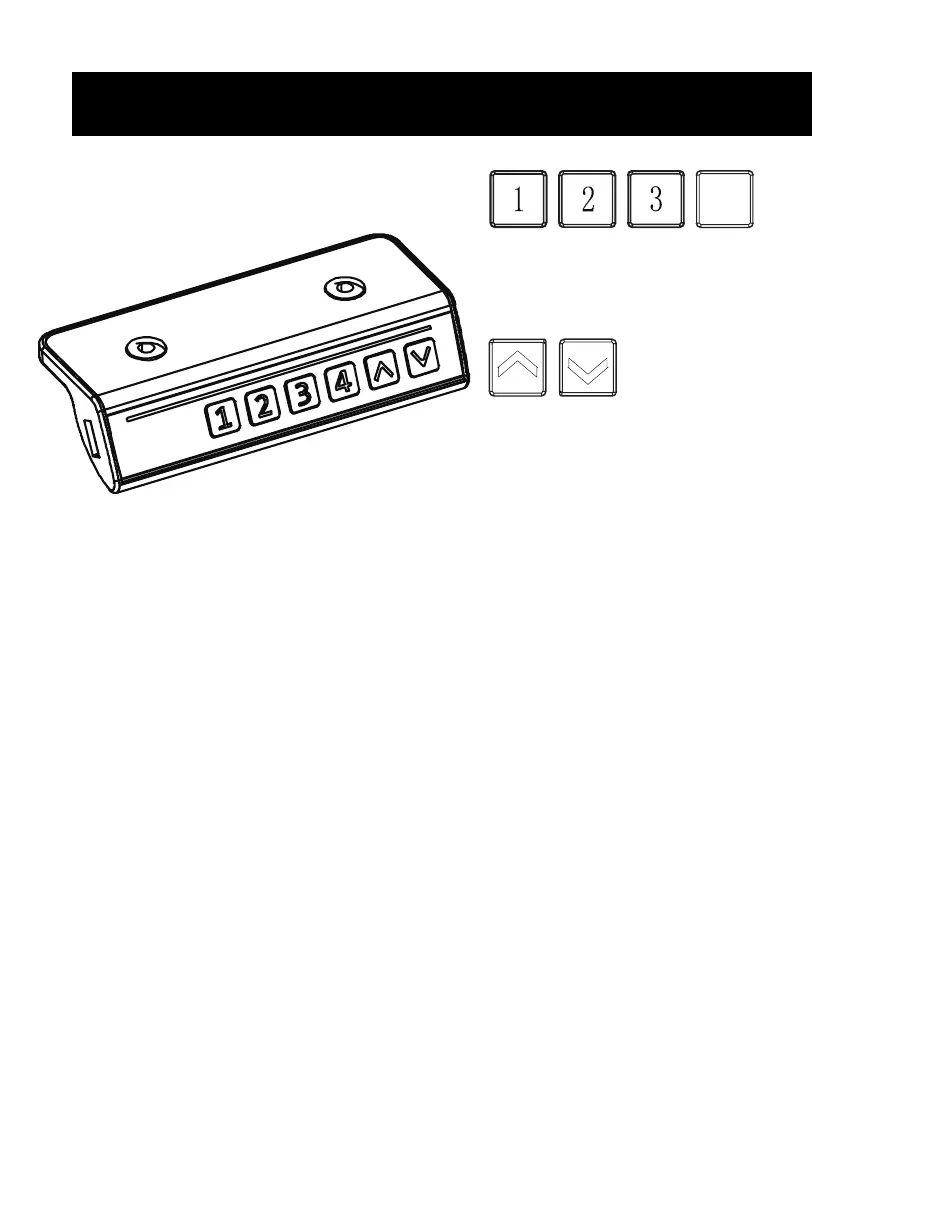
Memory Presets
Press any number and the desk will return
to the programmed height. See Programing
Memory Presets to program presets.
Arrow Keys
Press and hold the UP arrow for the desk to
begin raising. Release when desk reaches
desired height. Press and hold DOWN arrow
to lower desk. Release button when desired
height is reached.
4
Memory Mode
To save a set height, press and hold the "1" button for 5 seconds until "H1" appears. Your height
setting is now stored. Follow steps for the other numerical buttons to save up to four height
settings.
Reset Mode
If the height of the desk is incorrect, press the down arrow until the desk moves to the fully lowered
position. Press and hold the down arrow. “RES” will be displayed and the leg will lower and
rebound upwards. Release the down arrow and your frame has been reset.
Troubleshooting
Error
Code
Description/Resolution
E10 Sensorless Alarm: This alarm triggered when the sensor cannot be detected. Power o desk and
check the connection between the motor and control panel, then re-power.
E20 Overload Alarm: Remove desk items and try again.
E02 Rebound Protection: Check for desk vibration, obstacles, or desk incline. If no issues found,
complete the reset process and try again.
E32 Overvoltage Alarm: Voltage is higher than allowed value. Power o desk and check connection
between power and control panel. Power on again.
E31 Undervoltage Alarm: Voltage is lower than required value. Power o desk and check
connection between power and contorl panel. Power on again.
HOT Overheated Alarm: Power o and wait 18 seconds before use again.




 To Next Page