This document is an instruction manual for the VIVO TV Wall Mount, model SKU: MOUNT-VW06. It provides detailed steps for assembly, installation, and adjustment, along with important safety warnings and contact information for customer support.
Function Description:
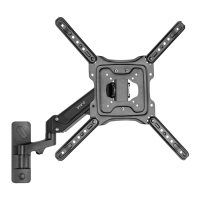
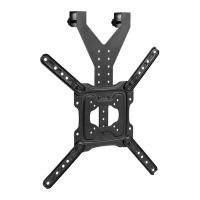
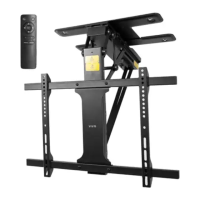
The VIVO TV Wall Mount (MOUNT-VW06) is designed to securely mount a television to a wall, offering flexibility in positioning and viewing angles. It supports installation on both wood and concrete/brick walls. The mount features an articulating arm that allows for extension, retraction, and swiveling of the TV, as well as tilt adjustments. It includes a VESA plate and adapters to accommodate various TV mounting hole patterns. Cable management is also integrated to help organize and conceal cables for a clean setup.
Important Technical Specifications:
- Model: MOUNT-VW06
- Weight Capacity: 44 lbs (19.96 kg). Exceeding this capacity may result in serious injury.
- Wall Compatibility:
- Wood Wall: Requires drilling 3/16" holes approximately 2.2" deep into a wood stud. Secured with bolts (W-A) and washers (W-C).
- Concrete/Brick Wall: Requires drilling 3/8" holes approximately 2.4" deep. Secured with anchors (W-B), bolts (W-A), and washers (W-C).
- VESA Compatibility: The mount utilizes VESA adapters (C and D) and a VESA plate (B) to match various television mounting holes. The diagrams show compatibility with 200mm x 200mm and 200mm x 100mm patterns, but the use of adapters suggests broader compatibility.
- Adjustments:
- Swivel: Up to 180 degrees (at the wall connection) and 90 degrees (at the TV connection).
- Tilt: +5 degrees to -12 degrees.
- Level Adjustment: +3 degrees to -3 degrees.
- Hardware Included:
- Mount (A)
- VESA Plate (B)
- VESA Adapters (C, D)
- Wrench (E)
- Cable Clip (F)
- Allen Wrench (G)
- Nuts (H, J)
- Bolts (I, W-A)
- Washers (M-E, M-F, W-C)
- Spacers (M-G)
- Anchors (W-B)
- TV Mounting Bolts (M-A, M-B, M-C, M-D) in various sizes (M4x14, M5x14, M6x14, M8x20)
- Tools Needed for Installation: Drill, Phillips Screwdriver, Pencil.
Usage Features:
- Versatile Installation: Designed for both wood stud walls and solid concrete/brick walls, providing flexibility for different home constructions.
- Articulating Arm: Allows the TV to be pulled away from the wall, swiveled left or right, and tilted up or down, enabling optimal viewing from various positions in a room.
- Tilt Adjustment: The ability to tilt the screen (+5° to -12°) helps reduce glare and provides a comfortable viewing angle.
- Swivel Functionality: With 180° swivel at the wall and 90° at the TV, users can easily adjust the screen orientation to suit their needs.
- Level Adjustment: Fine-tuning the TV's level by +/- 3° ensures a perfectly straight display after installation.
- Cable Management: An included cable management clip (F) helps to route and conceal TV cables, contributing to a tidy and organized appearance.
- Spacer Option: Spacers (M-G) are provided for situations where the included TV mounting bolts are too long, ensuring a secure fit without damaging the TV.
- Easy Adjustment: The mount can be adjusted using the provided Allen wrench (G) and wrench (E) after the TV is installed.
Maintenance Features:
- Regular Checks: While not explicitly stated, it is good practice to periodically check all mounting bolts and nuts for tightness to ensure the TV remains securely attached to the wall and mount.
- Cleaning: The plastic cover and metal components can be wiped clean with a soft, dry cloth. Avoid abrasive cleaners that could damage the finish.
- Part Replacement: VIVO offers customer support for missing or defective parts. Users can contact them via email (help@vivo-us.com), phone (309-278-5303), or live chat on their website (www.vivo-us.com).
- Troubleshooting Resources: The manual directs users to a QR code and a website link (https://vivo-us.com/products/mount-vw06) for helpful videos and specifications, which can assist with troubleshooting or clarifying installation steps.
- Professional Assistance: The manual strongly advises calling a qualified technician if there are any doubts about the safety of the installation or if the directions are not understood, emphasizing safety over self-installation risks.
- Weight Capacity Adherence: Strict adherence to the 44 lbs (19.96 kg) weight capacity is crucial to prevent damage or serious injury, which is a key aspect of long-term maintenance and safety.

 Need help?


 To Next Page
 General