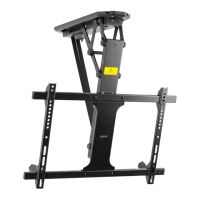
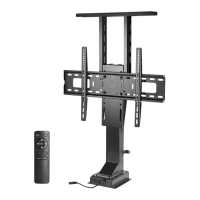
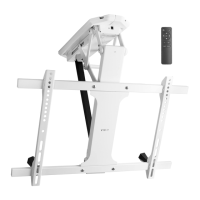
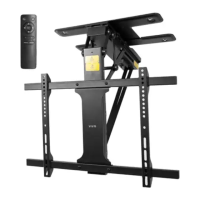
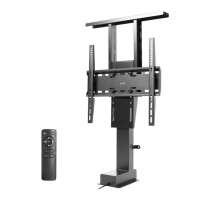
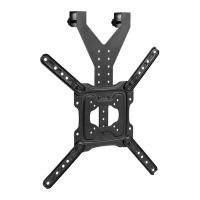
This document is an instruction manual for the VIVO MOUNT-E-DN55 Motorized Drop Down TV Mount with Remote Control.
The VIVO MOUNT-E-DN55 is a motorized drop-down TV mount designed to securely hold and articulate a television, allowing it to be lowered or retracted with a remote control. This mount is ideal for installations where a TV needs to be hidden when not in use, such as in ceilings or custom cabinetry, and then deployed for viewing. It offers a convenient and space-saving solution for modern home entertainment setups.
Important Technical Specifications:
- SKU: MOUNT-E-DN55
- Weight Capacity: The mount has a maximum weight capacity of 99 lbs (45 kg). Exceeding this limit may result in serious injury or damage to the product.
- VESA Compatibility: The mount supports various VESA hole patterns, accommodating a range of TV sizes. The specific VESA hole locations for mounting the extension brackets (D) depend on the TV size.
- Power: The system operates with an AC adapter (G) and a power cable (J) that connects to a standard outlet.
- Control: The mount is controlled wirelessly via an RF Remote (H) and includes a Control Unit (F) for receiving commands and managing the motor.
- Mounting Options:
- Wood Installation: For wood ceilings, ST5.5x16mm screws (W-A) are used to secure the Ceiling Plate (I) and Lift Column (A).
- Concrete/Brick Installation: For concrete or brick ceilings, ST5.5x38mm screws (W-B) and concrete anchors (W-C) are required after drilling 1.8" (45mm) deep holes with a 5/16" (8mm) drill bit.
- Remote Control Range: The RF remote operates within a range of 30 ft (10m).
Usage Features:
- Motorized Operation: The primary feature is the motorized movement of the TV. Users can extend or retract the TV mount with the press of a button on the RF remote.
- RF Remote Control (H):
- UP ARROW: Moves the mount upwards, retracting it towards the motor. Press and hold to continuously raise the TV.
- DOWN ARROW: Moves the mount downwards, extending it away from the motor. Press and hold to continuously lower the TV.
- OK BUTTON: Fully retracts the mount to its highest position.
- Control Unit (F) Buttons:
- PROGRAM BUTTON: Double press to enter programming mode for remote pairing.
- MANUAL RETRACT: Press and hold to retract the mount towards the motor manually.
- Remote Pairing: The manual provides clear steps for pairing the RF remote with the control unit, ensuring secure and responsive operation. This involves double-pressing the program button on the control unit and then simultaneously pressing the UP ARROW and OK buttons on the remote until the status light stops flashing.
- Adjustable Extension Brackets (D): The location of these brackets on the Lift Column (A) can be adjusted based on the TV's size and VESA hole pattern, ensuring compatibility with various television models.
- Safety Screws: The VESA Brackets (C) are secured to the VESA Plate (B) with safety screws, which should be tightened using a Phillips screwdriver after hanging the TV to prevent accidental dislodgement.
- Pre-installation Extension: During installation, the Lift Column (A) is extended to ensure the Wall Mounting Plate (A1) is accessible, simplifying the mounting process.
Maintenance Features:
- Troubleshooting Guide: The manual includes a comprehensive troubleshooting section for common issues, particularly concerning the remote control's responsiveness.
- Disconnected Cord: Users are advised to check all power connections if the mount is unresponsive.
- Incorrect Operation: Reference to the "RF Remote" section is provided for understanding proper remote functions.
- Operating Distance: If the remote is unresponsive, users should move closer to the mount, ensuring they are within the 30 ft (10m) operating range.
- Low Batteries: Users are instructed to replace low or dead batteries in the remote.
- Program Coding Error: If the remote is not properly coded, users should repeat the "Pairing the Remote" steps.
- Faulty Remote or Control Box: For persistent issues, users are directed to contact VIVO Product Support.
- Customer Support: VIVO offers dedicated customer support Monday-Friday from 7:00 am to 7:00 pm CST. They provide assistance with damaged or defective parts and offer immediate support via email (help@vivo-us.com), phone (309-278-5303), and live chat on their website (www.vivo-us.com).
- Warranty/Replacement Parts: VIVO is committed to replacing parts to ensure a fully functioning product, indicating a focus on product longevity and customer satisfaction.
- Regular Checks: Although not explicitly stated as "maintenance," the installation steps imply regular checks, such as ensuring nuts and washers are correctly installed to prevent binding, which contributes to the long-term smooth operation of the mount.
- Cleanliness: While not detailed, keeping the motorized components free from dust and obstructions would generally contribute to the mount's smooth operation and longevity.
The VIVO MOUNT-E-DN55 is designed for ease of installation and reliable performance, offering a sophisticated solution for integrating a television into various environments while maintaining a clean and minimalist aesthetic. The detailed instructions and robust troubleshooting support ensure a positive user experience.

 Need help?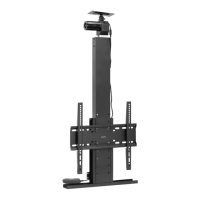

 To Next Page
 General