EasyManua.ls Logo

Vivo STAND-RACE1TV - User Manual

Vivo STAND-RACE1TV
8 pages
Print Icon
To Next Page IconTo Next Page
Loading...
TV Mount for STAND-RACE1B
Scan the QR code with your mobile device or follow the link
for helpful videos and specications related to this product.
Instruction Manual
https://vivo-us.com/products/stand-race1tv
SKU: STAND-RACE1TV
help@vivo-us.com
www.vivo-us.com 309-278-5303
Chat live with an agent!
GET IN TOUCH | Monday-Friday from 7:00am-7:00pm CST
Question and Answer IconNeed help?

Do you have a question about the Vivo STAND-RACE1TV and is the answer not in the manual?

Summary

Safety Information

General Warning

Emphasizes understanding instructions, checking parts, and avoiding improper installation or use.

Choking Hazard Warning

Alerts that small parts are not for children under 3 and require adult supervision.

Package Contents and Tools

Included Components

Lists all parts (A-F, S-A, M-A to M-H, T-A) required for the TV mount assembly.

Required Tools

Specifies the necessary tool for assembly, which is a Phillips screwdriver.

Assembly Steps

Step 1: Attach Support Bars

Instructions for attaching Support Bars (A) to the front frame support using Allen Wrench (T-A).

Step 2: Assemble Support Plate

Assembling Support Plate (B) to Support Bars (A) using Screws (S-A) and Allen Wrench (T-A).

Step 3: Mount Brackets to TV

Attaching TV Brackets (C, D) to the back of the television using various screws and spacers.

Step 4: Hang TV Assembly

Hanging TV Brackets (C, D) onto Support Plate (B) and securing with screws.

Step 5: Secure Cables

Securing cables using Cable Clips (E) and Cable Ties (F).

Overview

This document is an instruction manual for the VIVO STAND-RACE1TV TV Mount, designed for use with the STAND-RACE1B front frame support. It provides detailed assembly steps, a list of package contents, and important safety warnings to ensure proper installation and use.

Function Description

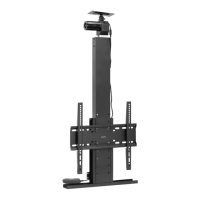
The VIVO STAND-RACE1TV is a TV mount designed to attach a television to the STAND-RACE1B front frame support. It allows for the secure mounting of a display, enhancing the user's gaming or simulation experience by integrating a screen directly into their setup. The mount facilitates the attachment of VESA-compatible televisions and offers tilt adjustment for optimal viewing angles. Cable management features are also included to maintain a tidy setup.

Important Technical Specifications

  • SKU: STAND-RACE1TV
  • Compatibility: Designed for STAND-RACE1B front frame support.
  • Weight Capacity: Do not exceed 77 lbs (35 kg). Exceeding this limit can result in serious injury.
  • Tilt Adjustment: The mount allows for a tilt range of +10° to -10°.
  • Hardware Included:
    • Support Bars (A): 2 units
    • Support Plate (B): 1 unit
    • Right VESA Bracket (C): 1 unit
    • Left VESA Bracket (D): 1 unit
    • Cable Clips (E): 2 units
    • Cable Ties (F): 4 units
    • Screws:
      • M8x16mm (S-A): 4 units
      • M5x14mm (M-A): 4 units
      • M6x14mm (M-B): 4 units
      • M6x30mm (M-C): 4 units
      • M8x30mm (M-D): 4 units
      • M8x50mm (M-E): 4 units
    • Washers: Square Washer (M-F): 4 units
    • Spacers: Small Spacer (M-G): 8 units, Larger Spacer (M-H): 8 units
    • Tools: 5mm Allen Wrench (T-A): 1 unit
  • Required Tools (Not Included): Phillips Screwdriver

Usage Features

The STAND-RACE1TV mount is designed for straightforward assembly and integration with the STAND-RACE1B.

Assembly Process:

  1. Step 1: Attach Support Bars (A) to STAND-RACE1B. This involves removing existing screws from the STAND-RACE1B front frame support using the provided 5mm Allen Wrench (T-A), then installing the Support Bars (A) using those same screws.
  2. Step 2: Assemble Support Plate (B) to Support Bars (A). The Support Plate (B) is attached to the Support Bars (A) using M8x16mm Screws (S-A) and the 5mm Allen Wrench (T-A).
  3. Step 3: Attach TV Brackets (C & D) to Television. The Left TV Bracket (D) and Right TV Bracket (C) are assembled to the back of the television. This step offers various screw options (M-A through M-E) with Washers (M-F) and Spacers (M-G, M-H) to accommodate different TV models and mounting patterns. Users should select the appropriate hardware for their specific television.
  4. Step 4: Hang Television onto Support Plate (B). Once the TV brackets are attached to the television, the display is hung onto the Support Plate (B). Security screws located on the underside of the brackets are then turned clockwise to firmly secure the television in place.
  5. Step 5: Cable Management. Cable Clips (E) and Cable Ties (F) are provided to help organize and secure cables, contributing to a clean and organized setup.

Adjustability:

  • Tilt: The mounted television can be tilted from +10° to -10°, allowing users to adjust the viewing angle for optimal comfort and visibility.

Safety:

  • Weight Capacity: Strict adherence to the 77 lbs (35 kg) weight limit is crucial to prevent damage or injury.
  • Choking Hazard: Small parts are included, posing a choking hazard for children under 3 years old. Adult supervision is required during assembly.
  • Proper Installation: Users are warned to follow directions carefully and to contact a qualified technician if they have any doubts about the installation's safety or if parts are missing/defective. Improper installation, incorrect assembly, or inappropriate use can lead to damage or serious injury.

Maintenance Features

While the manual does not explicitly detail ongoing maintenance, the design implies a low-maintenance product. The robust construction and secure fastening mechanisms suggest that once installed correctly, the mount should provide stable support for the television without requiring frequent adjustments or repairs. The emphasis on checking for missing or defective parts before installation serves as a preventative measure to ensure the longevity and safety of the product from the outset. Regular visual inspection of the mounting points and fasteners for any signs of loosening or wear would be a good practice to ensure continued safety and stability.

Support and Contact Information

VIVO offers comprehensive customer support:

  • Operating Hours: Monday-Friday, 7:00 am - 7:00 pm CST.
  • Email: help@vivo-us.com
  • Phone: 309-278-5303
  • Website: www.vivo-us.com (includes a live chat option with an agent).
  • Product Page: A QR code and URL (https://vivo-us.com/products/stand-race1tv) are provided for helpful videos and specifications related to the product.
  • Social Media: Users are encouraged to share their VIVO setup photos and tag @vivo_us.

VIVO's support team is dedicated to providing immediate assistance with rapid response times, including replacing damaged or defective parts to ensure a fully functioning product. Their average resolution time is 5 minutes and 4 seconds within office hours, with an average response time of 1 hour and 8 minutes.

Vivo STAND-RACE1TV Specifications

General IconGeneral
BrandVivo
ModelSTAND-RACE1TV
CategoryTV Mount
LanguageEnglish

Related product manuals