VIVOTEK
User's Manual - 9
Network Deployment
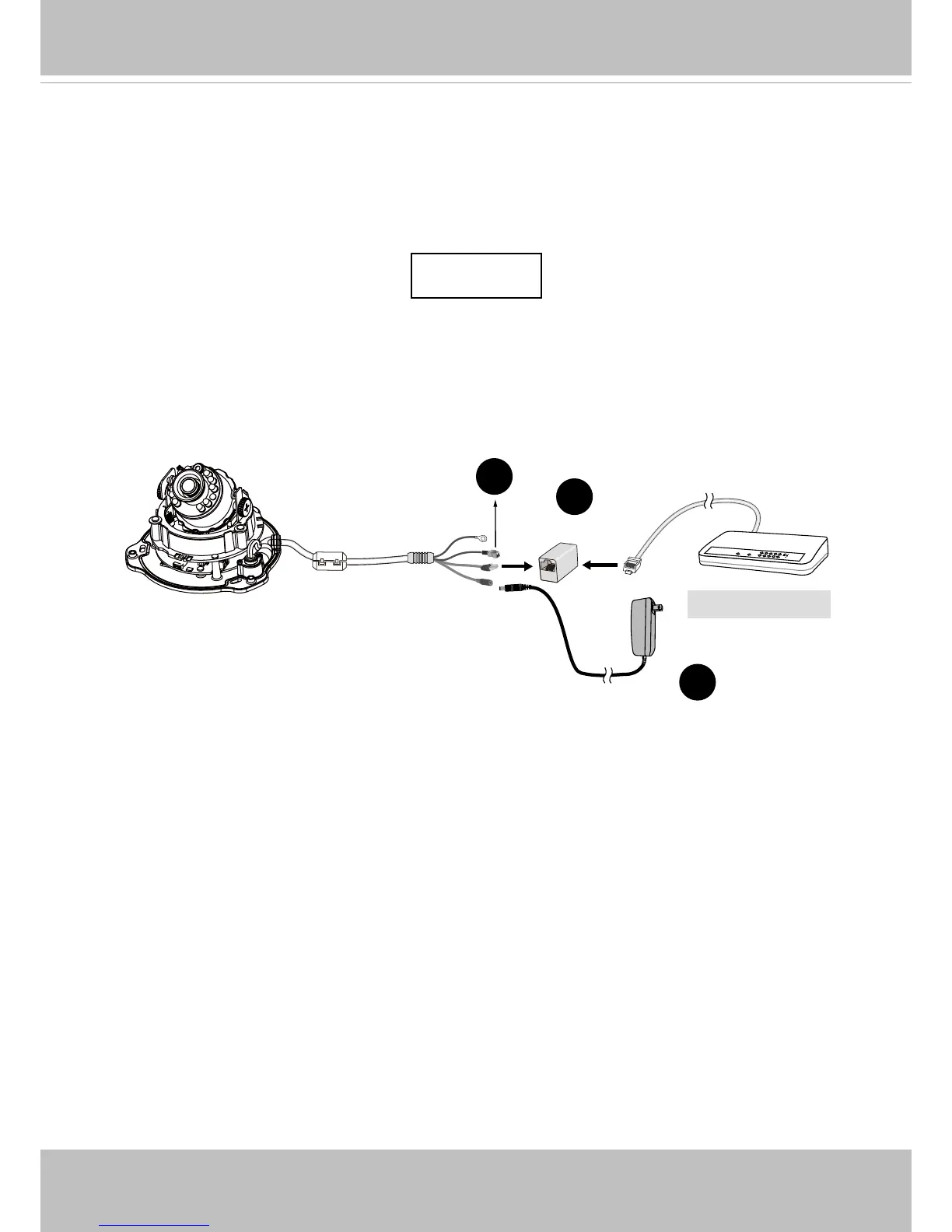
General Connection (without PoE)
This section explains how to congure the Network Camera to an Internet connection.
1. If you have external devices such as sensors and alarms, make the connection from the
general I/O terminal block.
2. Use the supplied RJ45 female/female coupler to connect the Network Camera to a
switch.
3. Connect the power cable from the Network Camera to a power outlet. The DC adapter
is user-supllied.
+ : Digital input
- : Digital input
POW
ER
C
O
LL
I
S
ION
L
I
N
K
RE
CEIVE
PARTITIO
N
1
2
3
4
5
2
3
Ethernet Switch
1



 To Next Page