EN - 4
Hardware Installation
3
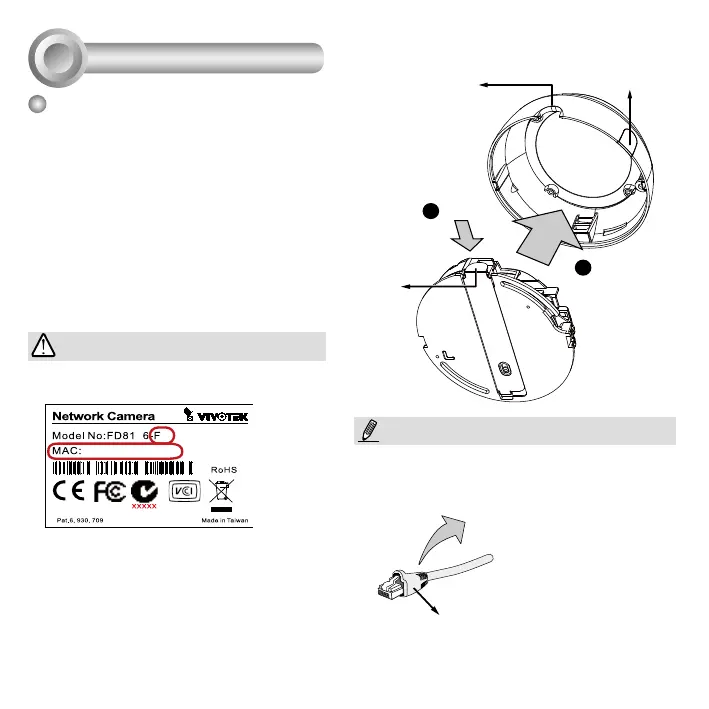
Removing the Dome Cover
1. Use one hand to hold the camera bottom
and another hand to hold the dome cover.
Press the release button.
2. Remove the dome cover.
3. Remove the slide cover if you want to route
cables from the side of camera instead of a
hole on the ceiling or wall.
1
2
Semi-circular
cut-out
Release tab
Slide cover
1. Record the MAC address before installing
the camera.
IMPORTANT:
It is recommended to use an Ethernet cable that
comes without the strain relief boot. You can
remove the boot if your cable comes with one.
Strain relief boot
NOTE:
2.Youcancheckthemodelnamesufxforthe
type of lens mounted on your camera. The
applicable lens can be:
F2: 2.8mm; F3: 3.6mm; F6: 6mm. The
shorter the focal length, the wider the view.



 To Next Page