VIVOTEK
User's Manual - 51
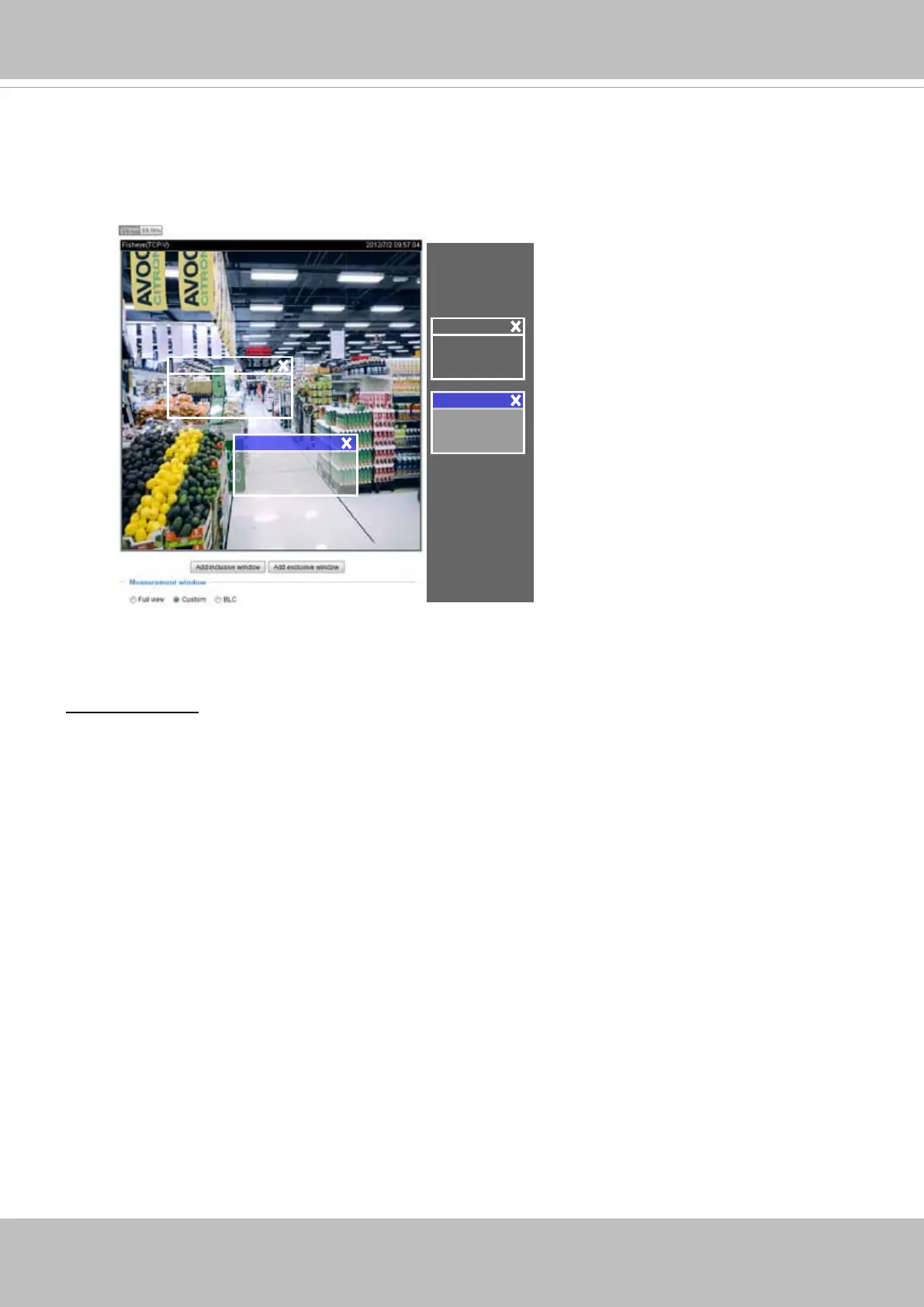
The inclusive window refers to the “weighted window“; the exclusive window refers to “ignored window“.
It adopts the weighed averages method to calculate the value. The inclusive windows have a higher
priority. You can overlap these windows, and, if you place an exclusive window within a larger inclusive
window, the exclusive part of the overlapped windows will be deducted from the inclusive window. An
exposure value will then be calculated out of the remaining of the inclusive window.
■ BLC (Back Light Compensation): This option will automatically add a “weighted region“ in the middle of
the window and give the necessary light compensation.
Exposure control:
■
Exposure level: You can manually set the Exposure level, which ranges from -2.0 to +2.0 (dark to
bright).
■
Exposure time: You can split the round pointers on the Exposure time and Gain control slide bars
into two halves and drag them on the bars to designate a range of values in which firmware can
automatically adapt to. Note that Firmware will then automatically tune the Gain, Exposure time, and
Iris opening within the ranges you specified. For example, in low-light condition, you may prefer a
longer exposure time and more electronic gains. However, the noises in the image will also increase.
■
Gain control: Tune the slide bar to set the Gain Control to the best image quality. Higher gain control
value will generate a certain amount of noises, and that the gain control, lighting levels, and picture
performance are closely related.
Click the Save button to preserve your conguration.
■ Flickerless
: This function helps avoid the ickering on images because of the fast shutter movement
and the inconsistency between power line frequency (50 or 60Hz) and exposure time. When selected,
the exposure time will be forced to stay longer than 1/120 second. For cameras that come with xed
iris lens, setting the exposure time to longer than 1/120 second may introduce too much lights to the
lens. Users can use this option to observe whether the result of long exposure time is satisfactory.
Include
Exclude
Weighted region
Ignored region
Include
Exclude
■
AE Speed Adjustment:
This function (Automatic Exposure) applies when you need to monitor fast changing lighting conditions.
For example, the camera may need to monitor a highway lane or entrance of a parking area at night
where cars passing by with their lights on can bring fast changes in light levels. The same applies if the
camera is installed on a vehicle, and when it needs to adapt to fast changes of light when entering and
leaving a tunnel. The speed level and sensitivity can be manually adjusted.



 To Next Page