VIVOTEK
User's Manual - 7
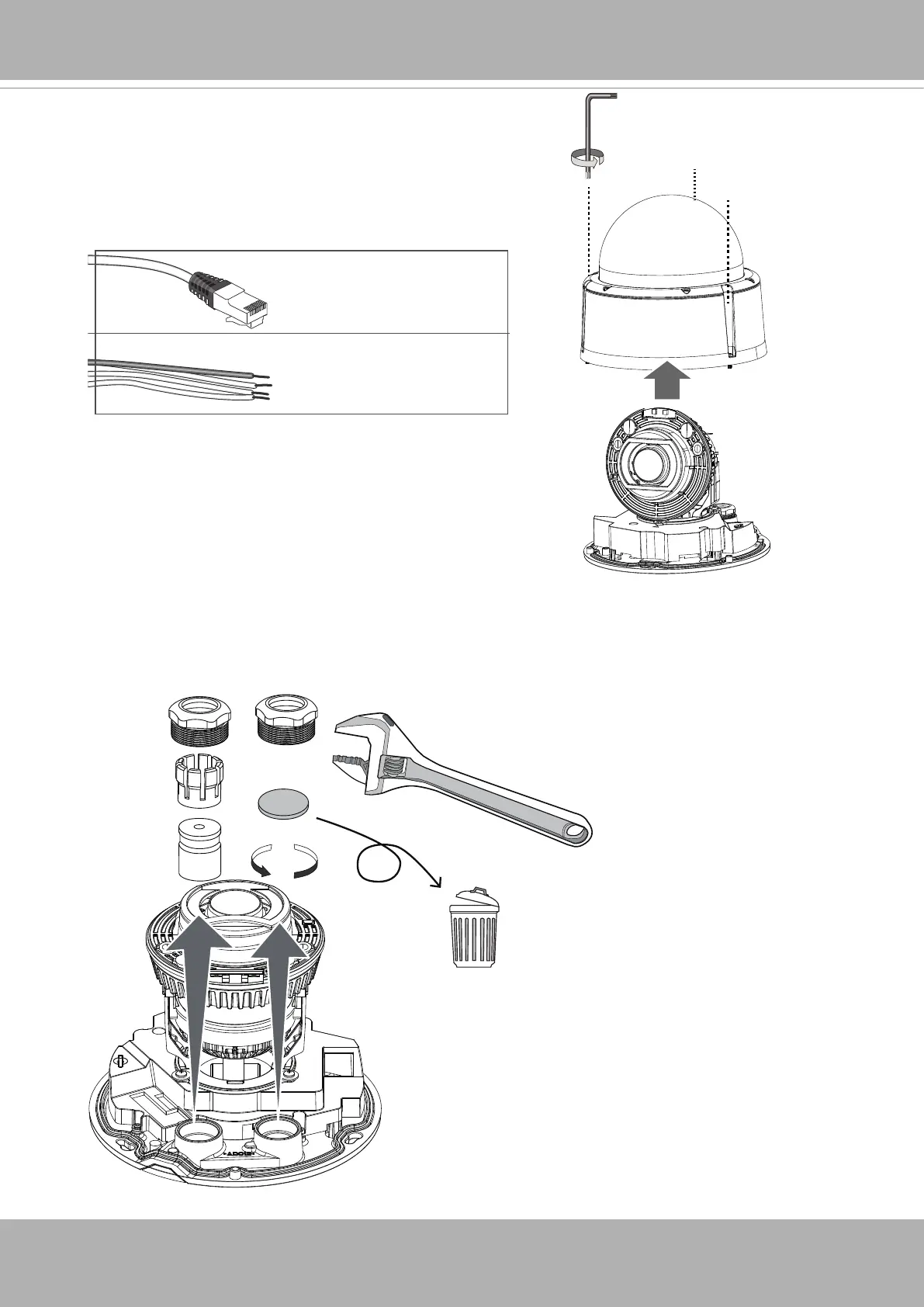
2. Use the included T10 stardriver to remove the dome
cover. If local recording is preferred, install an SD
card.
5~6.3mm
DI/DO: 1.8~2.1mm
3. Loosen and remove the waterproof connectors.
IMPORTANT
: You should install the waterproof cable gland to the I/O routing inlet whether
you connect the I/O and power wires or not. If you leave it open, water or moisture can
destroy the camera.
T10














 To Next Page