VIVOTEK
30 - User's Manual
Camera. It is suggested that a password is applied to the Network Camera so that only the administrator
can configure the Network Camera. For more information, please refer to the description for the
Conguration menus on page 36.
Language: Click this button to choose a language for the user interface. Language options are available
in: English, Deutsch, Español, Français, Italiano,
日本語
, Português,
簡体中文
, and
繁體中文
. You can
also change a language on the Conguration page; please refer to page 36.
Hide Button
You can click the hide button to hide the control panel or display the control panel.
Resize Buttons
:
Click the Auto button, the video cell will resize automatically to t the monitor.
Click 100% is to display the original homepage size.
Click 50% is to resize the homepage to 50% of its original size.
Click 25% is to resize the homepage to 25% of its original size.
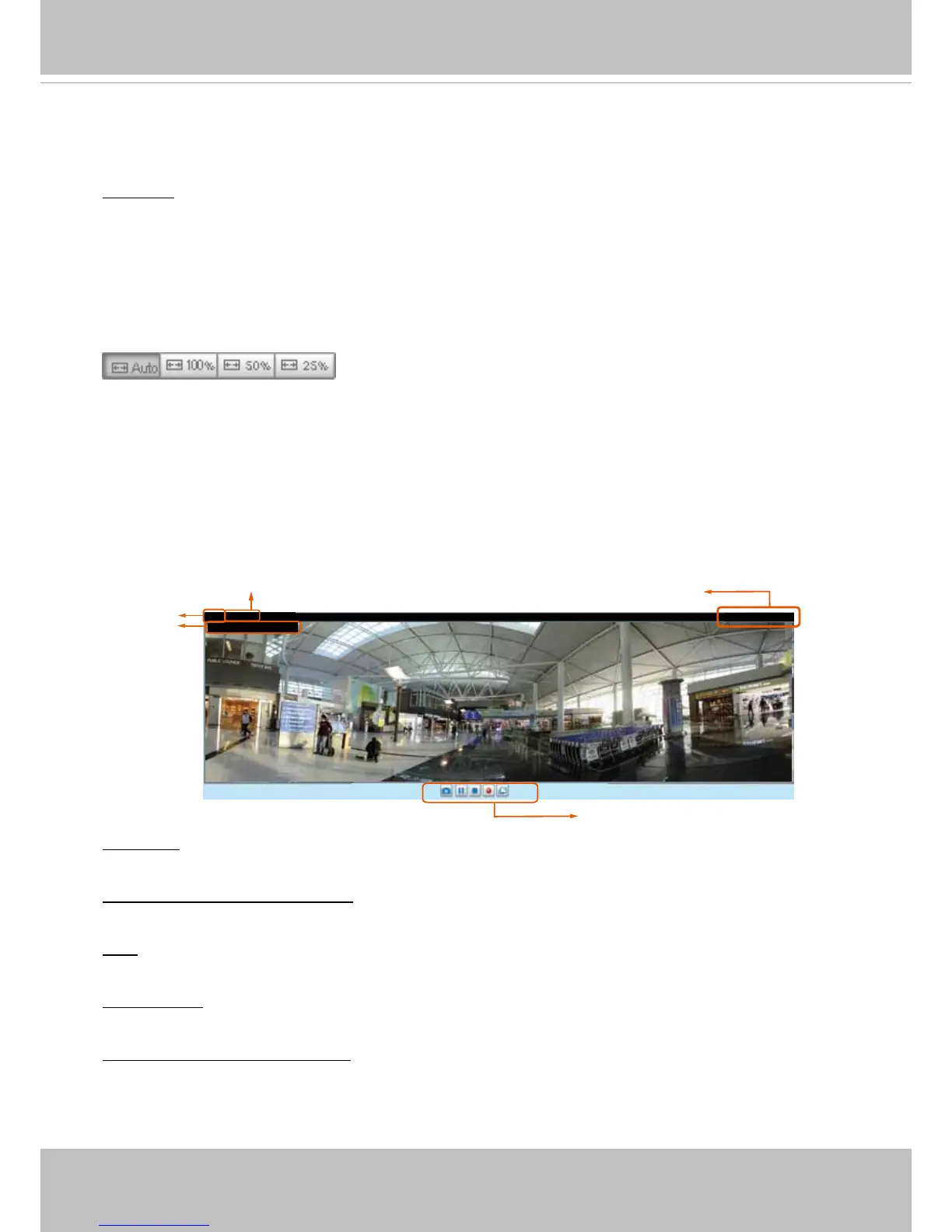
Live Video Window
■ The following window is displayed when the video mode is set to H.264:
Video Title: The video title can be congured. For more information, please refer to Video settings on
page 58.
H.264 Protocol and Media Options: The transmission protocol (TCP or UDP, etc.)and media options for
H.264 video streaming. For further conguration, please refer to Client Settings on page 34.
Time: Display the current time. For further conguration, please refer to Media > Image > Genral settings
on page 47.
Title and Time: The video title and time can be stamped on the streaming video. For further conguration,
please refer to Media > Image > Genral settings on page 47.
Video and Audio Control Buttons: Depending on the Network Camera model and Network Camera
conguration, some buttons may not be available.
Video 13:59:05 2014/07/04
Title and Time
Time
Video Control Buttons
Video (TPC-AV)



 To Next Page