VIVOTEK
User's Manual - 11
M
SD
8
9
11
10
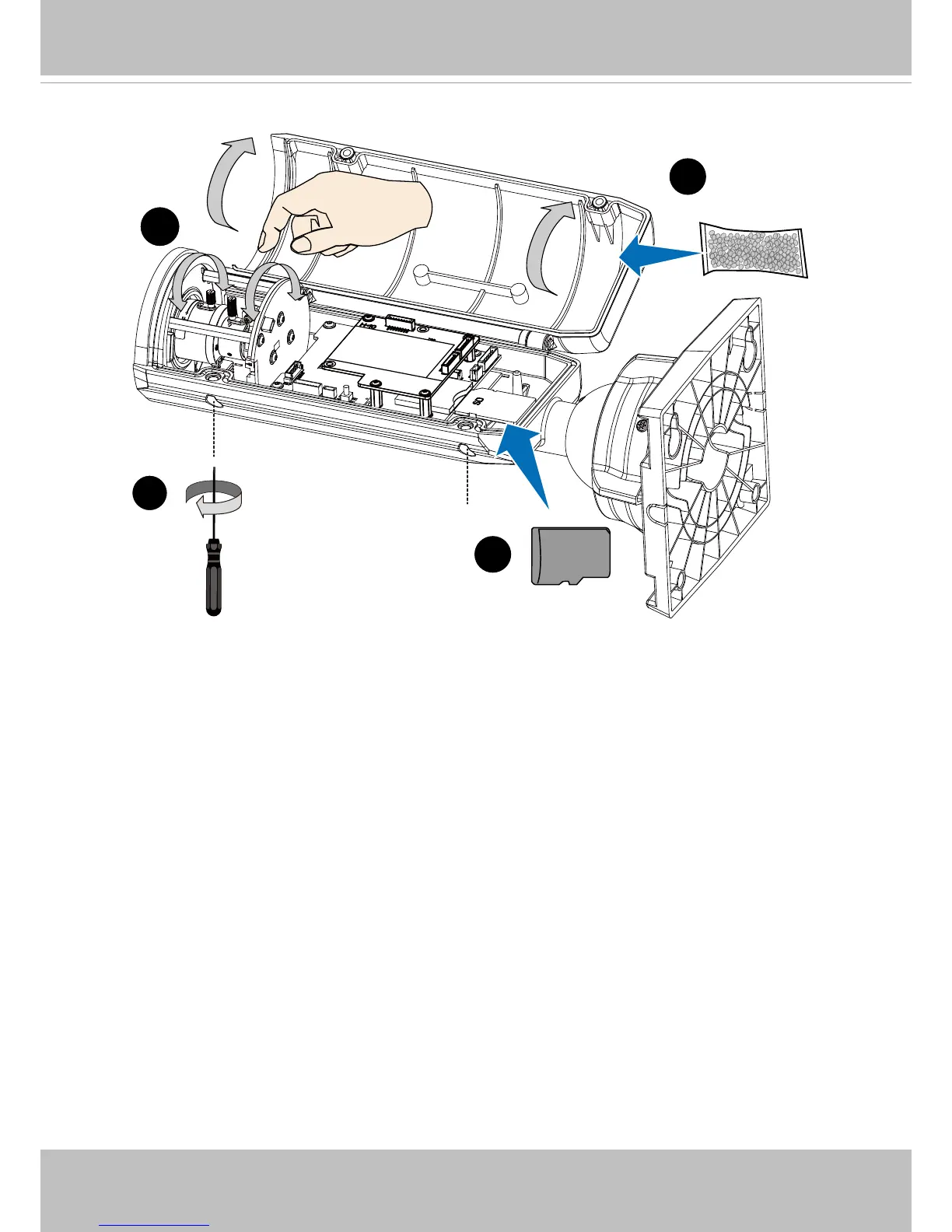
8. Open the top cover using the included stardriver
9. Install an SD card.
10. With a live view displayed on your laptop, adjust the zoom and focus pullers to obtain
an optimal image. Check the live view to ensure the image is in focus. Carefully tighten
the pullers when done.
Skip this step if using the IB8367-T and -RT models. The "T" models comes with
motorized focus lens. Use the Auto Focus function in rmware for best image.
11. Replace the desiccant bag on the top cover.
12. Close the top cover and fasten the anti-tamper screws.


 To Next Page