VIVOTEK
14 - User's Manual
Software Installation
Installation Wizard 2 (IW2), free-bundled software included on the product CD, helps you set up
your Network Camera on the LAN�
1� Install IW2 under the Software Utility directory from the software CD�
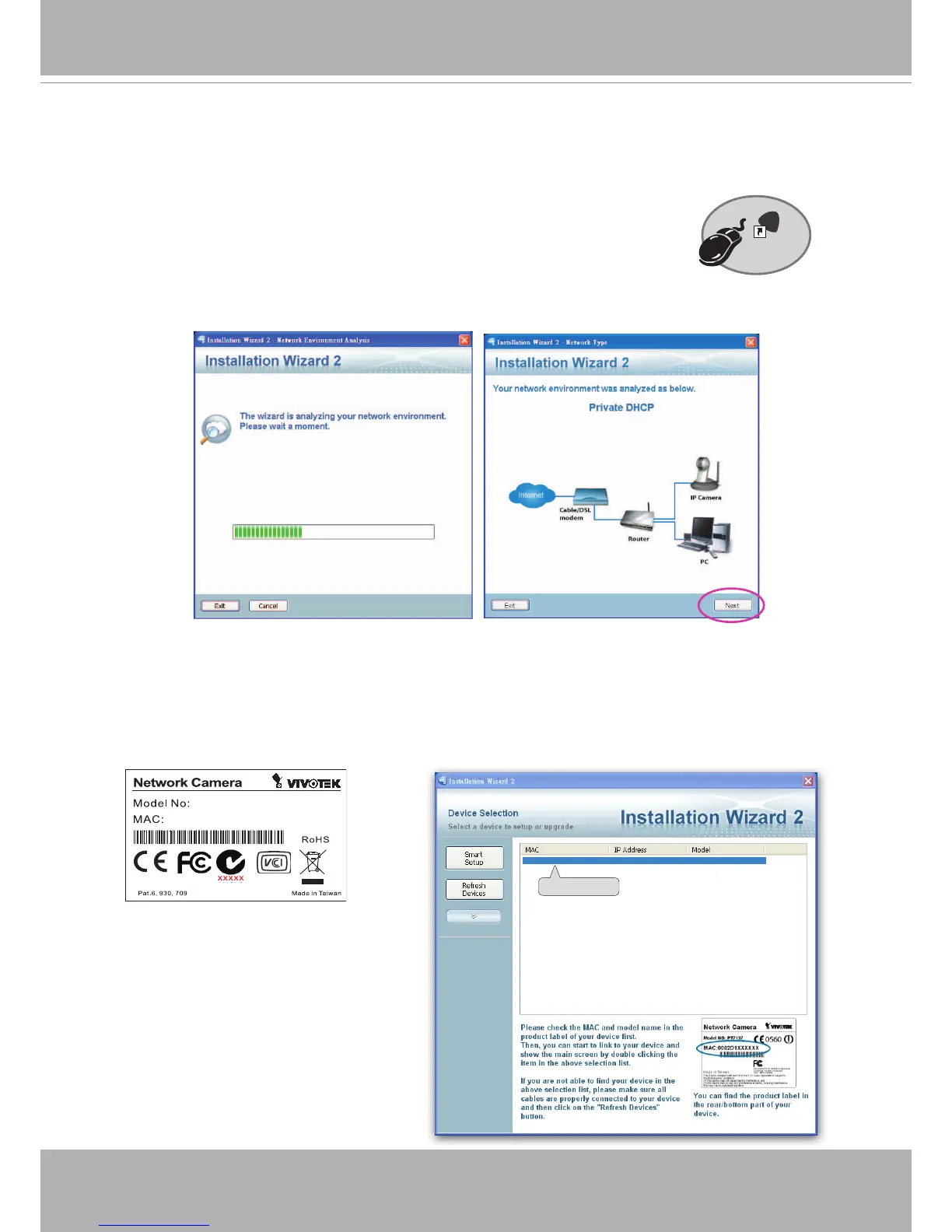
Double-click the IW2 shortcut on your desktop to launch the program�
2� The program will conduct an analysis of your network environment�
After your network environment is analyzed, please click Next to continue the program�
3� The program will search for all VIVOTEK network devices on the same LAN�
4� After a brief search, the installer window will prompt� Click on the MAC and model name
that matches the one printed on the product label� You can then double-click on the address to
open a management session with the Network Camera�
0002D1730202
00-02-D1-73-02-02 192.168.5.151 IP8131
Installation
Wizard 2
IW
2
0002D10766AD
IP8131



 To Next Page