VIVOTEK
30 - User's Manual
Buttons Conguration
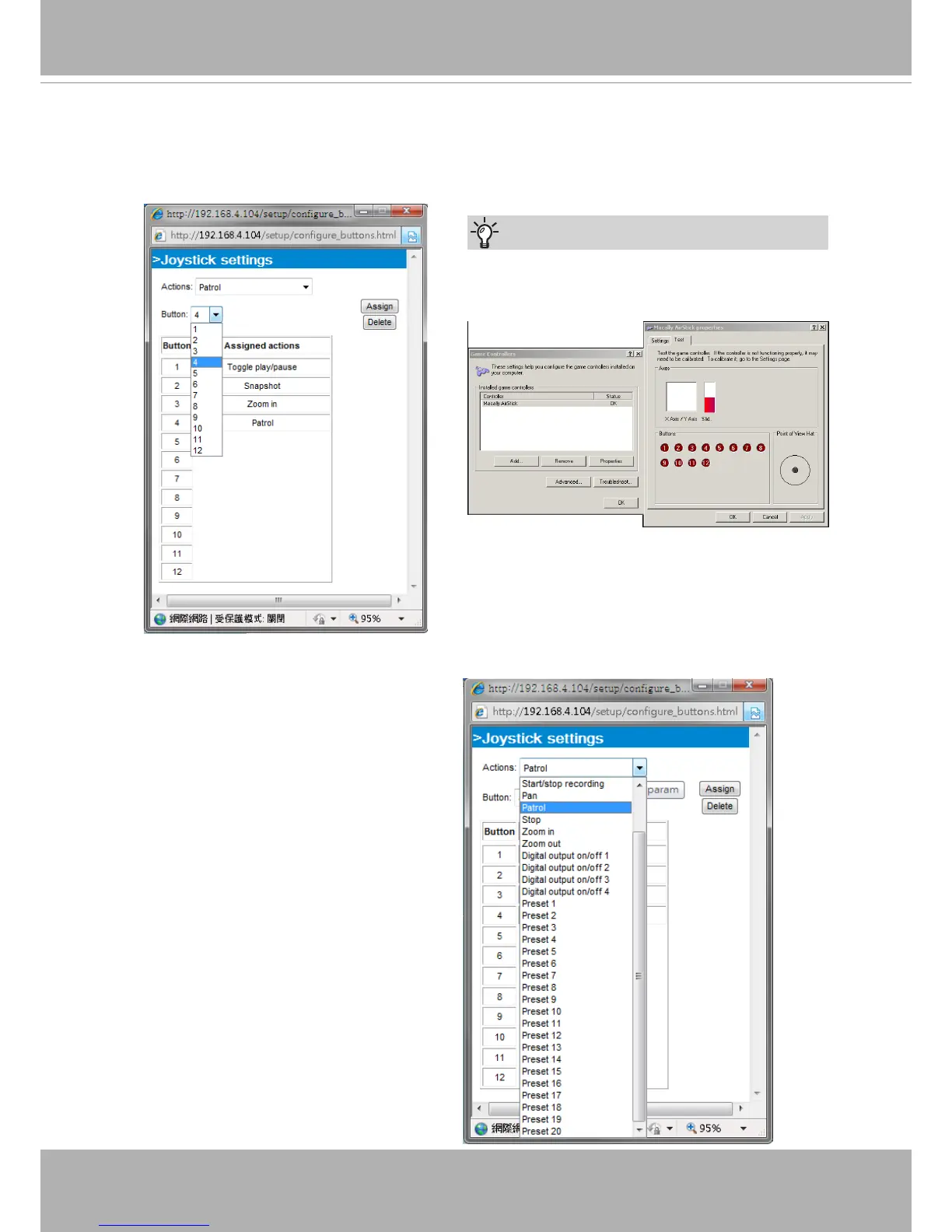
Click the Congure Buttons button, a window will prompt as shown below� Please follow the steps
below to congure your joystick buttons:
1� Select a button number from the Button # pull-down menu�
2� Select a corresponding action, such as Patrol or Preset#�
If you are not sure of the locations of each
button, use the Properties window in the Game
Controllers utility�
Tips
3�
Click the Assign button to assign an
action to the button� You can delete an
association by selecting a button number,
and then click the Delete button�
Repeat the process until you are done
with the configuration of all preferred
actions�
The buttons you dene should appear on
the button list accordingly�
4� Please remember to c
lick the Save
button on the Client settings page to
preserve your settings�



 To Next Page