VIVOTEK
User's Manual - 71
Manual setup
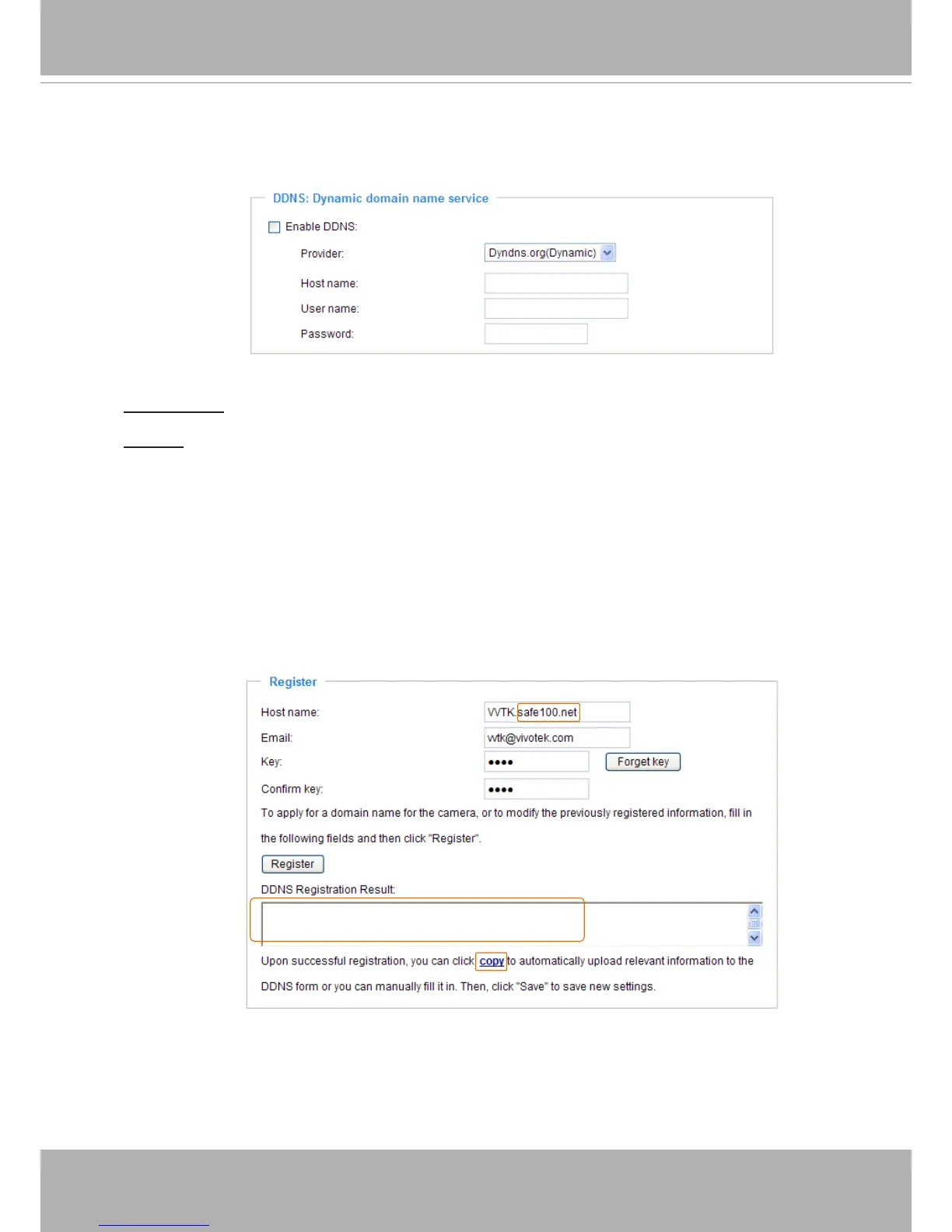
DDNS: Dynamic domain name service
Enable DDNS: Select this option to enable the DDNS setting�
Provider: Select a DDNS provider from the provider drop-down list�
VIVOTEK offers Safe100.net, a free dynamic domain name service, to VIVOTEK customers� It
is recommended that you register Safe100.net to access VIVOTEK’s Network Cameras from the
Internet� Additionally, we offer other DDNS providers, such as Dyndns�org(Dynamic), Dyndns�
org(Custom), TZO�com, DHS�org, CustomSafe100, dyn-interfree�it�
Note that before utilizing this function, please apply for a dynamic domain account rst.
■ Safe100�net
1� In the DDNS column, select Safe100.net from the drop-down list� Click I accept after reviewing
the terms of the Service Agreement�
2. In the Register column, ll in the Host name (xxxx.safe100.net), Email, Key, and Conrm Key,
and click Register� After a host name has been successfully created, a success message will
be displayed in the DDNS Registration Result column�
3� Click Copy and all the registered information will automatically be uploaded to the corresponding
elds in the DDNS column at the top of the page as seen in the picture.
[Register] Successfully Your account information has
been mailed to registered e-mail address



 To Next Page