VIVOTEK
User's Manual - 95
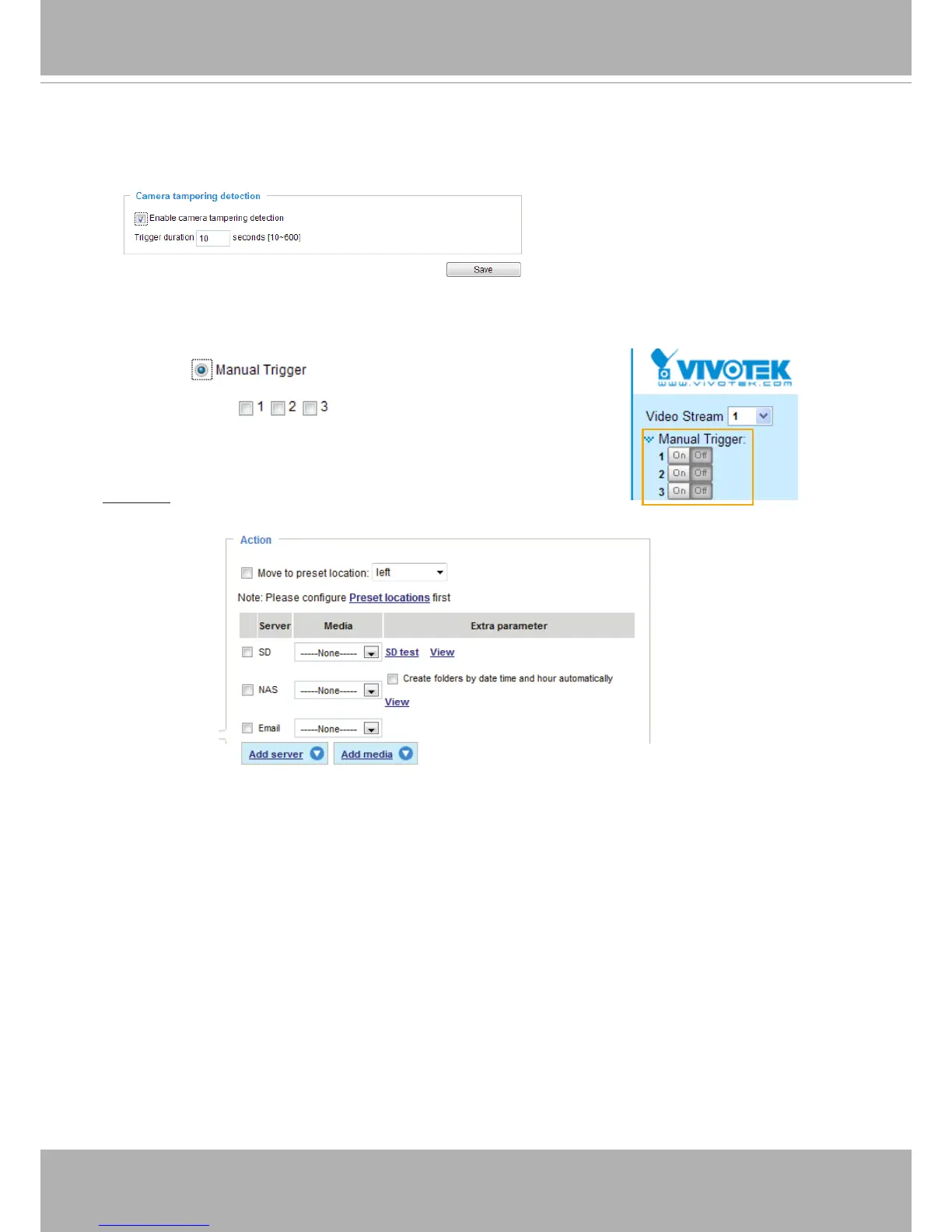
■ Camera tampering detection
This option allows the Network Camera to trigger when the camera detects that is is being tampered
with� To enable this function, you need to congure the Tampering Detection option rst. Please refer
to page 109 for detailed information�
14
■ Manual Trigger
This option allows users to enable event triggers manually by clicking the on/off button on the
homepage. Please congure 1 to 3 associated events before using this function.
3� Action
Dene the actions to be performed by the Network Camera when a trigger is activated.
■ Move to preset location: Tells the camera to move to a preset location (eld of view). Note that this
function applies when a smaller eld of view is cropped from the maximum view frame.
■ Backup media if the network is disconnected
Select this option to backup media le on SD card if the network is disconnected. This function will
only be displayed after you congure an Action Server, such as a network storage (NAS).



 To Next Page