VIVOTEK
User's Manual - 13
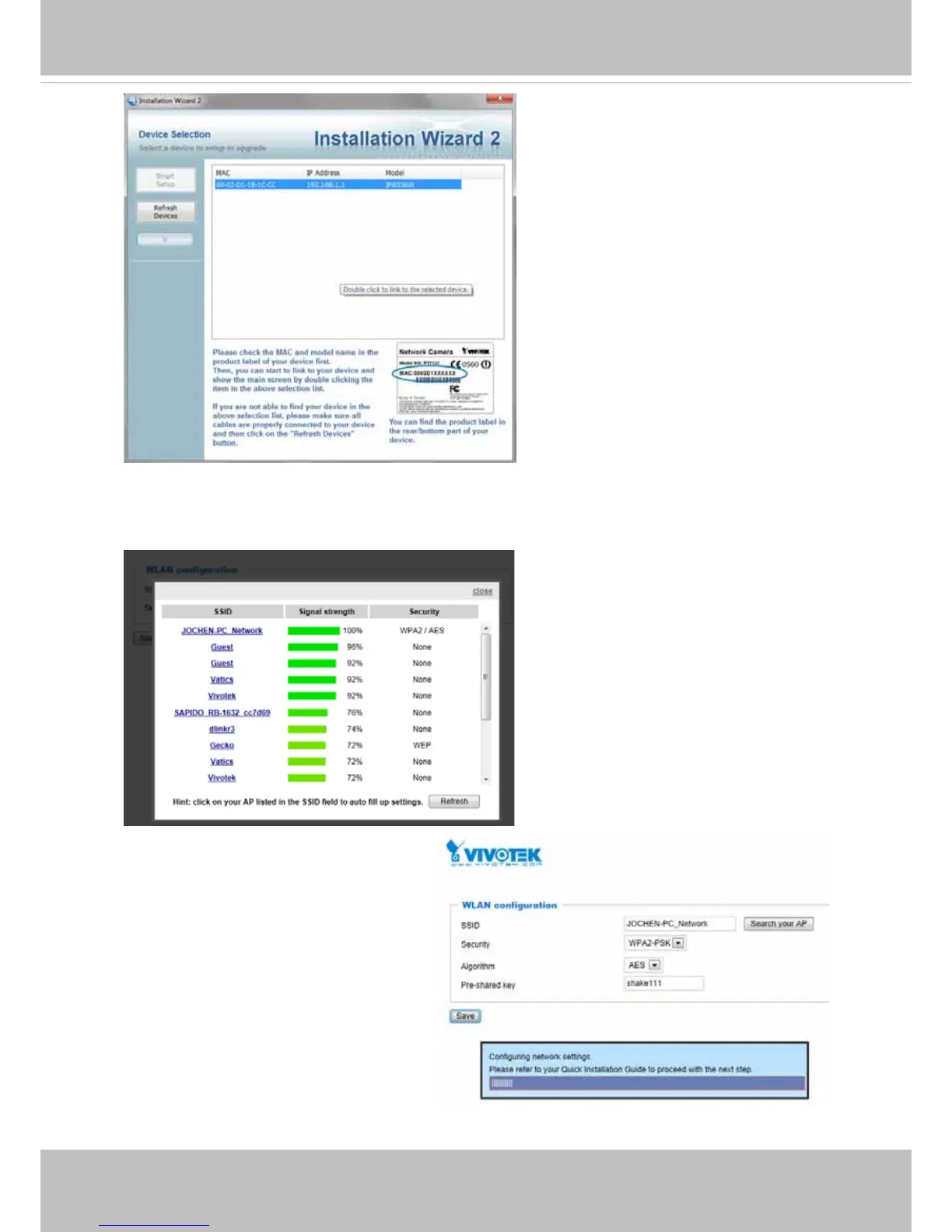
You can also discover the camera
using the IW2 utility� Install the IW2
utlity from the included product CD�
3� Enter your wireless AP's SSID and security password to connect to an existing AP� You
may also use the "Search your AP" button to locate an AP of your preferrence. Click on
an AP to make the connection�
Select the security encryption, such as
WEP or WPA-PSK, the algorithm, and
enter the pre-share key� Click Save to
proceed�
The camera will then operate in the
Client mode�



 To Next Page