VIVOTEK
12 - User's Manual
1
2
3
AP
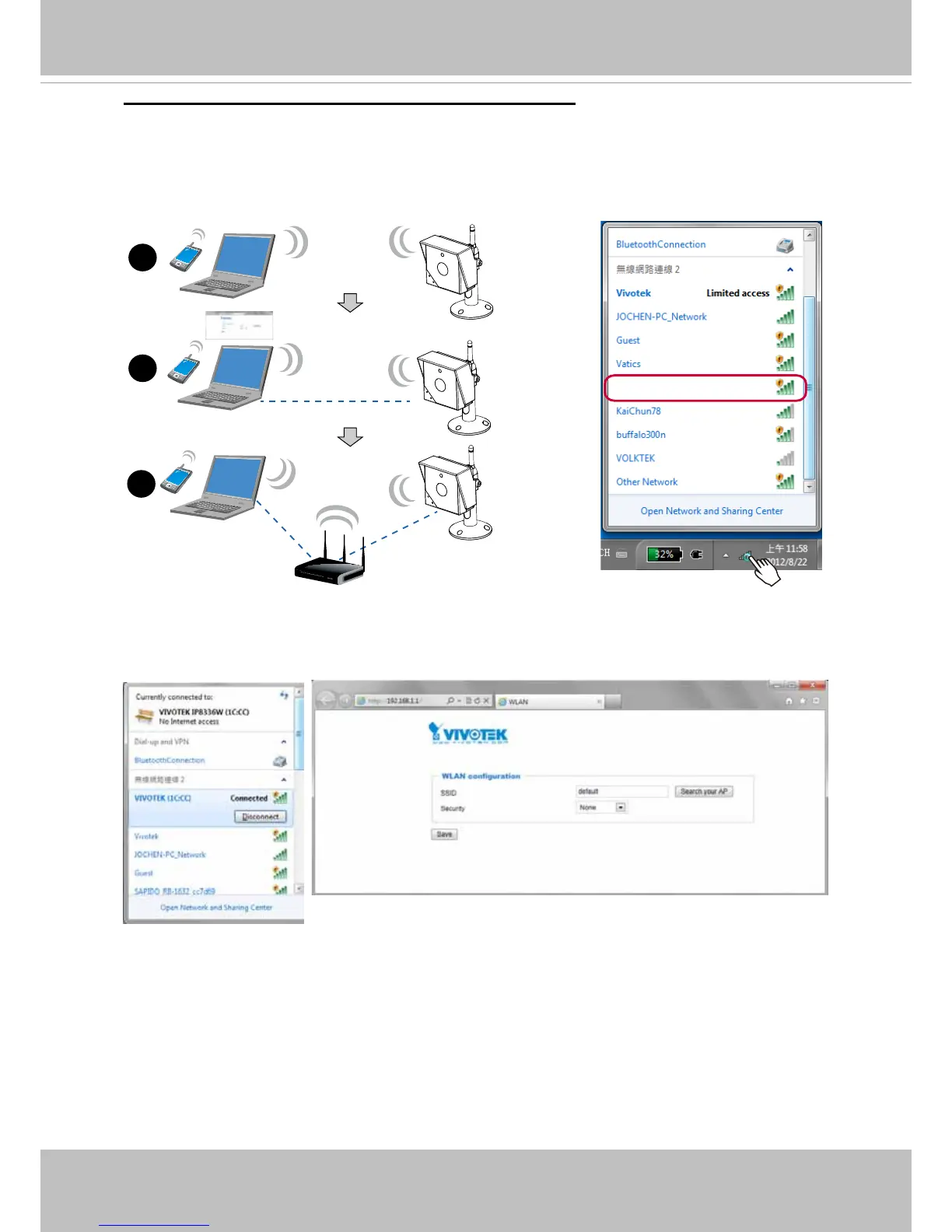
Wireless Connection #2: Connection without WPS
1� Connect power to the camera� By default, the camera operates in the AP mode� Connect
to the camera using a Wi-Fi capable notebook or a computer with a wireless adaptor�
Open the internet dialog box by clicking the wireless networks icon on the system tray�
2� Right-click or double-click on the VIVOTEK (MAC addr) icon� The camera name is
presented as: "VIVOTEK: (the last 4 digits of the camera's MAC address)."
Open a browser session using the camera's default IP "192.168.1.1"
If not using the WPS method, you can manually congure the camera:
VIVOTEK (1C:CC)
AP mode
Client mode



 To Next Page