VIVOTEK
User's Manual - 67
Exposure
Advanced Mode
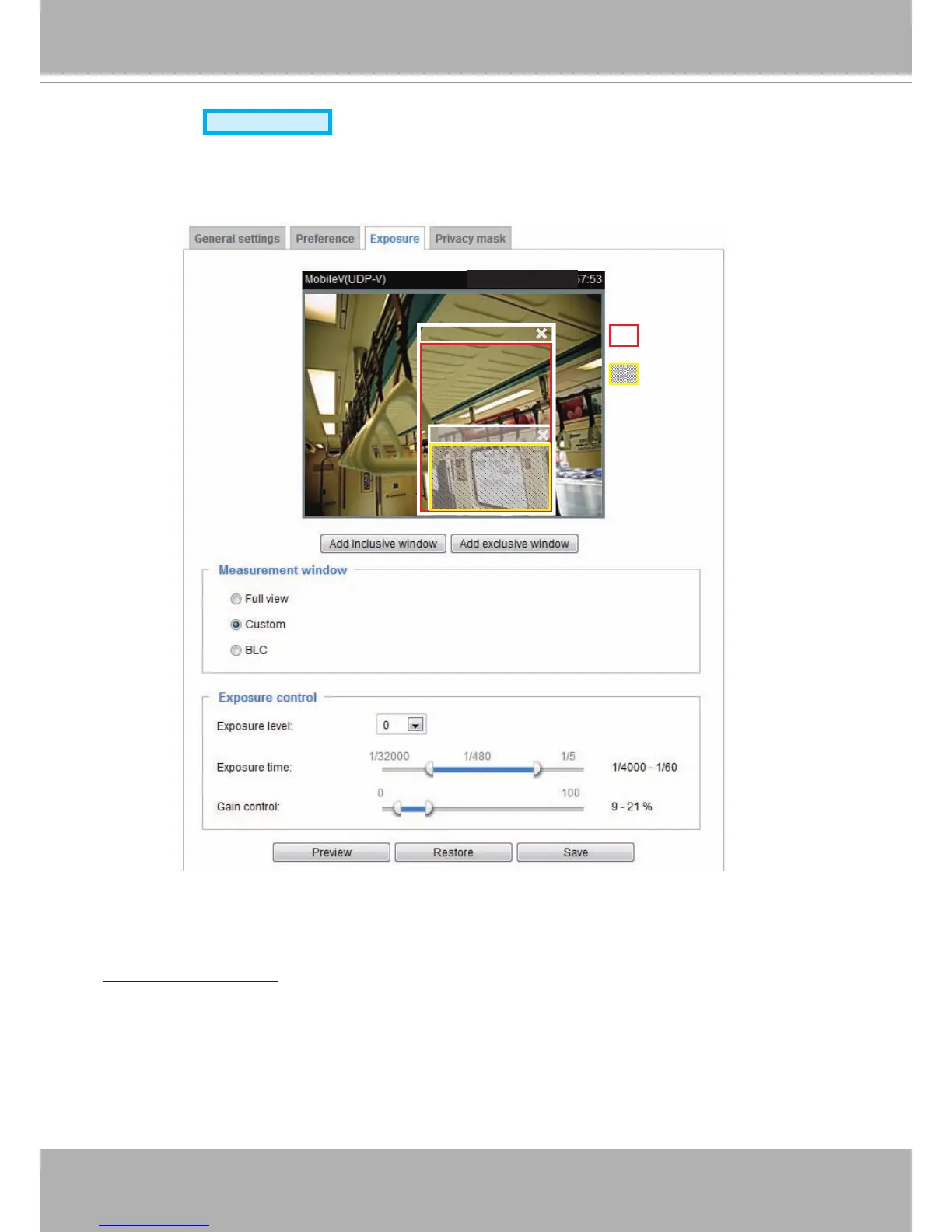
On this page, you can set the Exposure measurement window, Exposure level, Exposure mode,
Exposure time, and Gain control settings. You can configure two sets of Exposure settings: one for
normal situations, the other for special situations, such as day/night/schedule mode.
Measurement Window: This function allows users to set measurement window(s) for low light
compesation.
■ Full view: Calculate the full range of view and offer appropriate
light compesation.
2011/03/13 17:08:56
Include
Exclude
Include
Weighed region
Ignored region




 To Next Page