VIVOTEK
56 - User's Manual
■ Video quality
A complex scene generally produces larger le size, meaning that higher bandwidth will be needed
for data transmission� Therefore, if Constant bit rate is selected, the bandwidth utilization is xed at
a selected level, resulting in mutable video quality performances� The bit rates are selectable at the
following rates: 20Kbps, 30Kbps, 40Kbps, 50Kbps, 64Kbps, 128Kbps, 256Kbps, 512Kbps, 768Kbps,
1Mbps, 2Mbps, 3Mbps and 4Mbps� You can also select Customize, and manually enter a value�
On the other hand, if Fixed quality is selected, all frames are transmitted with the same quality;
bandwidth utilization is therefore unpredictable� The video qualities are selectable at the following
settings: Medium, Standard, Good, Detailed and Excellent� You can also select Customize, and
manually enter a value�
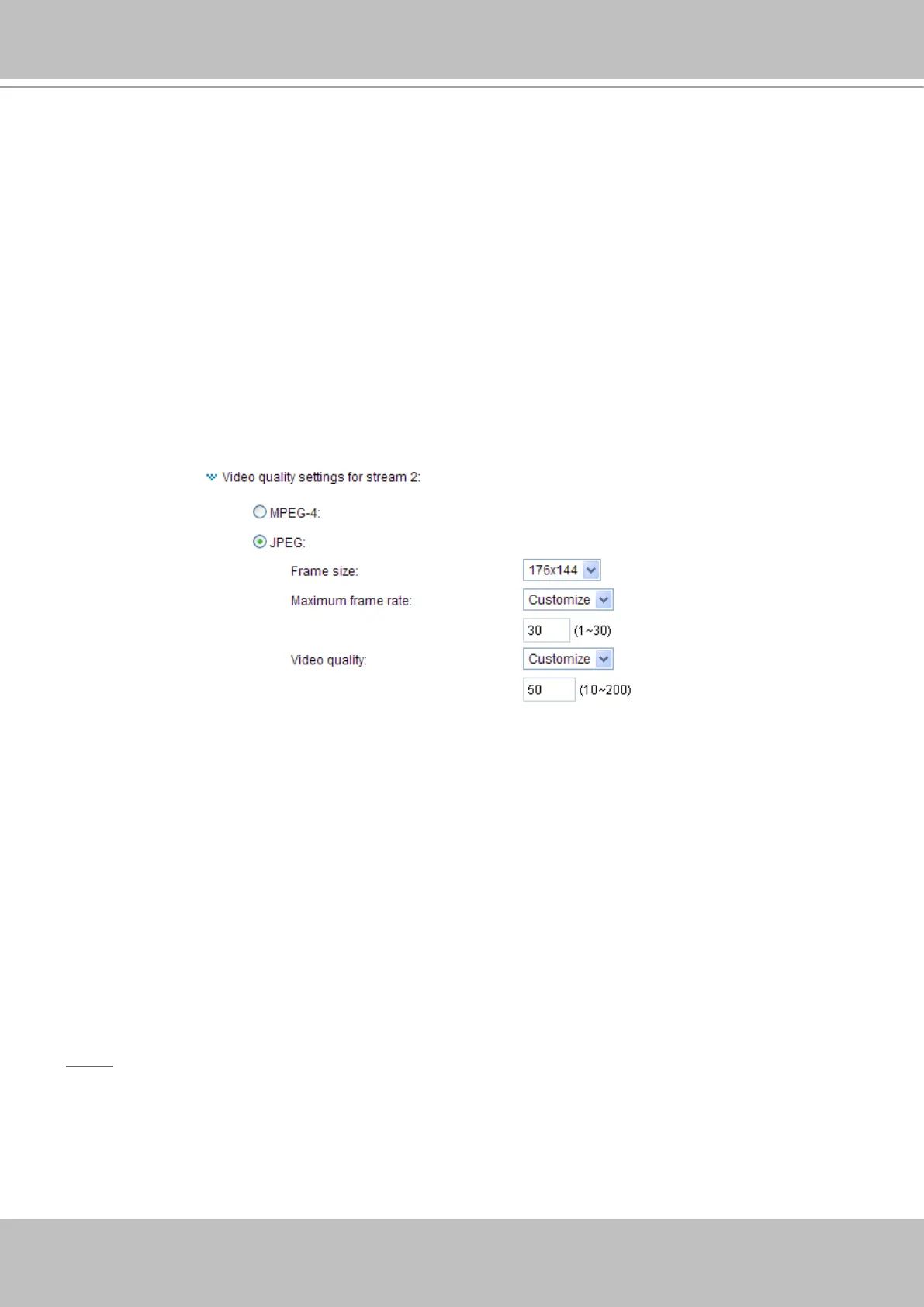
If JPEG mode is selected, the Network Camera continuously sends JPEG images to the clients,
producing dynamic effects similar to movies� Every single JPEG image transmitted guarantees the same
image quality, which in turn comes at the expense of variable bandwidth usage� And because the media
contents are a combination of JPEG images, no audio data is transmitted to the clients� There are three
dependent parameters provided in MPEG-4 mode for video performance adjustment�
■ Frame size
Select the video size� Note that a larger frame size takes up more bandwidth� The frame sizes are
selectable in the following resolutions: 176 x 144, 320 x 240 and 640 x 480�
■ Maximum frame rate
This limits the maximum refresh frame rate per second� Set the frame rate higher for smoother video
quality�
If the power line frequency is set to 50Hz, the frame rates are selectable at 1fps, 2fps, 3fps, 5fps,
8fps, 10fps, 15fps, 20fps, and 25fps� If the power line frequency is set to 60Hz, the frame rates are
selectable at 1fps, 2fps, 3fps, 5fps, 8fps, 10fps, 15fps, 20fps, 25fps, and 30fps� You can also select
Customize and manually enter a value�
■ Video quality
The video quality can be adjusted to the following settings: Medium, Standard, Good, Detailed, and
Excellent� You can also select Customize and manually enter a value�
NOTE
►
Video quality and fixed quality refers to the compression rate, so a lower value will produce higher
quality�



 To Next Page