VIVOTEK
User's Manual - 15
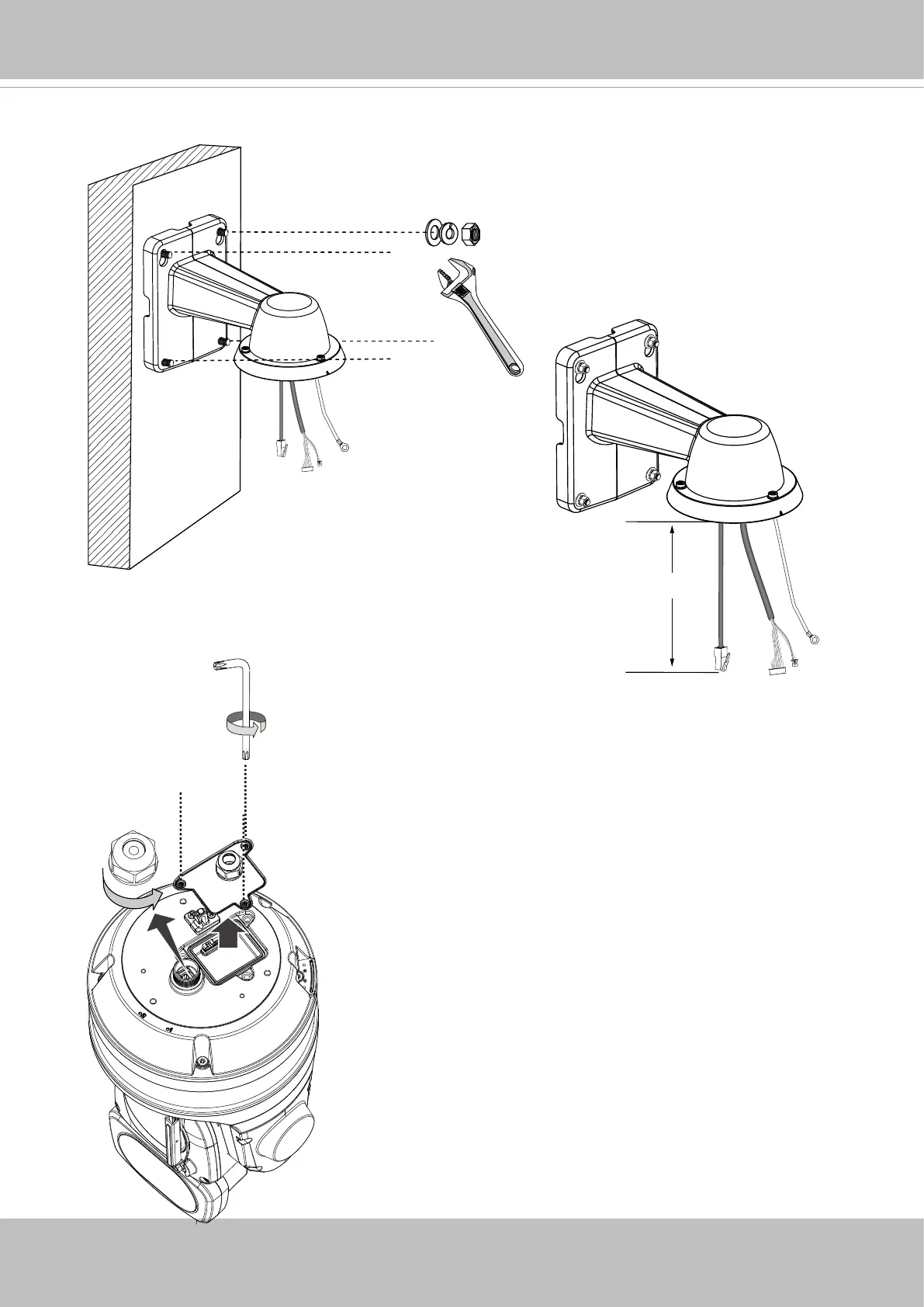
7. Secure the bracket to wall.
8. Remove the cable gland from the LAN port. If I/O wires or
24V power are preferred, use the T20 L-wrench to remove
the top cover on the I/O connectors.
The cable length hanging on the outside of
the bracket should be 15cm.
T20
15cm













 To Next Page