2Completing The First-Time Setup
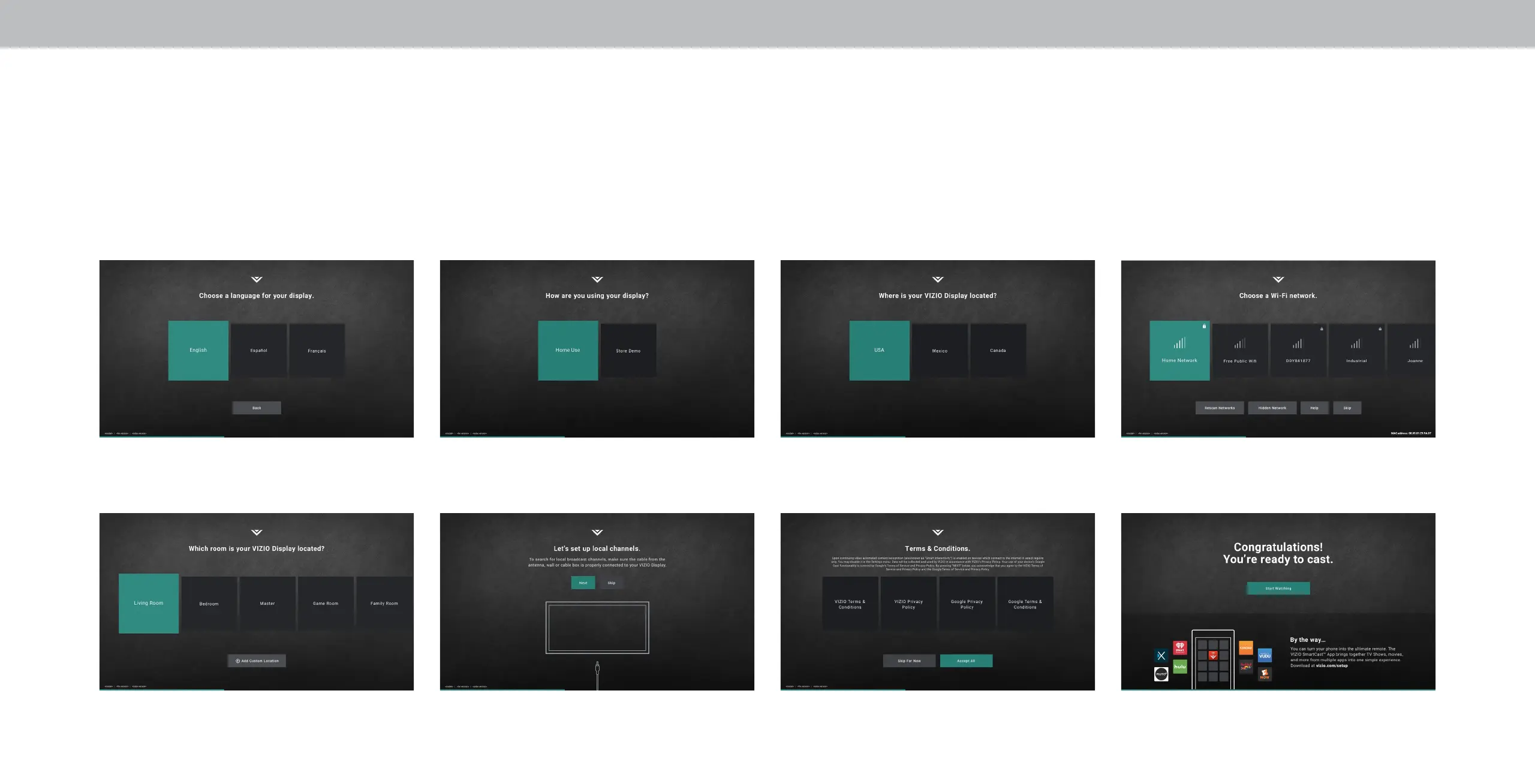
The rst time you turn on the TV, the on-screen instructions will guide you through each of the steps necessary to get your TV ready for use:
Before you begin the rst-time setup:
• Your Television should be installed and the power cord should be connected to an electrical outlet.
• If you have a wireless network, have the network password ready.
• If you are connecting to your network with an Ethernet cable, connect it to the Ethernet port* on the Television.
1. Choose your language. 2. Choose home use. 3. Choose your country. 4. Choose your Wi-Fi and enter the password.
5. Name your TV. 6. Scan for channels 7. Accept the T&Cs and register your device. All set!
*Port not available on D39f-F0 & D48f-F0
12


 To Next Page
 Loading...