VIZIO E320VP User Manual
Version 6/15/2010 13
www.VIZIO.com
Rear Panel Connection
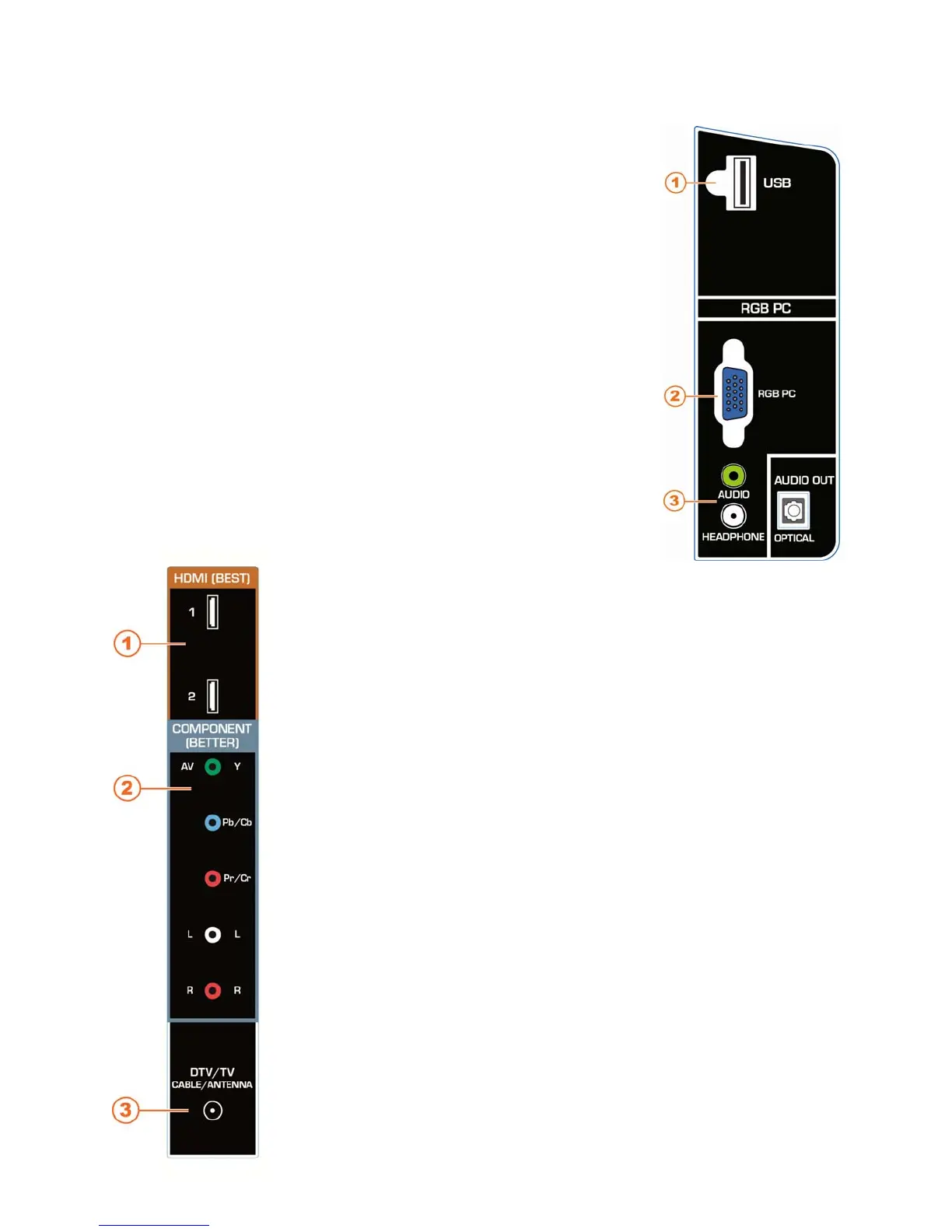
1. USB—Service port for use by a professional service technician. Register
your HDTV to receive future product updates including upgrades for these
ports.
2. RGB PC—Connect the video and audio from a computer here. Connect a
1/8” mini plug stereo connector from the computer to your HDTV if you
want the sound to come from your HDTV speakers.
3. AUDIO OUT:
HEADPHONE—Connect your headphones for personal listening.
OPTICAL—When digital TV is selected for viewing, the audio
associated with the programming will be available on the S/PDIF
Optical connector for connection to a VIZIO Sound Bar or your home
theater system.
Side Panel Connections
1. HDMI 1 and 2—Connect digital video devices such as a DVD player
or Set-Top Box through this all digital connector.
2. COMPONENT (Y Pb/Cb Pr/Cr with L/R Audio)—
Connect Component video devices such as a DVD Player or
Cable/Satellite box here.
You can also connect Composite (AV) video devices such as
camcorders and VCRs here. Connect the yellow video cable to
the green Component Y jack and then connect the red and white
audio cables to the Component L/R jacks.
3. DTV/TV—Connect to an antenna or digital cable source. For digital
TV stations in your area visit www.antennaweb.org. For Cable and
Satellite boxes, we recommend that you use a HDMI cable
connection for high definition image quality.


 To Next Page