English - 14
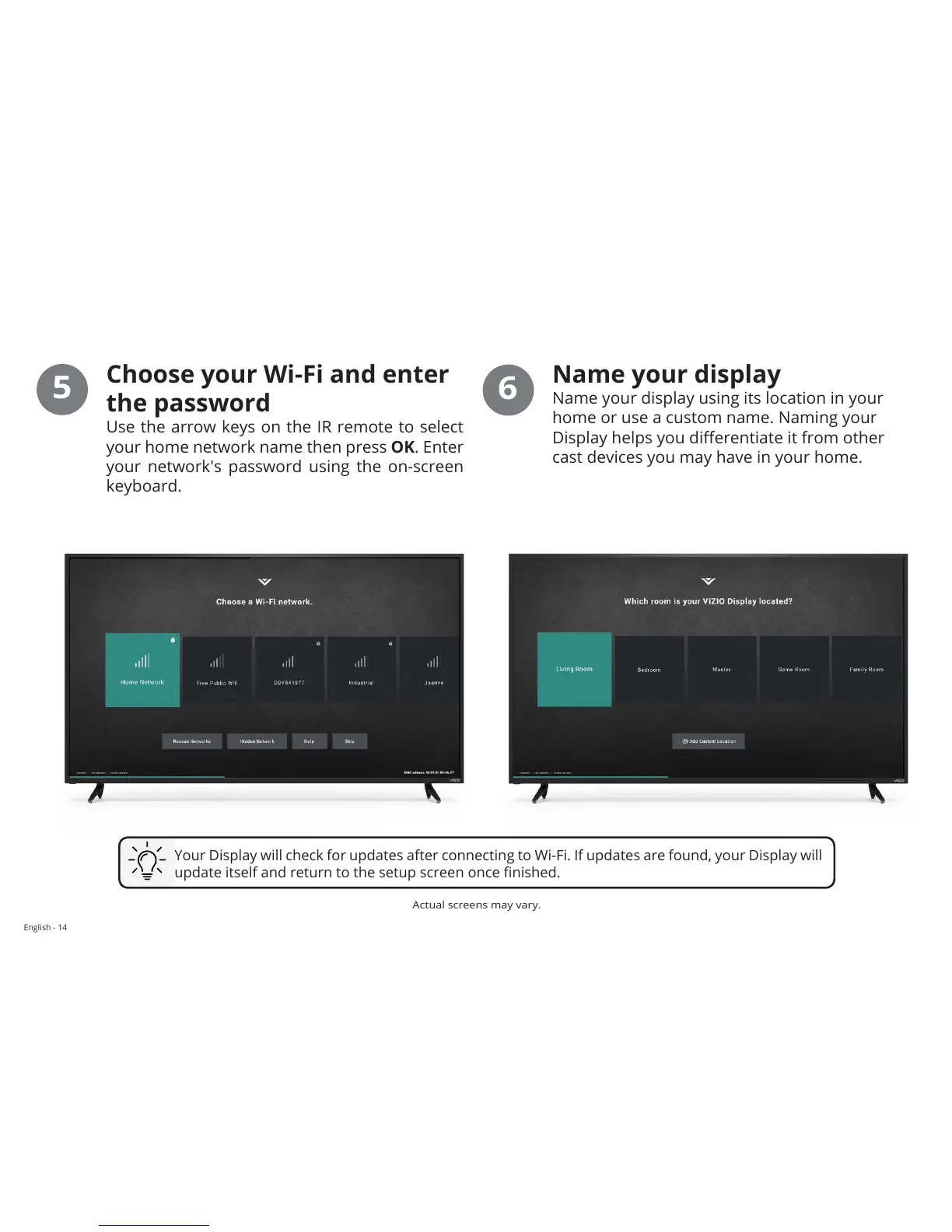
Choose your Wi-Fi and enter
the password
Use the arrow keys on the IR remote to select
your home network name then press OK. Enter
your network's password using the on-screen
keyboard.
5
Name your display
Name your display using its location in your
home or use a custom name. Naming your
Display helps you dierentiate it from other
cast devices you may have in your home.
6
Your Display will check for updates after connecting to Wi-Fi. If updates are found, your Display will
update itself and return to the setup screen once nished.
Actual screens may vary.


 To Next Page