English - 21
Stream using Chromecast-enabled Apps
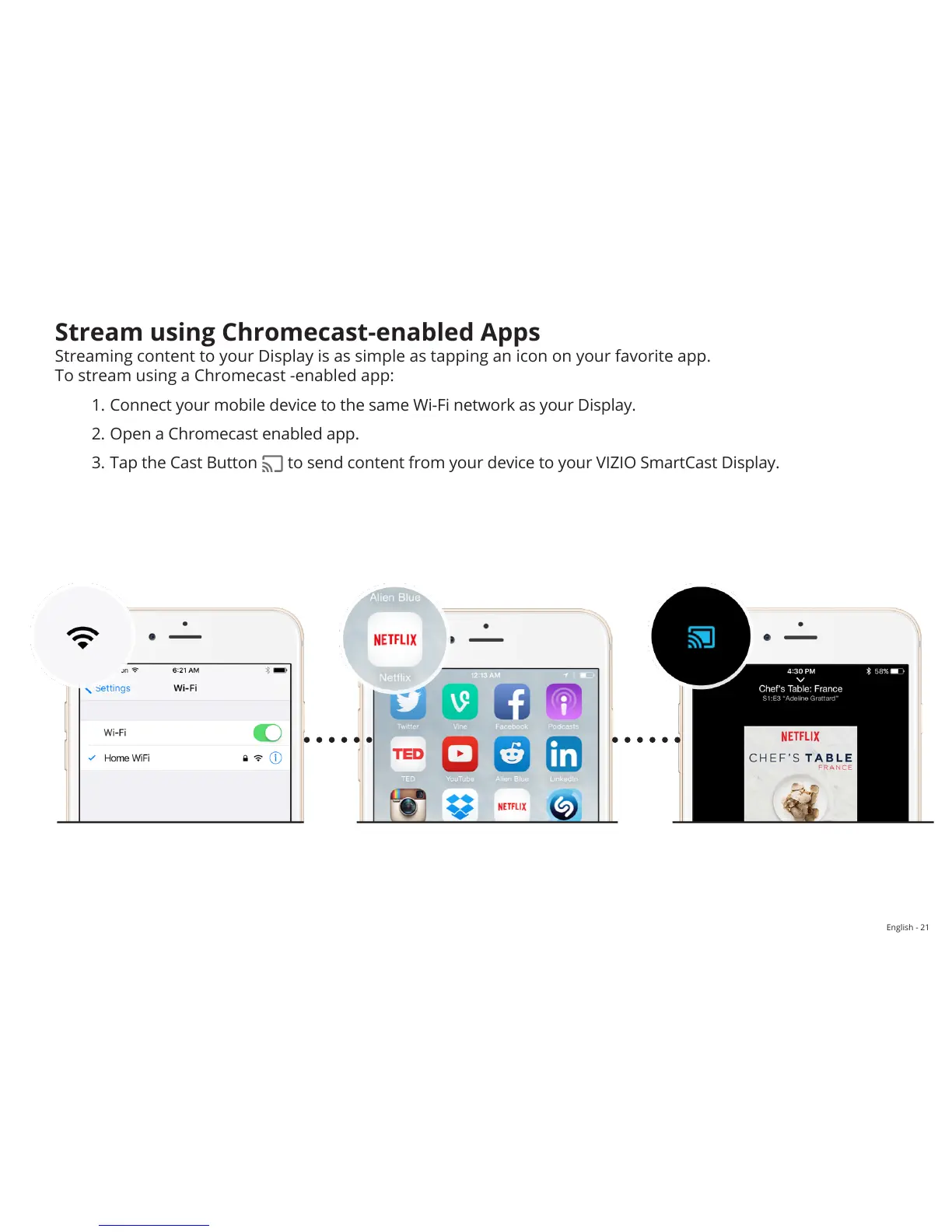
Streaming content to your Display is as simple as tapping an icon on your favorite app.
To stream using a Chromecast -enabled app:
1. Connect your mobile device to the same Wi-Fi network as your Display.
2. Open a Chromecast enabled app.
3. Tap the Cast Button
to send content from your device to your VIZIO SmartCast Display.


 To Next Page