3
55
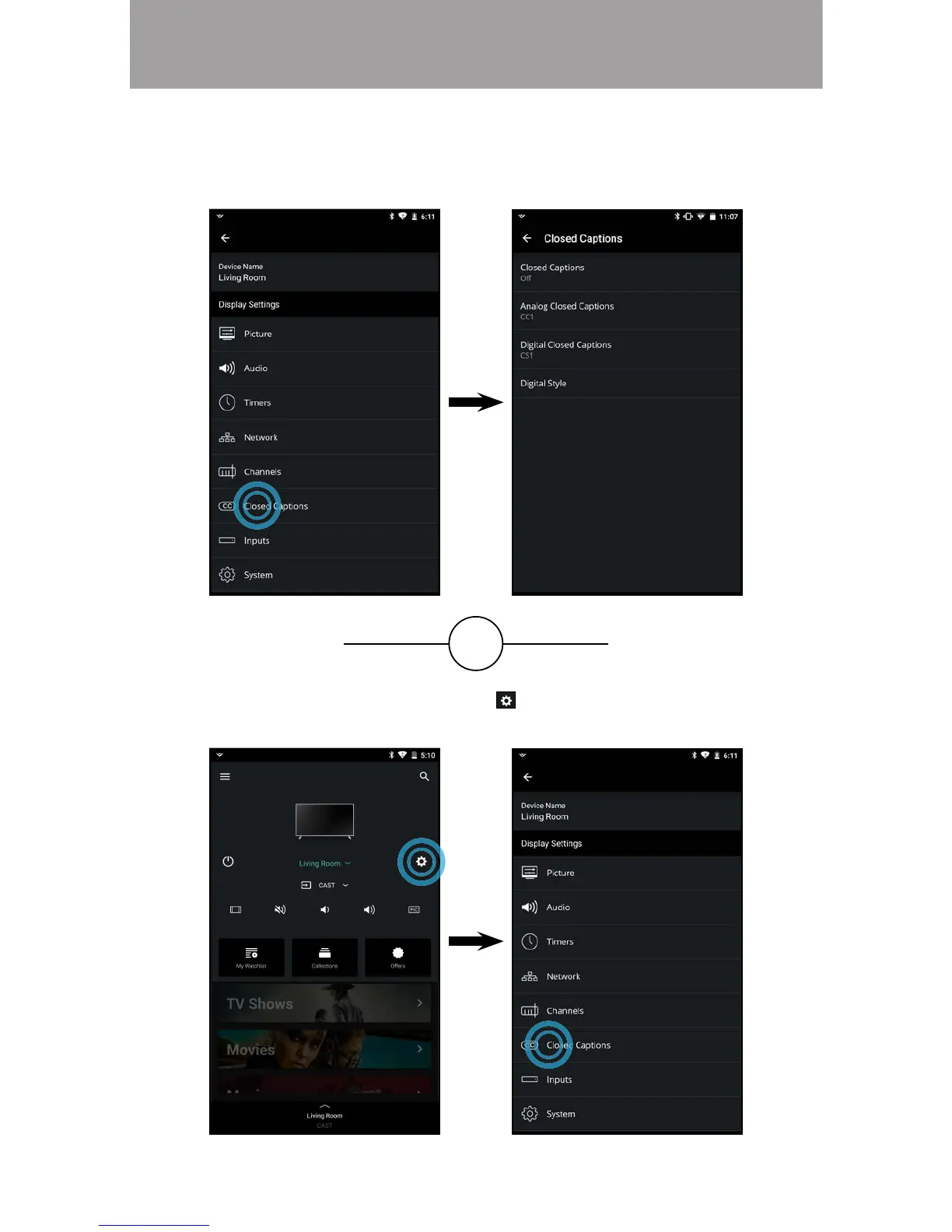
• From the Device Menu, tap on the button. The TV Settings menu is
displayed. Then tap on Closed Caption to access the Closed Captions
menu.
SETTING UP CLOSED CAPTIONS
To access the Closed Captions menu
• From the TV Settings menu, tap on Closed Captions. The Closed
Caption menu is displayed.
OR



 To Next Page