3
13
Note: The images shown here are for illustrative purposes only and may be subject to change. The actual on-screen image and text may vary, depending on the model.
NAVIGATING THE SMARTCAST
™
APP
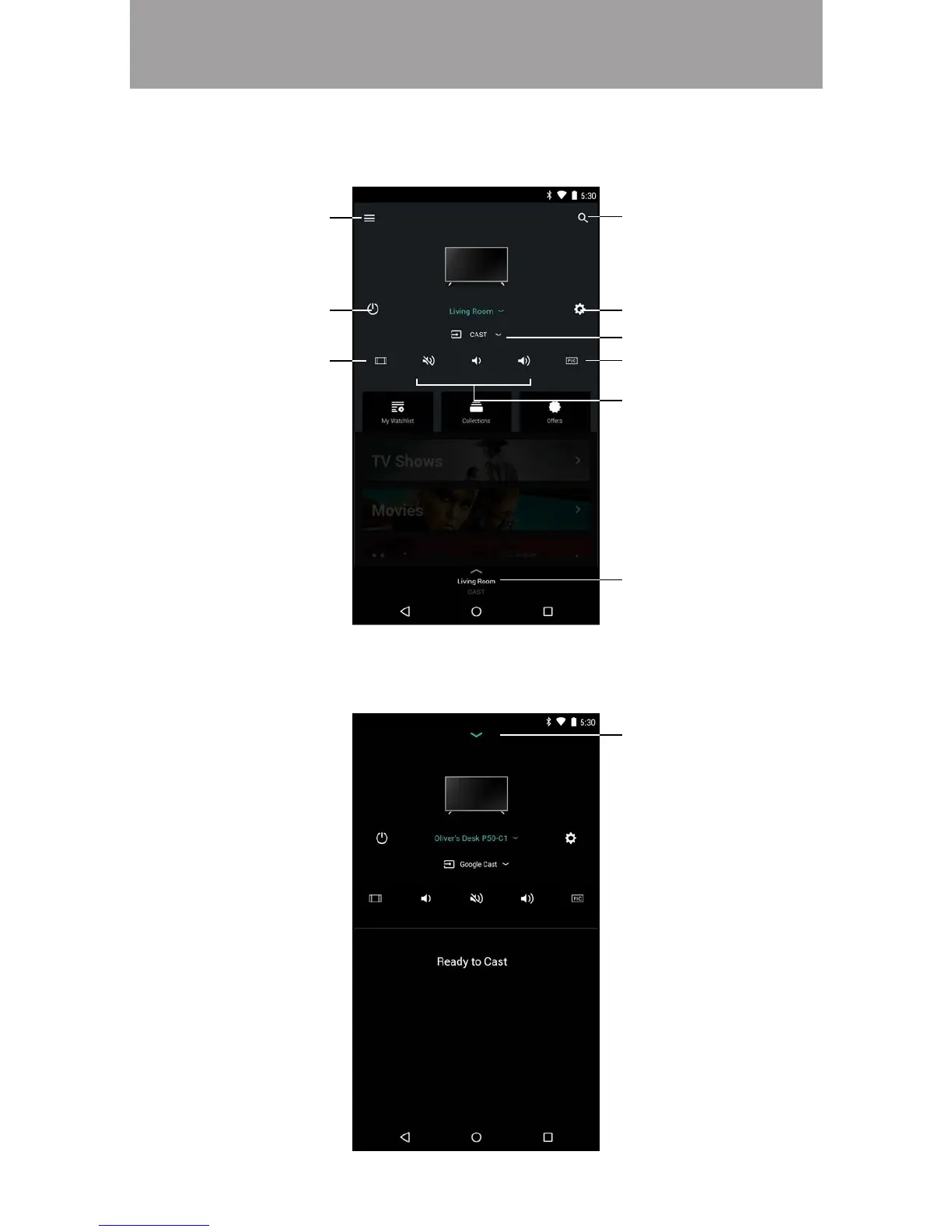
After you Creating/Logging into your MyVIZIO account, the home page of the
SmartCast™ app is displayed.
Search
Device Settings
Volume Controls
Device Input
Device Power
Menu
Device Menu
The Device Menu is available throughout the SmartCast app, allowing you to easily
access the device controls.
Tap to minimize
Change Picture Modes
Change Aspect Ratio



 To Next Page