3
30
Note: The images shown here are for illustrative purposes only and may be subject to change. The actual on-screen image and text may vary, depending on the model.
After you setup a TV connection, you can browse through the broadcast schedule,
add programs to your Favorites and Watchlists.
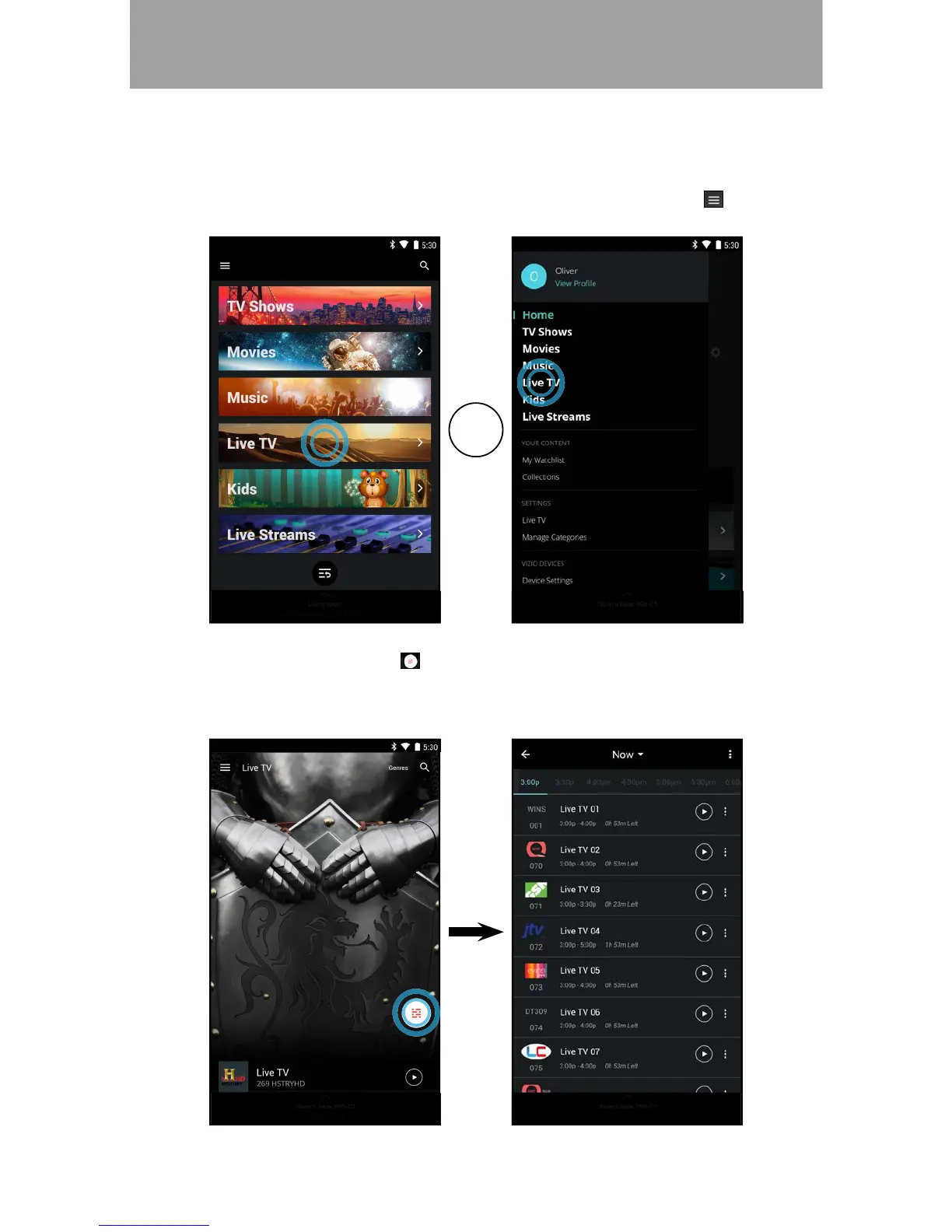
1. From the Home page, tap on Live TV or select Live TV from the menu.
OR
2. Tap on the schedule button to display the full broadcast schedule.
Swipe left and right to see the complete broadcast schedule for the day
on each channel. Tap the play button to begin watching.



 To Next Page