21
“updatelogic.txt”willbe“V1.1.3‐SEC.utv”.
Stepstoupgrade:
a. AConandDContopowerontheTV.(YoucanseetheOSDorVideoonthe
screen)
b. PrepareaUSBflashandplacethe2files,V1.1.3‐SEC.utvandupdatelogic.txt,
totherootoftheUSBflash.
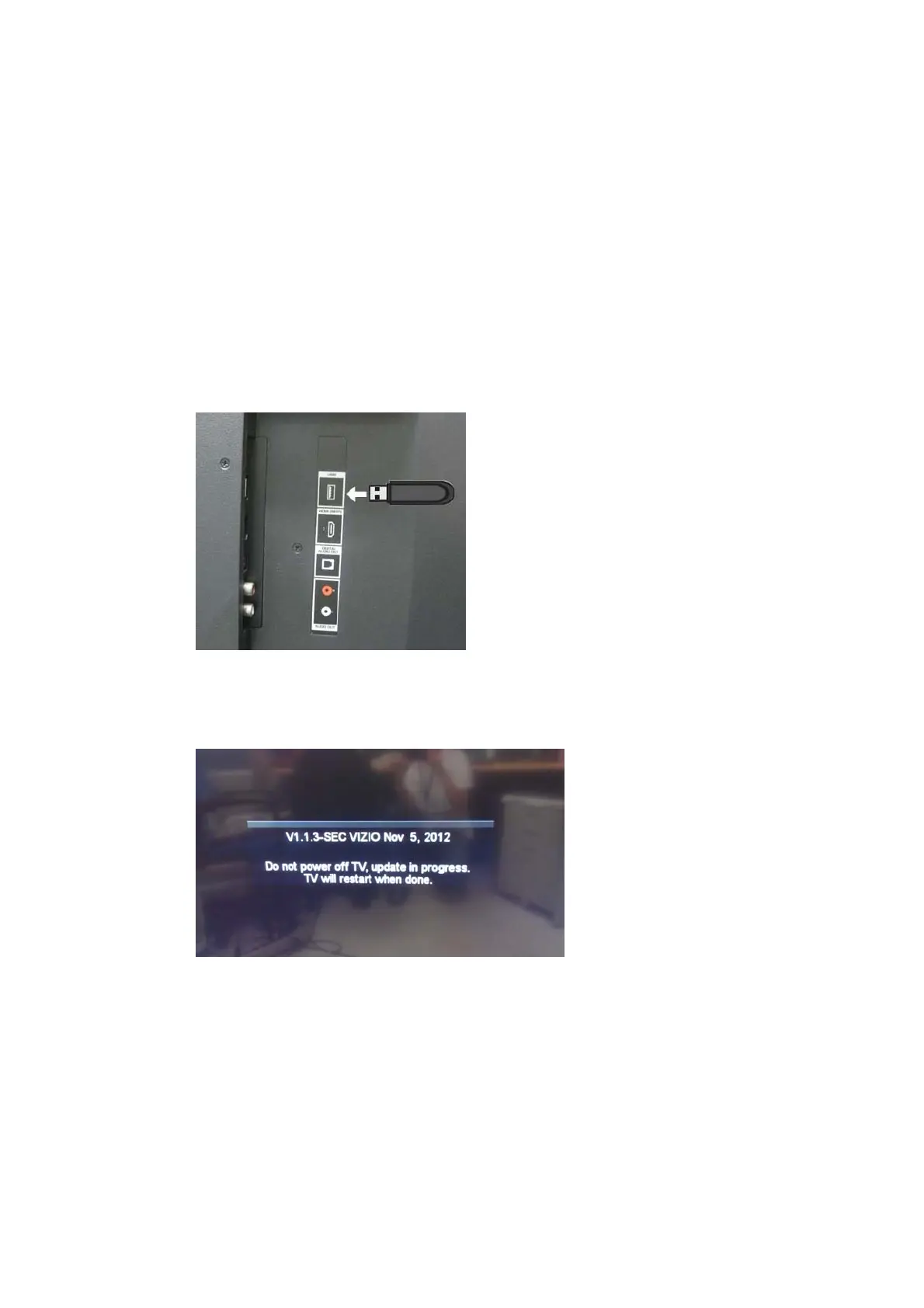
c. InserttheUSBflashtotheUSBportoftheTV
d. Waitseveralsecondsandyou’llseethemessagelikebelowindicatingthe
firmwareupgradeisinprogress.
e. Aftertheexecutingaccomplished,TVwillrebootitself.
f. AfterTVreboots,you’llseetheOSDmessagelikebelowindicatingtheTVis
installinganewfirmware.


 To Next Page
 Loading...