EasyManua.ls Logo

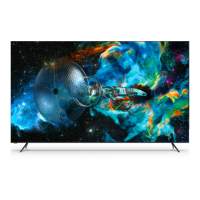
Vizio Quantum X P Series - User Manual

Vizio Quantum X P Series
47 pages
Print Icon
To Next Page IconTo Next Page
Loading...
Models:
P65QX-H1, P75QX-H1 & P85QX-H1
P-Series
®
Quantum X
User Manual

Table of Contents

Question and Answer IconNeed help?

Do you have a question about the Vizio Quantum X P Series and is the answer not in the manual?

Vizio Quantum X P Series Specifications

General IconGeneral
SeriesQuantum X P Series
Display TypeLCD
Smart TV PlatformSmartCast
Refresh Rate120 Hz
Voice AssistantsGoogle Assistant, Amazon Alexa
BluetoothYes
Smart TVYes
Voice ControlYes
Resolution4K (3840 x 2160)
HDR SupportDolby Vision, HDR10, HLG
Variable Refresh Rate (VRR)Yes
Screen Size65", 75"
Dimensions (Without Stand)Varies by model
Weight (Without Stand)Varies by model

Summary

Safety & Certification

Important Safety Instructions

General instructions to prevent electric shock, fire, and damage.

Understanding Manual Symbols

Explains symbols like TIP and WARNING for better understanding.

Product Registration and Technical Support

Help Topics

Specifications

Limited Warranty

Getting to Know Your TV

Front Panel

Details about the TV's front panel, including sensor and indicator.

Rear Panel and Ports

Connecting Devices

Audio & Video Cable Types

Explains how to connect devices using various audio/video cables.

Wall-Mounting the TV

Using the Remote Control

Completing the First-Time Setup

Using the On-Screen Menu

Navigating the On-Screen Menu

Instructions on using navigation buttons and the OK button.

Changing the Input Source

How to select different connected devices or inputs.

Adjusting Picture Settings

Picture Mode Settings

Explains different picture modes like Vivid, Bright, and Calibrated.

Adjusting Color Temperature

How to change the white balance of the picture.

Changing Picture Aspect Ratio

Adjusting Advanced Picture Settings

Adjusting Color Tuner Settings

Adjusting Picture Input Settings

Managing Custom Picture Modes

Adjusting Audio Settings

Adjusting Network Settings

Setting Up TV Channels

Using Parental Controls

Accessibility Settings

Setting Up Closed Captioning

Activates and customizes closed captions for programs.

Changing System Settings

Renaming TV and Input Devices

Power Management Features

System PIN and CEC Settings

Using the Admin & Privacy Menu

Viewing and Advertising Data Settings

Using the Info Window

SmartCast Home Features

WatchFree Free Streaming

Playing USB Media Overview

Playing USB Media: Music

Playing USB Media: Video

Playing USB Media: Photo

Related product manuals