EasyManua.ls Logo

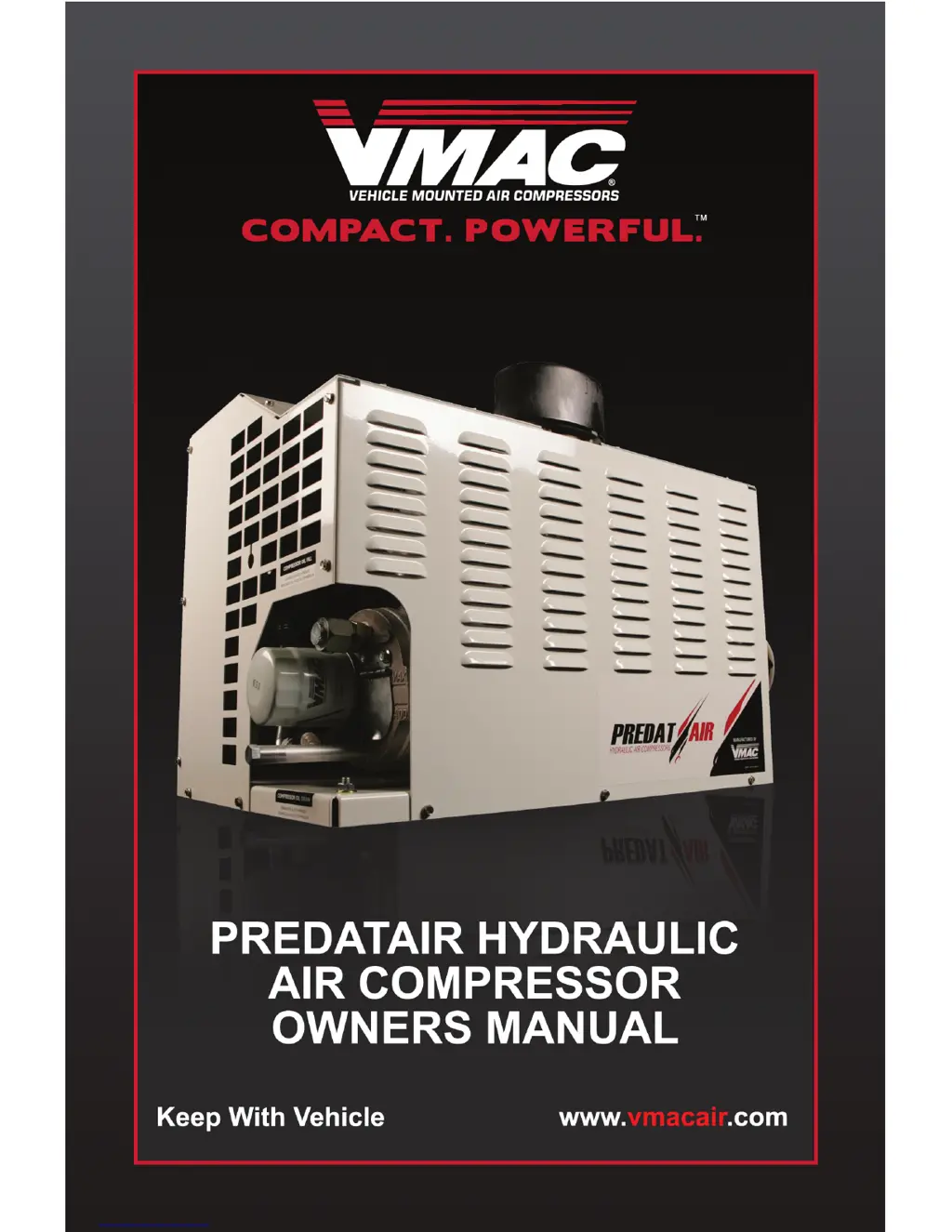
Vmac PREDATAIR - User Manual

Vmac PREDATAIR
40 pages
Print Icon
To Next Page IconTo Next Page
Loading...

Other manuals for Vmac PREDATAIR

Questions and Answers

  • M
    Michael HowardAug 14, 2025
    What to do if Vmac Air Compressor hydraulic oil is too hot?
    • R
      Russell OwensAug 14, 2025
      If the hydraulic oil in your Vmac Air Compressor is overheating and causing the compressor to shut down, it may be due to insufficient air-flow or ventilation. Ensure the cooler isn't blocked, and if the unit is installed in a cabinet, open the door to improve ventilation.
  • A
    Annette HancockAug 17, 2025
    What to do if Vmac PREDATAIR Air Compressor air pressure won’t build past 40psi?
    • K
      Kenneth SmithAug 17, 2025
      If the air pressure on your Vmac Air Compressor won’t build past approximately 40psi: * The system may be in SOFT START. Wait for the compressor to warm up. * The unload solenoid on the inlet valve may have failed, or there may be a problem with the wiring connections. Check the solenoid and wiring.
  • J
    James HernandezAug 20, 2025
    How to temporarily override the air compressor temperature sensor on a Vmac PREDATAIR Air Compressor?
    • R
      Robin PettyAug 20, 2025
      To temporarily disable the compressor temperature sensor on your Vmac Air Compressor, enter DIAGNOSTICS mode by pressing and holding the OFF button. Once in DIAGNOSTIC mode, allow the system to scroll through headings until the display shows 'AIR TEMP SENSOR'. Press the ON button to access this setting. Next, press and hold the ON button until 'NO AIR TEMP PROBE DIS?' appears on the screen, then release the ON button. Press and hold the ON button again until 'TEMP PROBE DIS' appears, and then release the ON button. To exit the DIAGNOSTIC screen, press both the ON and OFF buttons simultaneously, twice, to return to the main screen. To reset the PREDATAIR to default settings, turn the power OFF then ON again. This will reset the PREDATAIR temperature probes to ON.
  • J
    James JacksonAug 23, 2025
    What to do if I need to temporarily override the hydraulic temperature sensor on my Vmac Air Compressor?
    • J
      Jennifer CoxAug 25, 2025
      To temporarily disable the hydraulic temperature sensor on your Vmac Air Compressor, access the DIAGNOSTICS mode by pressing and holding the OFF button. Once in DIAGNOSTIC mode, allow the system to scroll through headings until the display shows 'HYD TEMP SENSOR?'. Press the ON button to access this setting. Then, press and hold the ON button until 'NO HYD TEMP PRB?' appears on the screen and release the ON button. Press and hold the ON button again until 'TEMP PROBE DIS' appears on the screen, then release the ON button. To exit the DIAGNOSTIC screen, press both the ON and OFF buttons simultaneously twice to return to the main screen. To reset the PREDATAIR to default settings, turn the power OFF then ON again. This will reset the PREDATAIR temperature probes to ON.
  • E
    Elizabeth PerezAug 27, 2025
    What to do if Vmac PREDATAIR is overheating?
    • C
      Carol JacksonAug 27, 2025
      If your Vmac Air Compressor is overheating and shutting down, several factors could be the cause: * Check the oil level and fill if needed. * Inspect the oil filter, hoses, and cooler for any blockages. * Ensure the fan is operational by checking connections, the fan itself, and the relay. * Confirm that there's sufficient airflow and ventilation, ensuring the cooler and air filter aren't blocked. If installed in a cabinet, open the door or improve ventilation. Moving the PREDATAIR out of the cabinet may also help. * Examine the temperature probe and wiring connections.
  • K
    Kim MoonAug 30, 2025
    Why my Vmac Air Compressor Predatair won't start?
    • C
      Christopher WoodAug 30, 2025
      If your Vmac Air Compressor Predatair isn't starting when you press the ON button, consider these potential causes: * Check the display box for any messages indicating inappropriate start-up conditions. * Inspect the hydraulic solenoid and its connections for any failures. * Verify that the hydraulic motor or compressor isn't seized by checking if they roll over.
  • K
    Kenneth GreeneSep 3, 2025
    Why does my Vmac PREDATAIR Air Compressor keep shutting down and resetting?
    • J
      Janet WallaceSep 3, 2025
      If your Vmac Air Compressor system runs then shuts down, and the display resets, but doesn’t restart, it could be due to: * Wires connecting to the battery positive and ground being too small. Check the wire size requirements in the installation manual and install the correct gauge wires. * Low battery voltage. Check wiring connections, measure voltage at the input to the PREDATAIR when it is running with the fan on to ensure full voltage, and check the charging system.
  • D
    delacruzcourtneySep 6, 2025
    Why Vmac PREDATAIR Air Compressor says 'HYD OIL TOO COLD'?
    • V
      Vincent ChandlerSep 6, 2025
      If your Vmac Air Compressor displays 'HYD OIL TOO COLD', it indicates that: * The hydraulic oil temperature is below +5F (–15 C). Pre-heat the hydraulic oil before running the system. * If the hydraulic oil is below -13F (-25C), the system is cautioning you to preheat the hydraulic oil before starting the PTO system. The Cold Climate Kit (A700146) can be installed to speed warm-up once the hydraulic oil temperature has reached –13F(-25C).
  • M
    Mr. Ronald WalkerSep 9, 2025
    What to do if Vmac Air Compressor displays 'CHECK AIR FILTER'?
    • S
      Summer JonesSep 9, 2025
      If your Vmac Air Compressor displays 'CHECK AIR FILTER', it's a reminder to inspect the air filter, which occurs every 100 hours of operation. Check the air filter and replace it as needed. The message will automatically disappear after 6 hours of operation.

Summary

General Information

Safety Precautions

Essential safety rules for operating and maintaining the PREDATAIR compressor.

Installation Instructions

Specifications and Components

Operating the PREDATAIR

Startup Procedure

Steps to start the PREDATAIR compressor and perform initial system checks.

Environmental Operation

Guidelines for operating the PREDATAIR in cold and hot weather conditions.

Error Messages

System Adjustments

Diagnostic Mode and Menu Navigation

How to enter diagnostic mode and navigate system menus.

Troubleshooting

System Errors and Solutions

Troubleshooting common system errors, their causes, and corrective actions.

Maintaining the PREDATAIR

Adding Compressor Oil

Procedure for checking and adding VMAC compressor oil.

Filter Replacement Procedures

Instructions for replacing air, oil, and coalescing filters.

System Wiring Diagram

Warranty Information

Warranty Terms and Registration

Details on warranty coverage, limitations, and registration process.

Maintenance and Repair Records

Accessory Products

VMAC Product Warranty Registration

Vmac PREDATAIR Specifications

General IconGeneral
ModelPREDATAIR
BrandVMAC
Maximum Pressure150 PSI
TypeRotary Screw
Noise Level70 dBA

Related product manuals