EasyManua.ls Logo

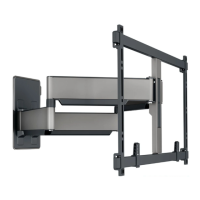
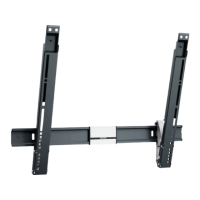
vogel's TVM 5405 Series - User Manual

vogel's TVM 5405 Series
20 pages
Print Icon
To Next Page IconTo Next Page
Loading...
TVM 5405/5605 Series - English 1
TVM 5405 Series
TVM 5605 Series
Full Installation Guide
Everything you need to get your TV safely on the wall, in no time
Before you start
…we just wanted to say thanks for choosing Vogel’s. Smart choice.
And you’re already making another smart choice reading the manual! Keep reading to learn all about
safe, efficient installation, and how to use your new mount.

Questions and Answers

  • W
    williamsstephenJul 29, 2025
    Why do I have leftover bolts after installing my Vogel's Racks & Stands?
    • R
      Robert SchultzJul 29, 2025
      Having leftover bolts after installing your Vogel's Racks & Stands is normal. You only need 4 bolts to install the mount to your TV. The extra bolts are included to accommodate different types of TVs and their varying sizes. Don’t waste the other bolts, save them! You can use them for another TV when you buy a new one or use it elsewhere.
  • S
    Stephen HickmanAug 12, 2025
    What to do if my Vogel's Racks & Stands cover is stuck?
    • D
      Daniel ColonAug 12, 2025
      If your cover is stuck, it may be because the space between your wall and your wall mount is too tight, making it difficult to reach the snap hooks. To release it, push a small screwdriver between the wall and the wall mount to push the snap hooks down.

vogel's TVM 5405 Series Specifications

General IconGeneral
Product TypeTV wall mount
MaterialSteel
ColorBlack
Cable managementYes
Distance to the wall55 mm
VESA compatibility200x200 - 400x400 mm
Tilt rangeUp to 10°
Mounting typeWall
VESA mounting holes200 x 200 mm

Related product manuals