EasyManua.ls Logo

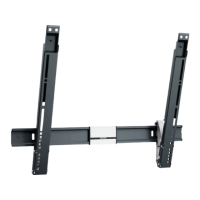
vogel's TVM 5855 Series - User Manual

vogel's TVM 5855 Series
20 pages
Print Icon
To Next Page IconTo Next Page
Loading...
TVM 5855 Series - English 1
TVM 5855 Series
Full Installation Guide
Everything you need to get your TV safely on the wall, in no time
Before you start
…we just wanted to say thanks for choosing Vogel’s. Smart choice.
And you’re already making another smart choice reading the manual! Keep reading to learn all about
safe, efficient installation, and how to use your new mount.

Questions and Answers

Summary

Safety and Preparation

General Safety Instructions

Essential safety warnings and guidelines for correct installation and product use.

Personal Protective Equipment

Mandatory safety gear including eye, ear, and foot protection for installation.

Included Components and Tools

List of all parts in the box and necessary tools for a successful installation.

Installation Process

Step 1: Attach Strips to TV

Mounting interface strips and protective patches onto the TV securely.

Step 2: Attach Wall Mount to Wall

Securing the wall mount to various wall types like concrete, brick, or wood.

Step 3: Attach TV to Wall Mount

Connecting the TV to the wall mount and managing cables for a clean setup.

Support and Maintenance

Removing Your TV

Instructions for safely detaching the TV from the wall mount.

Customer Support and Resources

Contact information, online help, social media, and feedback channels.

Troubleshooting and FAQs

Solutions for common problems and answers to frequently asked questions.

Guarantee and Sustainability

Details on the product's 10-year guarantee and environmentally friendly disposal.

vogel's TVM 5855 Series Specifications

General IconGeneral
Product TypeTV mount
Swivel Angle180°
MaterialSteel
ColorBlack
Height AdjustableYes
Cable ManagementYes

Related product manuals