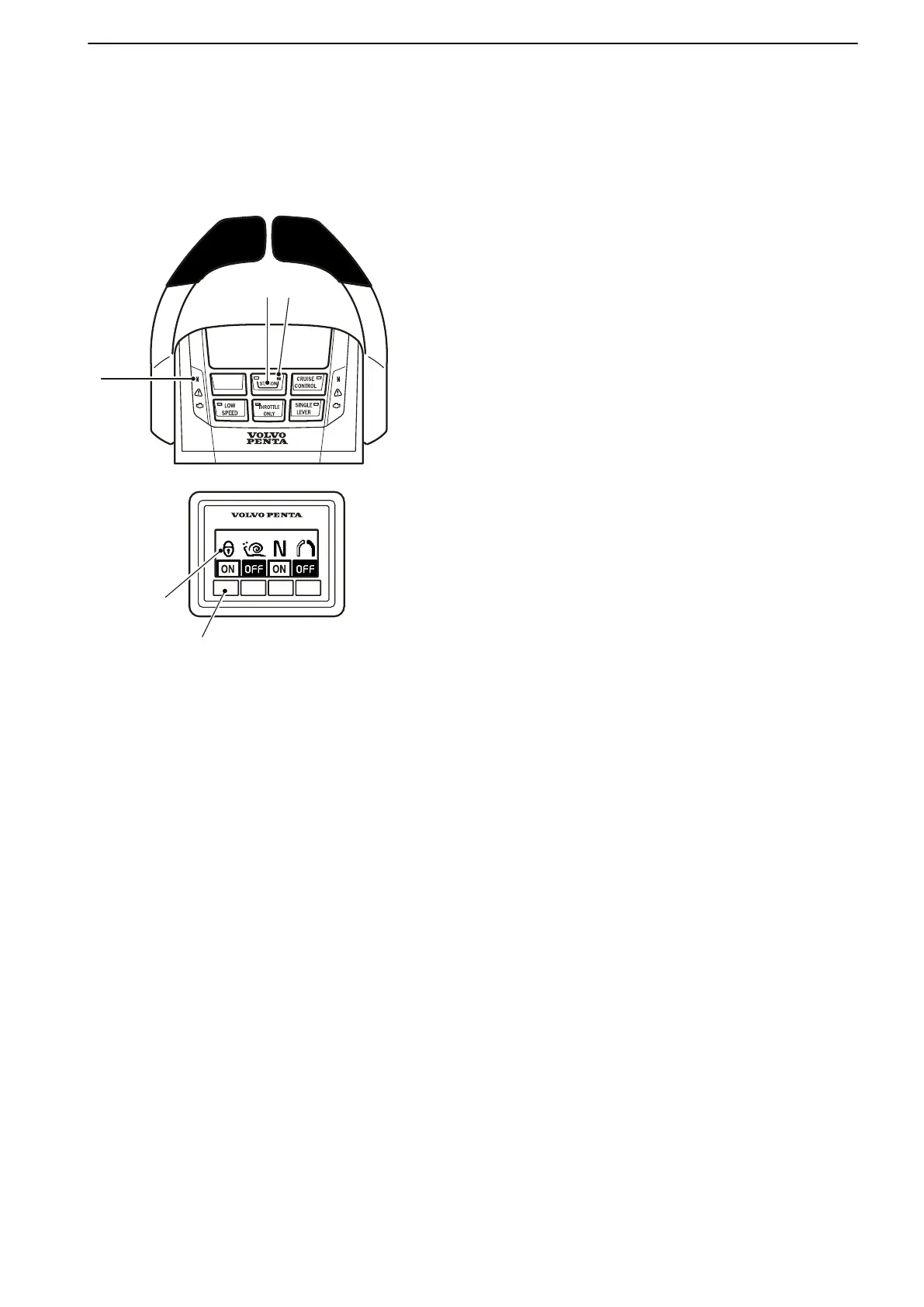
Helm Stations
Changing and activating helm stations
Helm station change
1 Move the control lever(s) to neutral.
The neutral lamp (1
) on the control lights up when
the drive is in neutral.
2 Unlock the helm station being vacated, if it is
locked, by pressing (2). The padlock (3) is extin-
guished.
3 Activate the helm station being occupied by press-
ing (2).
The lamp in the control button will light up when the
helm station is active.
If the helm station is inactive, the lamp will be extin-
guished.
If the padlock symbol (3) flashes, the helm station can-
not be activated. Another helm station is active and
locked, or unlocked with a drive selected (not in neu-
tral).
Locking/unlocking helm stations
If a helm station is locked it is only possible to start and
stop the engine or change helm stations from there.
Lock or unlock an active helm station by depressing
(2).
The padlock symbol (3) lights up when the helm station
is locked.
Operation
47702599 12-2011 49
47702599 - Downloaded from www.volvopenta.com 23/11/2015 22:01:35








 To Next Page