Replace gauge
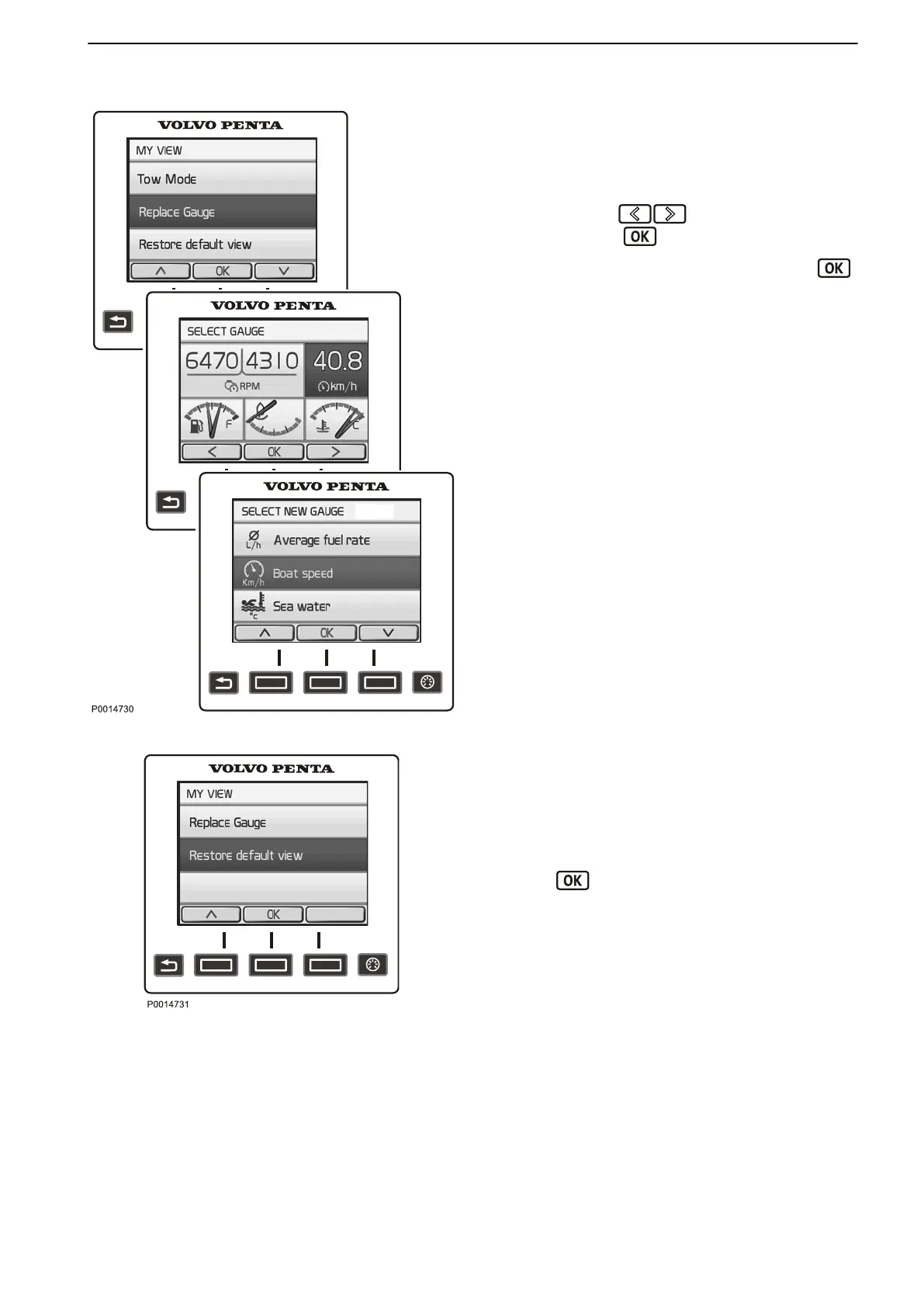
In My View, Engine View and Vessel the owner can
decide what information will be shown and where on
the display. The procedure is the same for all views.
1 Press
the
MENU button and select Replace gauge.
2
Navigate using
to the gauge for replace-
ment and press .
3
Select the gauge for replacement and press .
Restore Default View
The display has a basic setting that it is always possi-
ble to return to.
1 Press
the
MENU button and select Restore Default
View.
2
Press
.
Replace gauge
Restore Default View
Instruments and Controls
47702095 04-2011 21


 To Next Page
 Loading...