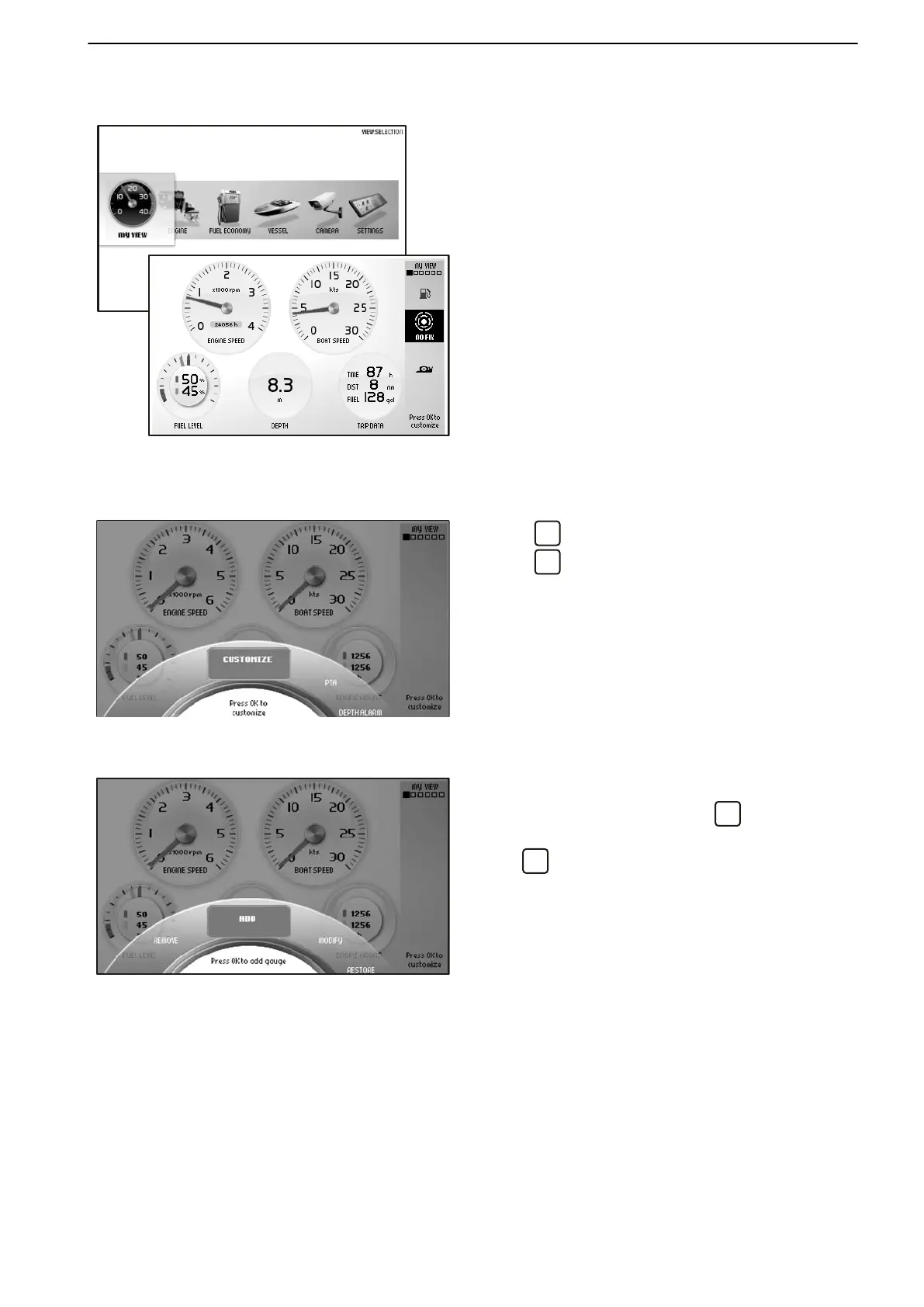
My View
Boat, engine and transmission data are displayed in
My View as analog or digital instruments.
Selection of instruments to be displayed and their
appearance is made under the Customize menu.
Information for up to three engines can be displayed
on the
same screen in boats with multiple engine instal-
lations; they are distinguished by different color dials
in the instruments.
Customize
Press
so that the Customize menu is displayed.
Press
to access the submenus Add, Remove,
Modify and Return to basic setting..
Use the knob to browse between menus.
Adding instruments
Turn the knob to Add and press
.
Select
the
desired information is displayed and confirm
with
. The new instrument will position itself at the
bottom right corner.
Instruments and Controls
47702095 04-2011 23


 To Next Page
 Loading...