To re-enter radio mode
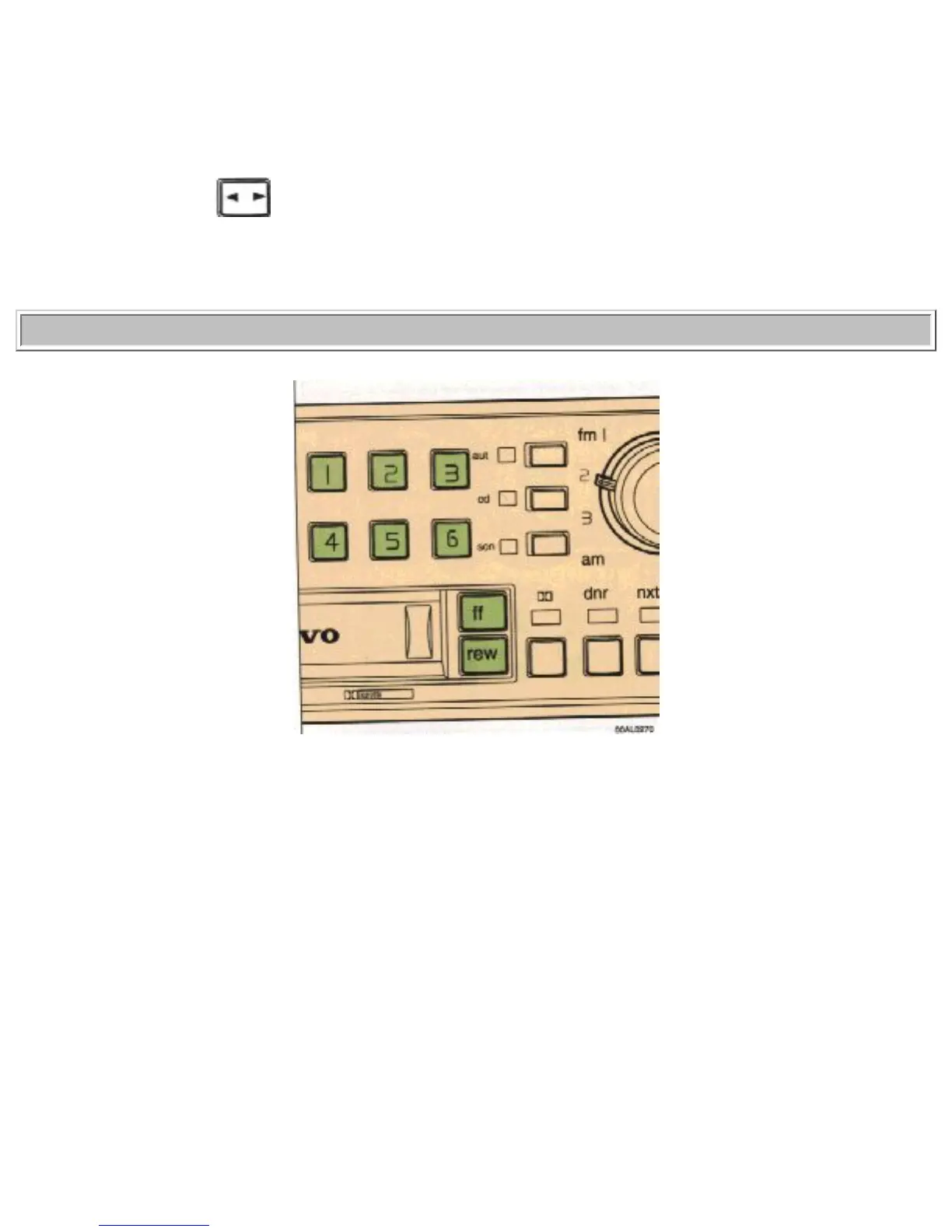
Press the "cd" button. The indicator light
turns off.
To re-enter tape mode
If a cassette is already inserted, the tape player will re-engage if the "rev" button is pressed
pg. 1:30 CD - Remote (accessory) (cont.)
Disc no. selector
Depress one of the preset buttons ( 1-6) to select the disc number required. The selected disc no. and
track no. is displayed.
Changing selected Disc no.
Press another preset button to change to another disc number. Press "ff" for forward selection or "rew"
for backward selection. The chosen disc no. and track no. is displayed.
file:///K|/ownersdocs/1993/1993_940/93940_1_25.html (9 of 13)12/30/2006 9:44:20 AM


 To Next Page