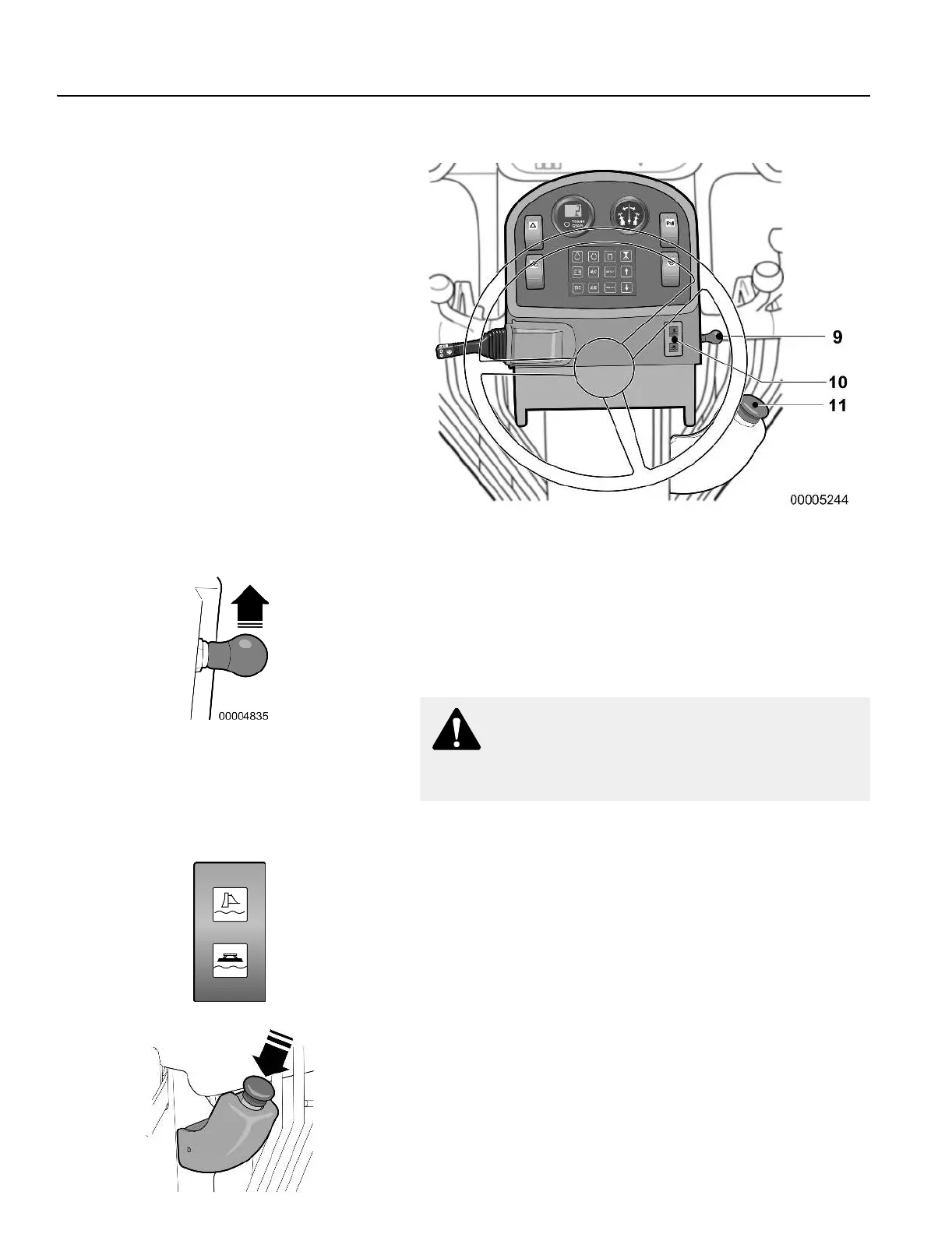
Instrument panels
44 Pedestal instrument panel
9
Float valves power switch
The float valve switch arms the float system for the moldboard and
attachments. This is a momentary style switch.
Push the power switch up to activate the system; push down to de-
activate. Lights mounted on the front of the pedestal indicate that
the system is activated. See below.
10
Front float valves system indicator lights
(control lamp amber)
These indicator lamps are mounted on the front right-hand side of
the pedestal. They illuminate when the Front float valve system is
active. If the option is not installed on the grader, the lamp will not
illuminate.
NOTE! If the valve is already in the float position (4th position
detent), and the floats have not been activated, move the le-
ver out of the float position in order to activate the system.
11
Parking brake switch
Push in the knob to apply the parking brake; pull out to release it.
The switch must be pushed in (parking brake applied) to start the
grader.
WARNING!
Do not use float control to lower moldboard. Loss of
control of grader could result.



 To Next Page